Exporting your WordPress content
To migrate your WordPress blog to Medium, follow the instructions below to export your WordPress archive as an XML file compatible with the Medium migration tool. And then click on the link above to complete the process.
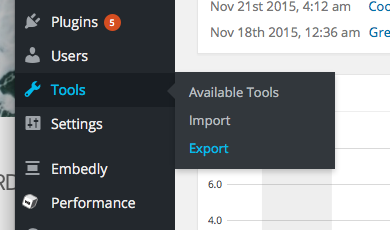
Go to your Wordpress dashboard and navigate to Tools → Export.
On your WordPress export page, we recommend choosing the "Posts" option for download.
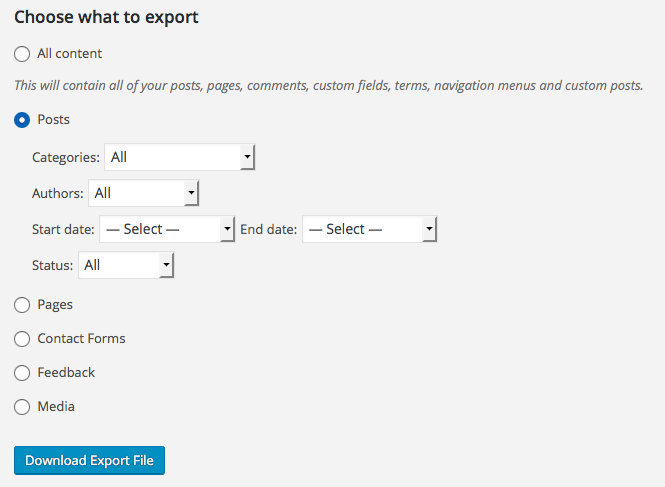
You can also change these settings to only migrate a portion of your posts, such as posts within a certain category, by a certain author, or posted after a certain date.
Note that the migration will not bring over comments on existing posts or static pages that aren’t posts (for some blogs, that might include About, Events, Contact, or Job pages). Categories will not be retained, but if you tagged your posts in WordPress, the first three will be included in your Medium import.