 Fetching latest commit…

ConsoleBundle



This bundle allows you accessing the Symfony2 console via your browser.
Features
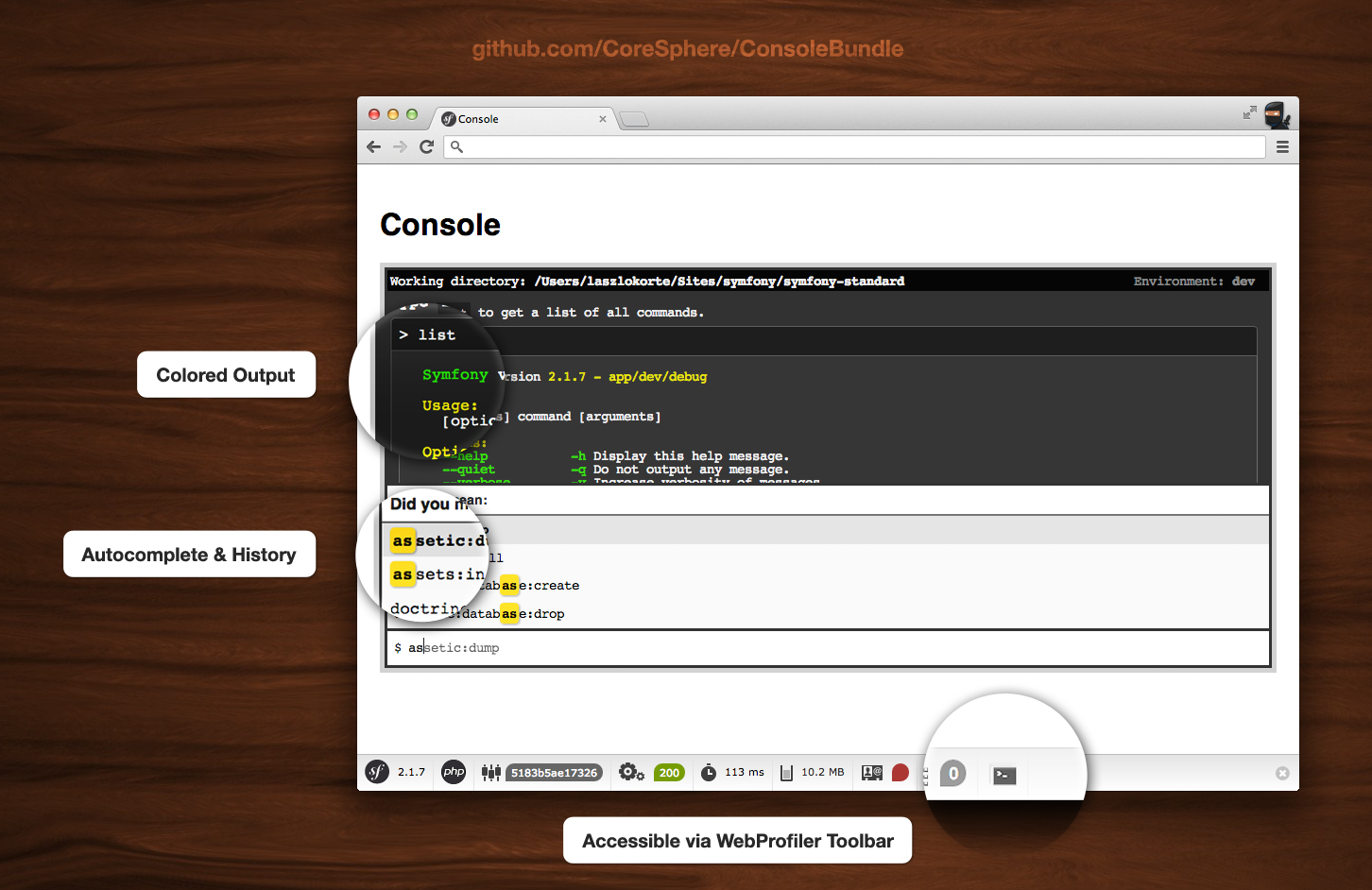
- Colored output
- Autocompletion for command names
- Local command history (localStorage)
cache:clearworks
Installation
Install via composer:
composer require coresphere/console-bundle
Register the bundle in you AppKernel in the development section
// app/AppKernel.php
public function registerBundles()
{
    $bundles = [
        // other bundles here...
    ];

    if (in_array($this->getEnvironment(), ['dev', 'test'])) {
        // ...
        $bundles[] = new CoreSphere\ConsoleBundle\CoreSphereConsoleBundle();
    }

    return $bundles;
}
Add the bundle's route to your app/config/routing_dev.yml
# app/config/routing_dev.yml

# ...
_main:
    resource: routing.yml

coresphere_console:
    resource: .
    type: extra
run the assets:install command to install the css and js files
./app/console assets:install web
Tips
- Type
.clearto clear the console window
Preview
Dependencies
- jQuery
- Twig
Compatibility
Tested with:
- Chrome
- Firefox 4
- Opera 11
- Safari 5