

Tweets
- Tweets, página atual.
- Tweets e respostas
- Mídia
Você bloqueou @rstudiotips
Tem certeza de que deseja ver estes Tweets? Visualizar os Tweets não desbloqueará @rstudiotips
-
RStudio Tips retweetou
Doh! I've been working at
@RStudio for 6 months, yet I just learned that I could drag the source pane in the RStudio IDE off the IDE canvas and have it become its own window.Obrigado. O Twitter irá usar isso para melhorar sua timeline. DesfazerDesfazer -
RStudio Tips retweetou
#rstats Tip of the Day: Do you want to ZOOM IN on only one window at a time??? Use the@rstudio shortcuts layed out "clockwisey", Ctrl + Shift + 1 (Script) Ctrl + Shift + 2 (Console) Ctrl + Shift + 3 (File Viewer) Ctrl + Shift + 4 (Environment)pic.twitter.com/xINm7FSN8iMostrar esta sequênciaObrigado. O Twitter irá usar isso para melhorar sua timeline. DesfazerDesfazer -
RStudio Tips retweetou
Here's an
#rstats@rstudiotips to save you a few seconds a week! Open a folder containing a .Rproj file in RStudio will open the project! I've wasted seconds of my life every day navigating to the .Rproj file pic.twitter.com/h6dUOOz2VCObrigado. O Twitter irá usar isso para melhorar sua timeline. DesfazerDesfazer
 -
RStudio Tips retweetou
If you're like me and would rather decorate your IDE than your cubicle for the holiday season, then I've got an
@rstudio theme for you! Yule RStudio
 https://www.garrickadenbuie.com/blog/2018/12/05/holiday-rstudio-theme/ …
 Merry
Merry #rstats Festivus!pic.twitter.com/bDaD01kFYm
 Mostrar esta sequênciaObrigado. O Twitter irá usar isso para melhorar sua timeline. DesfazerDesfazer
 -
RStudio Tips retweetou
Discovered this beautiful
@rstudio#rstats hack a few days ago, wish I had known earlier.pic.twitter.com/b5vuB4l9HoObrigado. O Twitter irá usar isso para melhorar sua timeline. DesfazerDesfazer -
RStudio Tips retweetou
 So long copy paste,
 Hello Command + Enter!
Did you know that you can run code from examples in help files with Command + Enter? Works in the
Hello Command + Enter!
Did you know that you can run code from examples in help files with Command + Enter? Works in the #rstats GUI and in@rstudio.pic.twitter.com/i704xzr91pObrigado. O Twitter irá usar isso para melhorar sua timeline. DesfazerDesfazer -
RStudio Tips retweetou
I'm a stickler for the 80-characters-per-line rule when writing
#rstats code, so I'm a huge fan of the margin column line that is always there as a reminder of when I should consider jumping to the next line. RStudio Preferences
Code
Display
Show Marginpic.twitter.com/N8s19kg5uSMostrar esta sequênciaObrigado. O Twitter irá usar isso para melhorar sua timeline. DesfazerDesfazer
Preferences
Code
Display
Show Marginpic.twitter.com/N8s19kg5uSMostrar esta sequênciaObrigado. O Twitter irá usar isso para melhorar sua timeline. DesfazerDesfazer -
Just a few little things added in RStudio 1.2: detect missing R packages, filter with histograms, make PowerPoint presentations, show hidden files, customize the Source button, and more. https://blog.rstudio.com/2018/11/19/rstudio-1-2-preview-the-little-things/ …
#rstatsObrigado. O Twitter irá usar isso para melhorar sua timeline. DesfazerDesfazer -
RStudio v1.2 adds support for custom colors. Learn how to make your own theme (or use an old favorite!) https://blog.rstudio.com/2018/10/29/rstudio-ide-custom-theme-support/ …
#rstatspic.twitter.com/gDczp1tZQs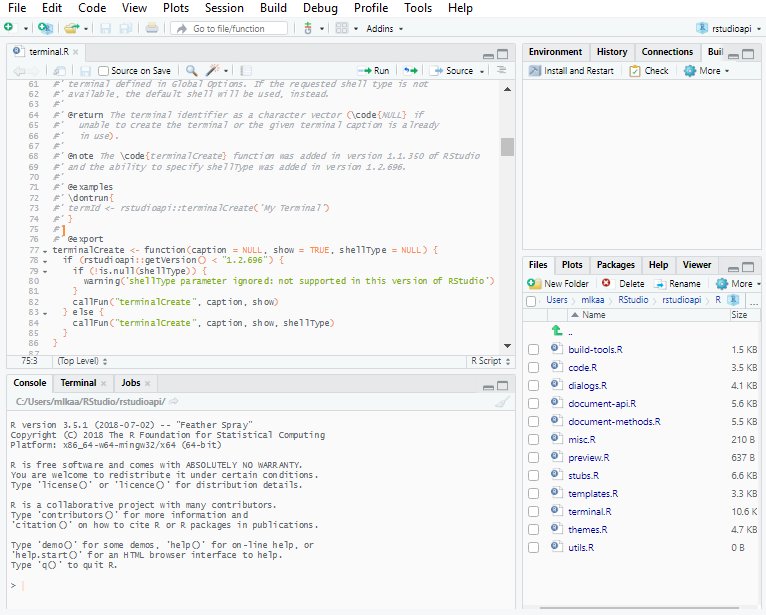 Obrigado. O Twitter irá usar isso para melhorar sua timeline. DesfazerDesfazer
 -
Make your R functions into web APIs using the built-in Plumber tools in the
@rstudio 1.2 preview: https://blog.rstudio.com/2018/10/23/rstudio-1-2-preview-plumber-integration/ …#rstatspic.twitter.com/nWQNFJcBQN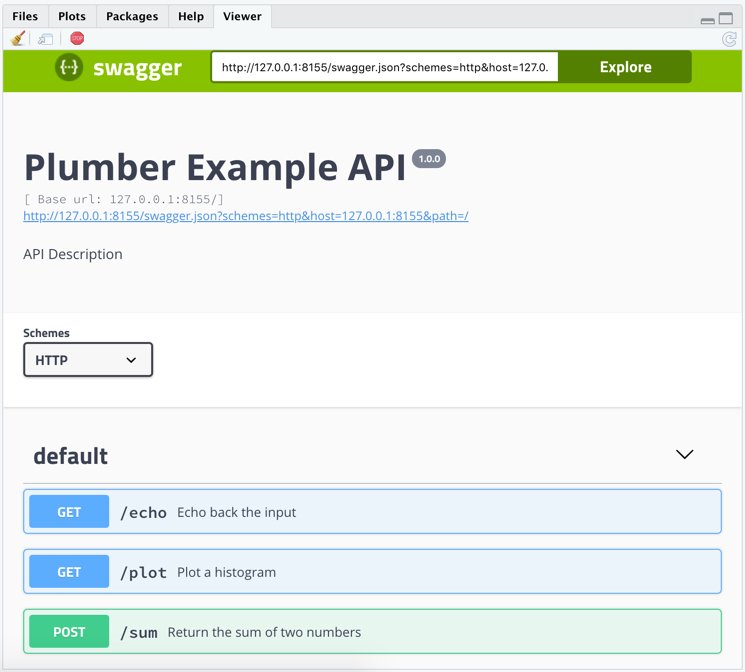 Obrigado. O Twitter irá usar isso para melhorar sua timeline. DesfazerDesfazer
 -
New in RStudio 1.2: record and run tests for your Shiny code right inside the IDE with the shinytest package.
#rstats https://blog.rstudio.com/2018/10/18/shinytest-automated-testing-for-shiny-apps/ …pic.twitter.com/OTOxRGAeEj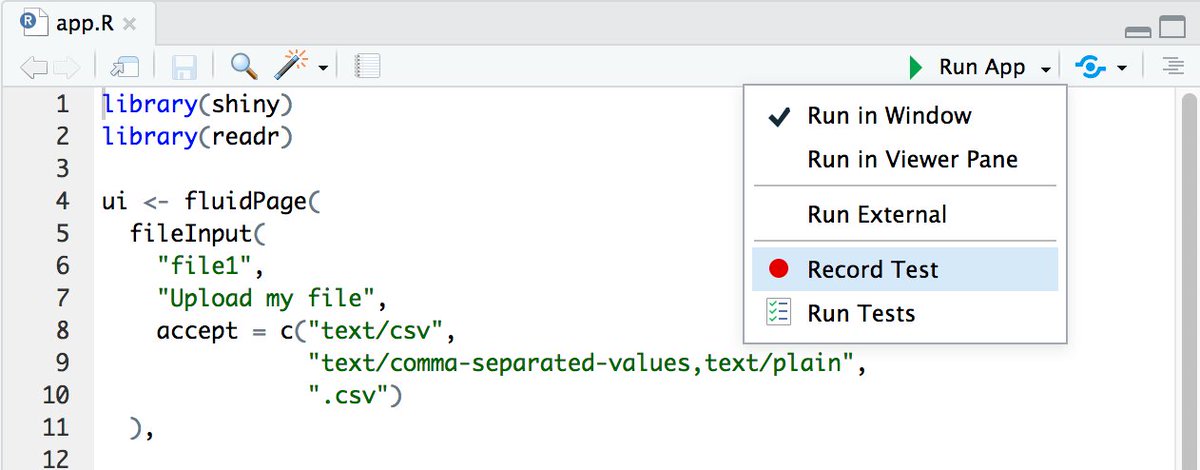 Obrigado. O Twitter irá usar isso para melhorar sua timeline. DesfazerDesfazer
 -
RStudio Tips retweetou
RStudio v1.2 Preview: Enhanced
#rstats +#pydata interop with reticulate — https://blog.rstudio.com/2018/10/09/rstudio-1-2-preview-reticulated-python/ …Obrigado. O Twitter irá usar isso para melhorar sua timeline. DesfazerDesfazer -
RStudio Tips retweetou
r2d3: R Interface to D3 Visualizations https://blog.rstudio.com/2018/10/05/r2d3-r-interface-to-d3-visualizations/ …
#rstats#D3pic.twitter.com/5MlJbxKo6i Obrigado. O Twitter irá usar isso para melhorar sua timeline. DesfazerDesfazer
 -
RStudio Tips retweetou
Improved support for SQL in RStudio v1.2, including autocomplete and direct query execution from SQL files: https://blog.rstudio.com/2018/10/02/rstudio-1-2-preview-sql/ …
#rstats#sqlpic.twitter.com/K4boTL3B9a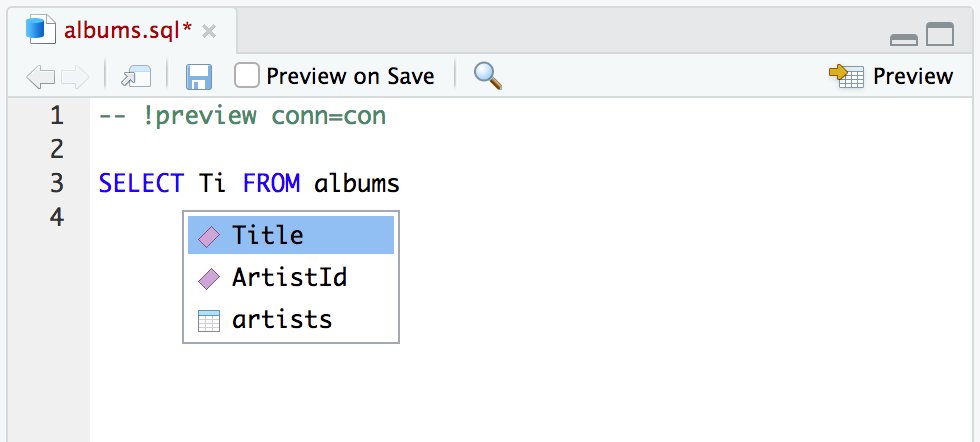 Obrigado. O Twitter irá usar isso para melhorar sua timeline. DesfazerDesfazer
 -
PSA: Are your Git tools missing in
@rstudio after upgrading to MacOS Mojave? It's probably because git and friends are no longer installed. Run "xcode-select --install" in Terminal to install Apple's Command Line Tools. More info:https://github.com/rstudio/rstudio/issues/3550 …Obrigado. O Twitter irá usar isso para melhorar sua timeline. DesfazerDesfazer -
It's true! View(function) will show that function's source code, or press F2 on the function's name in the source editor.https://twitter.com/marvin_dpr/status/1043053989540110336 …

 Best
Best@rstudio thing since colored R and terminal ... Clicking through function methods -


 pic.twitter.com/asVyDsji2tObrigado. O Twitter irá usar isso para melhorar sua timeline. DesfazerDesfazer
 -
RStudio Tips retweetou
These are indeed handy! "RStudio IDE Easy Tricks You Might've Missed" by
@lopp_sean http://buff.ly/2f2hmZt via@rstudio#rstatspic.twitter.com/KpRiX124D7Obrigado. O Twitter irá usar isso para melhorar sua timeline. DesfazerDesfazer -
RStudio Tips retweetou
TFW you learn about a package that does the *thing* that you couldn't articulate in a Google search.

 More gifs/info here: https://github.com/MilesMcBain/datapasta …
 @MilesMcBainpic.twitter.com/WBIrUeJSq5Mostrar esta sequênciaObrigado. O Twitter irá usar isso para melhorar sua timeline. DesfazerDesfazer -
RStudio Tips retweetou
Oooo new favourite
#rstudio shortcut = “Crtl/Cmd + shift + r “ gives a pop up box, type in your new section name and it appears! Try it! “# new section name - - - -“
 #rstats#brickhackpic.twitter.com/0VuSbrCbcb Obrigado. O Twitter irá usar isso para melhorar sua timeline. DesfazerDesfazer
 -
RStudio Tips retweetou
I keep .Rproj files pinned to the jump menu on the RStudio icon in Windows. Can easily drag up, select project file, and get to work.
Obrigado. O Twitter irá usar isso para melhorar sua timeline. DesfazerDesfazer


O carregamento parece estar demorando.
O Twitter deve estar sobrecarregado ou passando por algum problema momentâneo. Tente novamente ou acesse o Status do Twitterpara obter mais informações.