

Knowify
Cos'è Knowify?
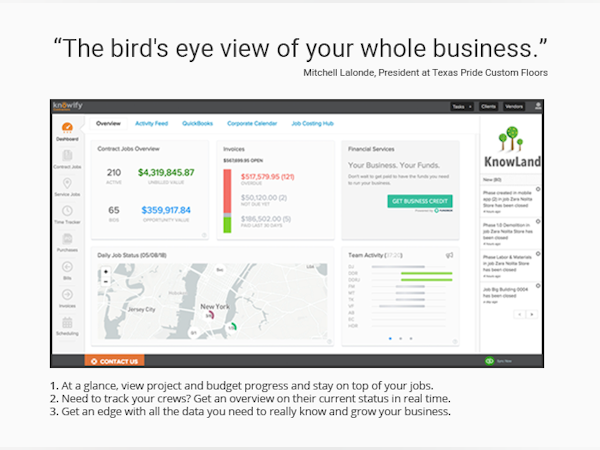
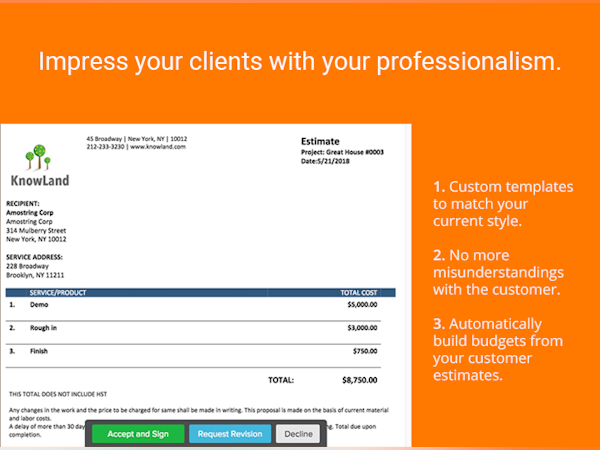
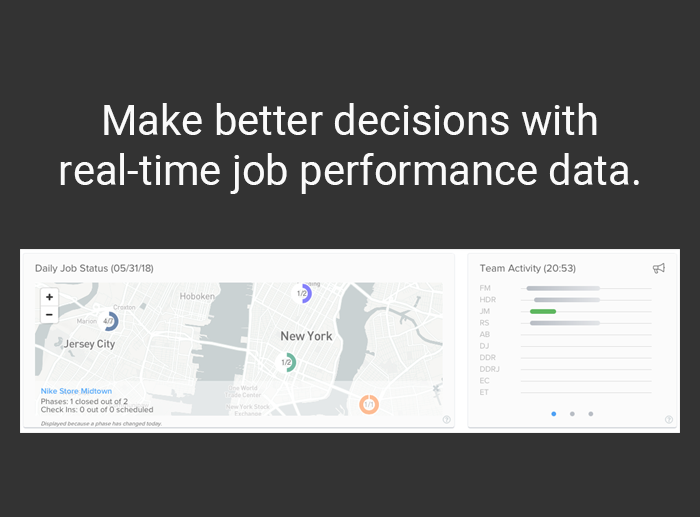
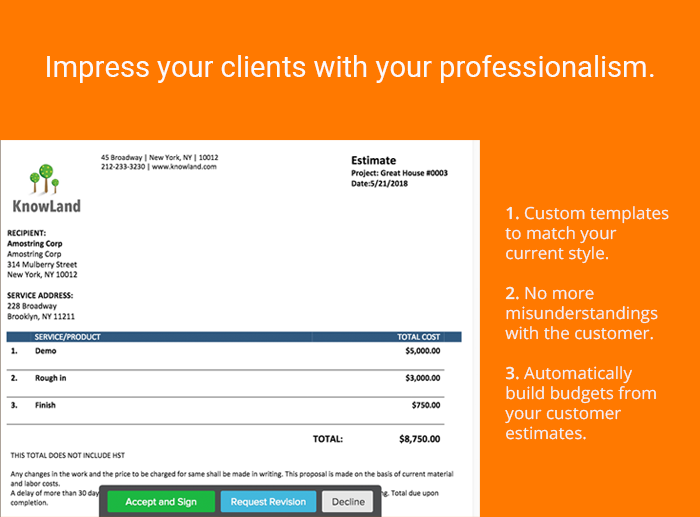
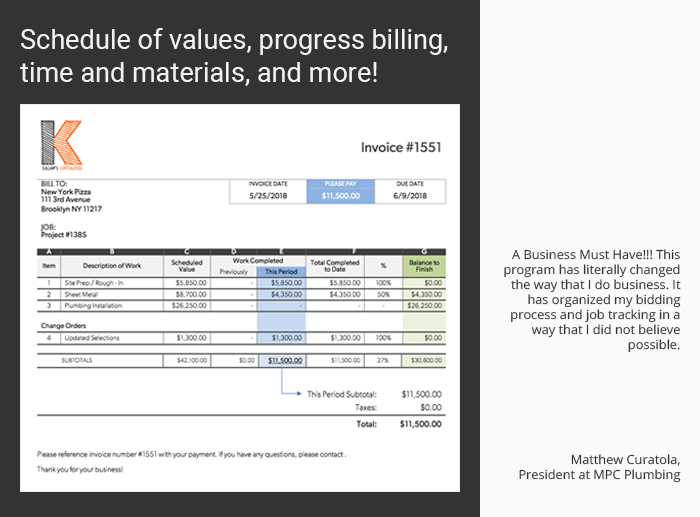
Solo per subappaltatori commerciali e rimodellatori residenziali. Gestisci in modo efficiente, senza carta e con informazioni migliori le prestazioni lavorative, come non hai mai fatto prima. Offre Scopri di più sia strumenti per la gestione dei contratti sia per la gestione delle spedizioni. Si sincronizza con QuickBooks online. Funzionalità: Costi dettagliati del lavoro, gestione dei progetti, gestione dei contratti, gestione degli ordini di modifica, elaborazione dei pagamenti con conto corrente e carta di credito, RFI, pianificazione, monitoraggio degli orari lavorativi, fatturazione dei progressi, fatturazione con modello AIA e altro ancora. Mostra menoChi utilizza Knowify?
Professionisti delle costruzioni e subappaltatori che devono gestire contratti, progetti, fatture, ordini di modifica, programmazione e acquisti.


Hai dubbi su Knowify?
Confrontalo con una delle alternative più popolari
Knowify

Other great alternatives to Knowify









Recensioni su Knowify

Tonya
Absolutely the best job costing app for subcontractors and trades that integrates with QuickBooks.
Commenti: We love sharing this software and its great features with our construction clients. To my mind there is no better job costing app on the market today for subcontractors and tradesmen in commercial construction.
Aspetti positivi:
The 2-way sync with QuickBooks; the ability to create AIA style billings directly out of the program (no duplicate entering); the integrations with great apps like ClockShark and Tsheets; the great dashboard on which you can monitor the profitability of each current job; the ease with which you can budget and bid from within the software; the wealth of available reports; and so much more.
Aspetti negativi:
Some improvements could be made to the service ticket side of the program to make it more comprehensive; if a PO is fulfilled in QuickBooks there is no way to match it in Knowify, so it has to be closed out manually on the Knowify side.
Mike
Amazing product
Commenti: Knowify has allowed us to streamline our processes, understand our costs and become more profitable.
Aspetti positivi:
It is very easy to learn, and use. It keeps all of our information in one place.
Aspetti negativi:
I am happy with all the features currently.
Elizabeth
Concerns with Knowify
Commenti: Knowify allows me to better track materials and labor. Overall, it's alright as a support tool but I feel it still has a long way to go. Knowify Support basically refers to the user manual for any questions - may as well start there before contacting them.
Aspetti positivi:
Allows me to have a front-end to Quickbooks and provides for a little better job tracking. We previously tracked jobs manually. Knowify also has some helpful reports.
Aspetti negativi:
When you first start using Knowify, it is not user friendly. There are many "quirks" in the system. We have submitted requested all through 2018 for some of these to be addressed. Our company cannot be the only user experiencing some of these issues. Using Knowify has helped but is still lacking for my purposes. Examples: adding another default phase for Subcontractors - the entry of this data now is awful. Support has not be terrific. Job numbering - if jobs are initiated in Knowify or Quickbookos, if the are communicating properly, the LAST number issued should automatically populate. This does not happen, even though Support says to mark it in preferences - it is flagged.
Tierney
As a Quickbooks desktop Beta customer, we are still ironing out some sync troubles.
Commenti: The online-ability is great for the boss in the field, but with QBD we have had to establish work arounds.
Aspetti positivi:
Knowify has many modules that are useful, however they do not all work with QBD quite yet. Once they can get the sync figured out it will be a one-stop-shop for estimating, time-tracking, invoicing, scheduling. We do not use the Plan and Track feature, but I can see how that could be VERY helpful. Emailing customers is very easy. Purchase orders are EASY to send. Getting customer signatures is EASY.
Aspetti negativi:
1) The billing module is very detailed, so it takes a long time to enter bills. There should be a shortcut around entering an "Item" that allows choosing an expense account. And maybe allocate to the job not based on an item in contract. Also Autofill feature? Or a Copy previous bill? 2) Default accounts are confusing. For a long time they did not save after I entered them. And many of them do not allow us to choose a COGS type account. 3)Time tracker does not sync at all. 4) Sub customer doesn't autofill address of top customer. 5)Estimate/Invoice template formats are not editable - I want to adjust which fields and where they go on the document. 6)Can't do a $0 estimate -sometimes a customer wants to choose from options. 7) Class info did not sync 8) In Plan and Track the work order should autofill item description from the contract 9) t would be great if Comments were visible in Time entries Instead of having to click on them to see.
Utente Verificato
Run your business efficiently
Commenti: I have used the demo version of the software and I can say it is great software with many features that can allow users to grow their businesses and make profits.
Aspetti positivi:
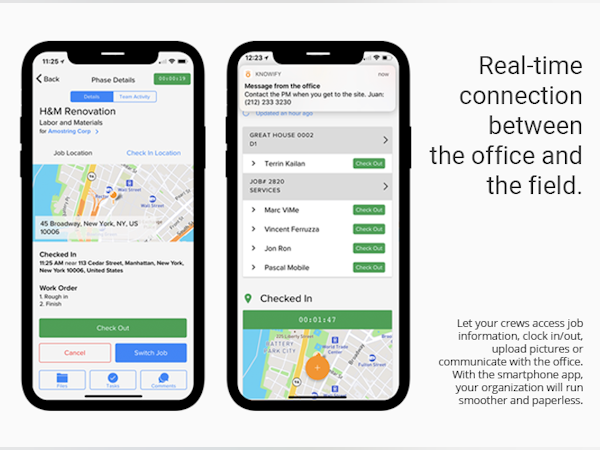
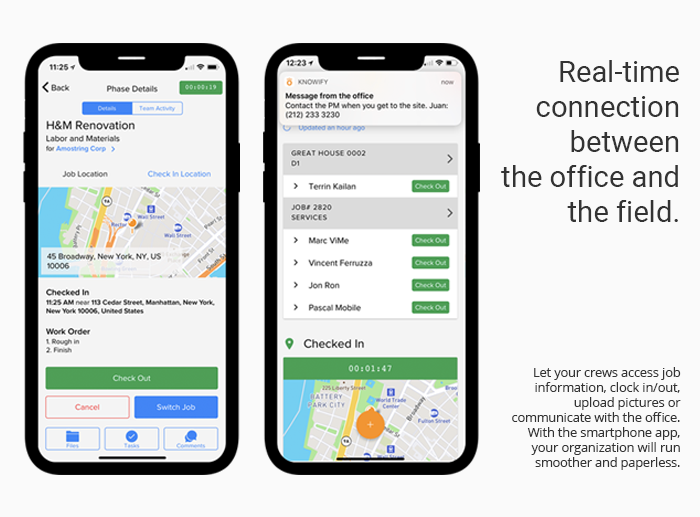
It has an organized dashboard and many features. Users can easily start a new project, add a description, divided the job into phases, and set the budget for each phase. The budget is detailed into materials, labor, and subcontractor costs. This can help users estimate the cost Vs profits for each phase. The program makes it easy to calculate materials and labor costs, just add the price per unit and charge per hour then add the total amount of units and the total number of hours. I like that data can easily sync with other accounting software like QuickBooks. Users can create work schedules for their staff and send them messages on their Knowify mobile app to give them tasks and the time frame. I like the time tracker and the detailed reporting module. Finally, I like that it is a paperless based system. Users can send emails with their proposals for e-signature. Also, they can send invoices with links for online payment.
Aspetti negativi:
Knowify is great, but it requires a high level of experience with similar apps. On the other hand, it is appreciated that newcomers can download a demo version to practice, also the software has built-in user service templates.




































