AutoEntry
Description de AutoEntry
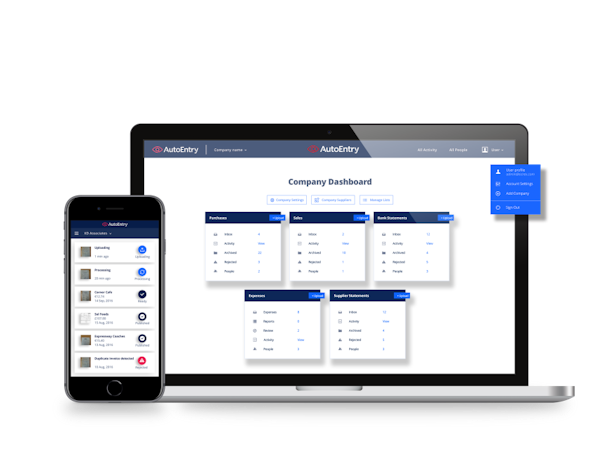
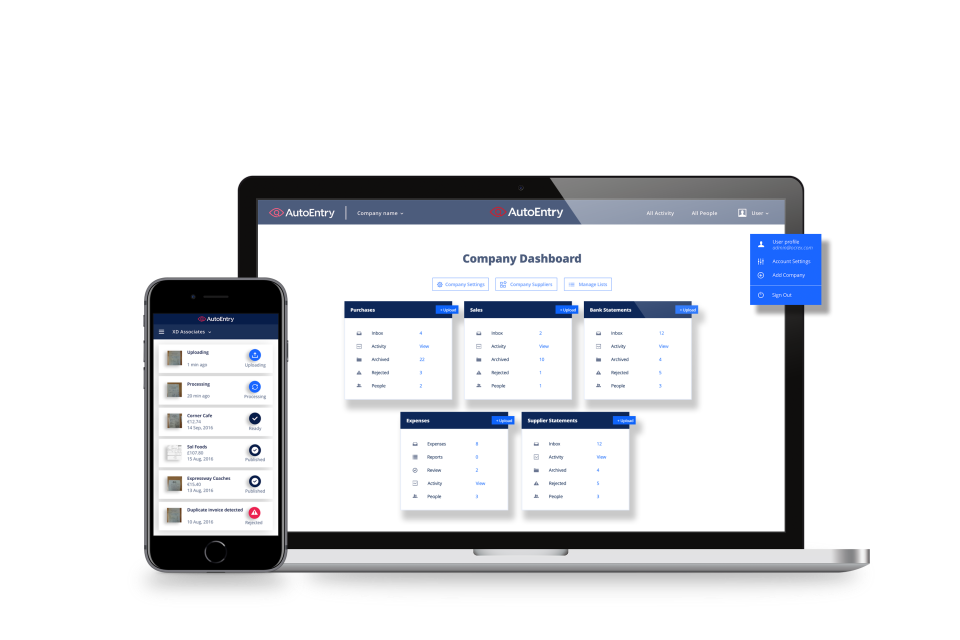
Simplifiez vos tâches comptables en supprimant la saisie manuelle des données et gagnez du temps. S'intègre à plusieurs solutions de comptabilité, notamment Quickbooks, Xero, Sage, Kashflow, Lire la suite Fuzemetrix, etc. Afficher moinsQui utilise AutoEntry ?
Conçue pour les petites et moyennes entreprises, cette plateforme de saisie automatique des données rationalise le processus de comptabilité et de tenue des comptes.
AutoEntry ne vous convainc pas tout à fait ?
Comparer avec une alternative populaire
AutoEntry

Alternatives à AutoEntry






Avis sur AutoEntry

Daniel
Convenient, accurate and time saving
Avantages :
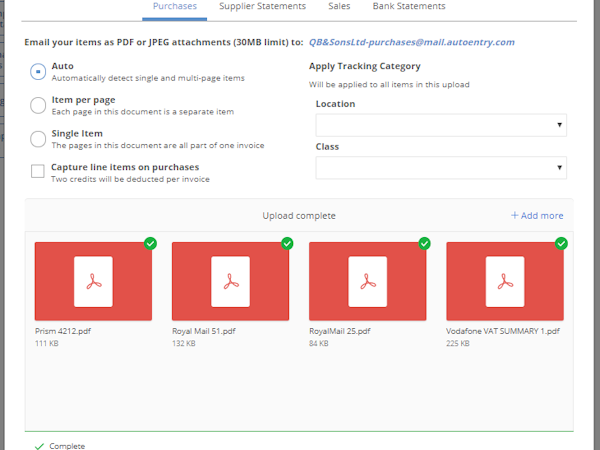
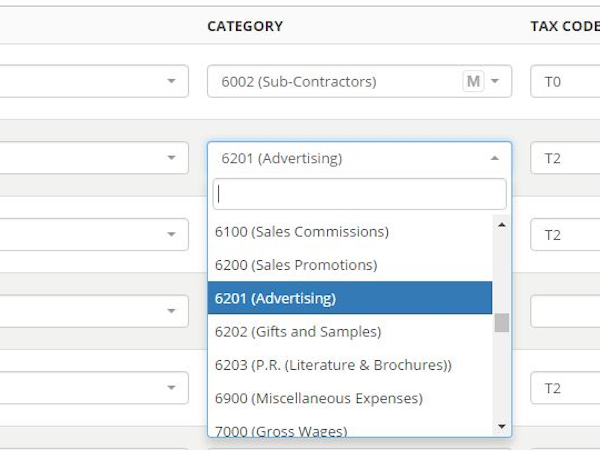
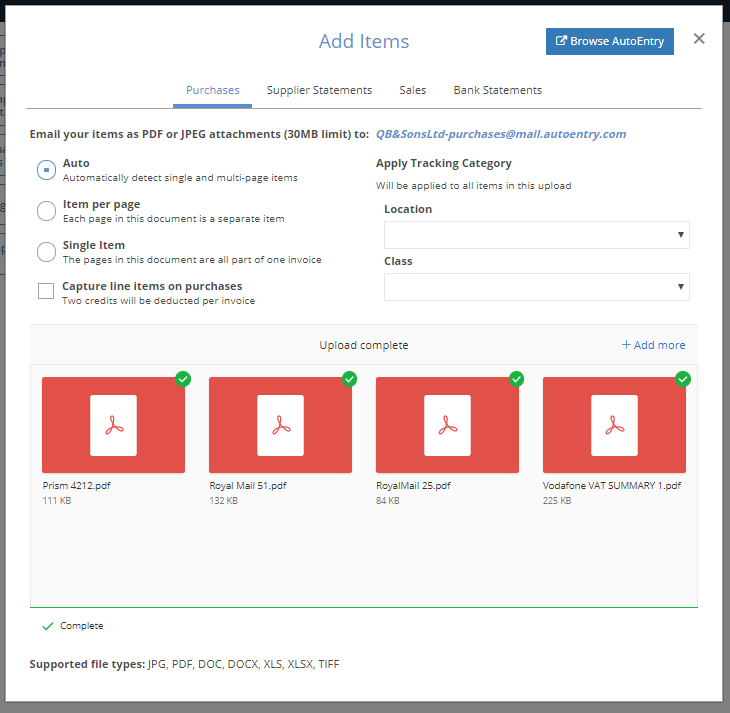
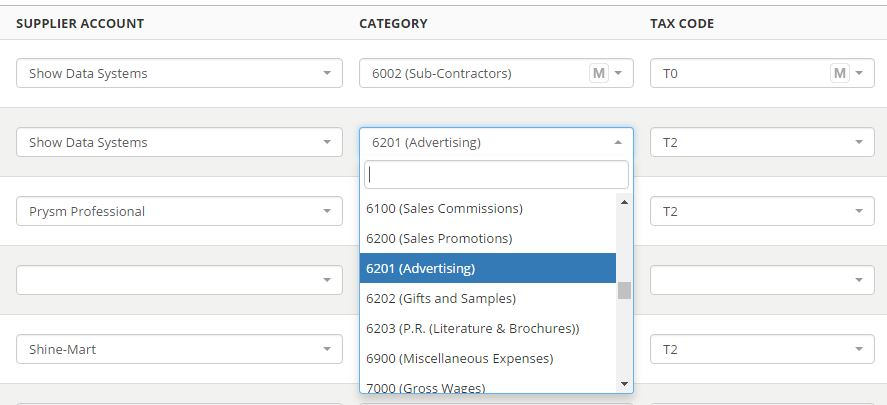
We have been using Auto Entry as a firm for a couple of months and we’re really impressed at how much time it can save, level of accuracy and convenience. As a medium sized accountancy firm we are always looking at options to save labour hours inputting data and so far it is a good inexpensive solution. Purchase invoices are easy to process, we mostly upload all the invoices we want to process as one PDF and leave Auto Entry to process them, but there are options to process multi-page PDFs and more detailed breakdown. It will read the Date, Supplier name, and amounts, net of VAT and gross including it. When Auto Entry and QuickBooks are linked up, all the Suppliers, Customers and the Chart of Accounts are linked, to the supplier account and relevant nominal can be selected from a drop down, which Auto Entry remembers going forward. You can ‘’Approve’’ invoices that are ready to import and sync up with QuickBooks. Sales work very similar to Purchases. Bank statements are processed quickly and are usually accurate, saving us many hours that our staff would have to spend manually summarising. The files at the end can then be either downloaded as an excel file or imported into QuickBooks. In terms of chargeable time it is inexpensive, freeing up time to work on other tasks. When we first tried out Auto Entry, there is a chat box and the bottom right that lets you know what advisors are active at that time. They were very helpful at the start when navigating it. - On behalf of Jerroms
Inconvénients :
Occasionally a figure may be incorrect when converting bank statements, however this is very rare. Sometimes a duplicate items on an invoice may occur when processing purchase or sales invoices, Again quite rare.
EAMON
Alternatives envisagées :
Change how you deal with clients and your own accounts
Commentaires : Cut down on time spent on repetitive and labourious tasks to free up staff to work on higer paid tasks such as accounts preparation instead of record-keeping
Avantages :
Easy to use New users are enthusiastic about the package Inexperienced users can make progress on data entry the package skims documents to pick up dates and amounts but also picks up on invoices where the invoice is entered twice and points out duplicates At the end of the accounts process everyone can log in and view an image of the actual invoice uploaded thereby cutting down on verbal explanations and long conversations and misunderstandings
Inconvénients :
Possibly too easy to use Users sometimes click an invoice as paid which causes complications later
Utilisateur vérifié
Saves Time
Commentaires : As an accounting professional, I use AutoEntry specifically for clean-ups and for clients that have bank accounts that don't connect directly to the accounting software. It cuts the hours that it takes to enter a large volume of transactions to a fraction of what it would be otherwise. It's also very affordable. I like that I can subscribe to a certain amount of credits each month or I can purchase just the amount that I need.
Avantages :
I'm able to take a stack of bank statements and upload them all very quickly and then come back in an hour or so and it's all ready to download in a csv that I can then upload directly to the accounting software. This makes it easy to add everything to the accounting software and saves me so much time.
Inconvénients :
Nothing, I love this software for the specific purpose that it serves and I can't think of anything that I would add or change.
Utilisateur vérifié
Same service issues every month please address the issues and guarantee stability with your software
Commentaires : when I first made the decision to use Autoentry it seemed to be effortless and started helping with Carbon footprint and reducing the need to keep paper records, which is where we all want to be and still conforms with HMRC record keeping guidelines. Over 2021 and more so the last 6 months continuous issued with publishing between Xero and Autoentry, and Xero is my preferred choice software. I have questioned since they were brought out by Sage the service would improve however the service levels and functionality and stability are getting worse month by month.
Avantages :
Easy to set up and an efficient way to keep digital records and very useful having a copy of Invoice attached to the transaction. Very smart way if ever having to go back on an Invoice for a query of useful data
Inconvénients :
Over the last few months Autoentry and Xero do not sync and publish. For customers delivering paperwork last minute results in fines from HMRC for late Vat filing. Having to keep unsyncing deleting the app and re setting up. Month after month this is now becoming an issue and not helping cut down on processing time. Raise the same issues to autoentry every month and they may tweak the settings but these are not a long term fix. I only use Xero as the integrated supplier and over 2021 this is happening on a regular basis. I have become so familiar with the process to disconnect and reconnect for a short term solution.
Joyce
Alternatives envisagées :
Given my team some time back in the day.
Commentaires : This has saved us hours of data entry and irradiated typos when entering bank statements and invoices.
Avantages :
The ease in which bank statements can be converted in to a Excel spreadsheet or downloaded in to the accounting software
Inconvénients :
It would be good if departments could be allocated for Sage Accounting