
Clustdoc
What Is Clustdoc?
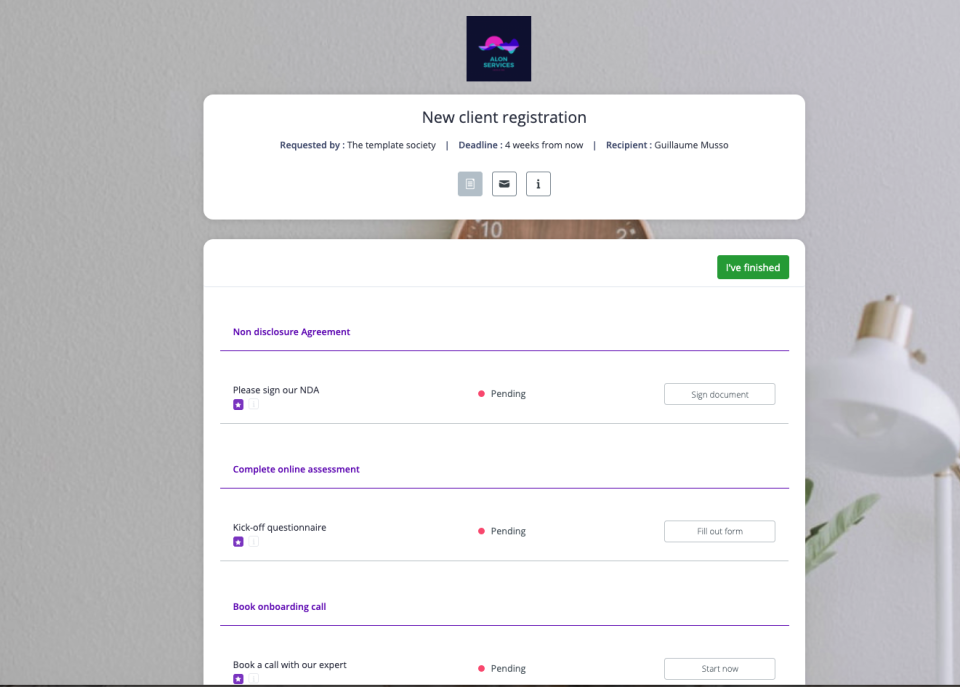
Tired of using emails to collect and review your stakeholder's information, documents or contracts? Meet Clustdoc, a simple yet powerful process automation and client onboarding software. Request & Read more process anyone's information, payments, esignatures from a secure branded portal. Key features include: A custom branded portal, workflows, eSignature, task manager, file requests & approvals, online forms, CC payments and a free client management mobile app. Read lessWho Uses Clustdoc?
Small business owners and teams in the following industries: Banking & Financial services, accounting, marketing, Mortgage & Real estate, education, Legal services





Not sure about Clustdoc?
Compare with a popular alternative
Clustdoc

Other great alternatives to Clustdoc

















Reviews of Clustdoc

Joseph
Great for onboarding or other business processes
Comments: I've had really good overal. experience with Clustdoc. Customer service is quick to respond and are helpful. I'm sure the app will keep improving.
Pros:
Clustdoc provides a professional method for us to onboard our clients and new employees.
Cons:
Some clients have voiced their concern with electronic signatures, primarily with the verification method. They don't always receive the confirmation email containing the code right away, which they must enter on a timed basis. We also had some issues with the e-signature form fields not where we originally designed.
Kirk
Alternatives Considered:
Great product with lots of potentials
Comments: Despite some online reviews I have watched in Youtube, I really believe in the product. I loved it so much that I want it to improve. It really has a lot of potential in my space...immigration application.
Pros:
I loved the fact that I can have my clients go to the form, fill it up and log-off and log-in again to continue their update on the form. Something that my clients are struggling when I was using Google forms on onboarding.
Cons:
When developing a form, it is a pain in B???? to move fields around. This really have to improve in light of transfer some of my Google forms to Clust.
Clust Technologies Response
3 years ago
Hello Kirk, thanks a lot for taking the time to share your experience with Clust. (Side note: The form has been improved since your comment) thank you
Michael
Don't. Simply don't.
Comments: In one word: huge disappointment.
Pros:
I thought it would help me cover onboarding of new employees, get a central portal for them to use, that it'd be great UX-wise and everybody would love it. Boy was I wrong!
Cons:
No logic, UX is AWFUL, I mean 1990 software was more logical than this. But worst of all: when using fill-in fields in PDF documents for e-signature - they are ALWAYS shifted from the place you put them. So besides being illogical, half-made (Cyberpunk is more deployment-ready than this), it is useless for E-signatures and document collection. Just stay away.
Clust Technologies Response
2 years ago
Hi there, Thank you for your review. Our team has reached out to you several times to discuss your issue. We're looking forward to hearing from you to understand what went wrong since it doesn't seem like you've actually used our software.
Karnav
Excellent platform to onboard client, manage documents
Pros:
Customer can submit documents, fill form and sign legal contract. They can also communicate, send additional documents. Google and other storage features, payment integration are just great. This is now our all in one crm cum document management platform.
Cons:
They can improve on online form creation tool. They have enhanced number of features in last one year. They respond quickly too.
Sumeet
Alternatives Considered:
The best solution we can have to manage our client Docs. Goodbye Google Drive & CFO Dropbox.
Comments: We're quite happy since using it and even our Clients too loving Clustdoc. But the mobile view can be improved.
Pros:
The client on boarding is quite simple and easy. Plus they're providing the Digital Signature feature as well.
Cons:
Nothing as such but the form UIUX is quite outdated and that of 70s with no good features like oembbed or partial save as available in Typeform or Paperform based UI and UX. Secondly they should also provide form to pdf and online doc creator as available with most of the competitors.