

Descrizione
WooCommerce è la piattaforma eCommerce open-source per WordPress.
La nostra piattaforma di base è gratuita, flessibile e allargata attraverso una commmunity globale. La libertà dell’open-source significa mantenere la piena proprietà dei contenuti e dei dati del negozio per sempre.
Sia che tu stia avviando un’attività, vendendo in un negozio online e avendo anche punti vendita reali o sviluppando siti per i clienti, utilizza WooCommerce per avere un negozio che unisce in modo potente contenuto e affari.
- Crea vetrine fantastiche e invitanti con temi adatti al tuo brand e al tuo settore.
- Aumenta il fatturato con un’esperienza del carrello dello shopping ottimizzata che genera conversioni.
- Personalizza le pagine dei prodotti in pochi minuti usando blocchi di prodotti modulari.
- Mostra in vetrina beni fisici e digitali, varianti del prodotto, configurazioni personalizzate, download immediati ed elementi collegati.
- Vendi abbonamenti, prenotazioni o membership con le nostre estensioni sottoposte a controllo degli sviluppatori.
- Sali verso la parte alta dei risultati di ricerca usando abilmente i vantaggi SEO di WordPress.
- Sfrutta una piattaforma scalabile. Ottieni un eCommerce flessibile per negozi con volumi elevati.
TUTTI GLI STRUMENTI UTILI PER VENDERE
Gli strumenti integrati e le popolari integrazioni ti aiutano a gestire in modo efficiente le operazioni della tua azienda. Puoi aggiungere molti servizi gratuitamente con un solo clic tramite l’installazione guidata opzionale.
- Scegli il modo in cui vuoi ricevere i pagamenti. Gestisci i pagamenti in modo conveniente comodamente dal tuo negozio con WooPayments (disponibile in: Stati Uniti, Regno Unito, Irlanda, Australia, Nuova Zelanda, Canada, Spagna, Francia, Germania e Italia). Accetta in tutta sicurezza carte di credito, portafogli mobili, bonifici bancari e contanti grazie a oltre 100 gateway di pagamento, inclusi Stripe, PayPal e Square.
- Configura le opzioni di spedizione. Stampa le etichette USPS direttamente dalla tua bacheca e pianifica persino un ritiro con WooCommerce Shipping (solo per gli Stati Uniti). Entra in contatto con corrieri famosi come UPS e FedEx, oltre a un’ampia varietà di soluzioni di consegna, inventario e logistica per la tua località.
- Semplifica l’imposta sulle vendite. Aggiungi WooCommerce Tax o servizi integrati simili per mettere in pratica i calcoli automatizzati.
Fai crescere la tua azienda, aggiungi funzionalità e monitora il tuo negozio quando sei in movimento
WooCommerce means business. Keep tabs on the performance metrics most important to you with a powerful and flexible central dashboard built into WooCommerce.
Espandi il tuo pubblico attraverso il marketing e i canali social con le integrazioni di Google Ads, HubSpot, Mailchimp e Facebook. Puoi sempre dare un’occhiata al Marketing Hub sulla bacheca per idee e suggerimenti che ti aiuteranno ad avere successo.
Migliora la funzionalità del negozio con centinaia di estensioni gratuite e a pagamento dal Marketplace ufficiale di WooCommerce. I nostri sviluppatori esaminano ogni nuova estensione e rivedono regolarmente le estensioni esistenti per mantenere gli standard di qualità del Marketplace. Cerchiamo attivamente prodotti che aiutino i creatori a realizzare negozi di successo.
Gestisci il tuo negozio da qualsiasi luogo con l’app mobile gratuita di WooCommerce (per Android e iOS). Allerta spoiler: tieni l’orecchio teso per sentire il suono della notifica “Din din”, che crea leggermente dipendenza, ogni volta che effettui una nuova vendita!
Possiedi e controlla i dati del negozio, per sempre
Con WooCommerce, i tuoi dati appartengono a te. Sempre.
Se scegli di condividere i dati di utilizzo con noi, puoi avere fiducia nel fatto che saranno resi anonimi e tenuti al sicuro. Scegli di rinunciare in qualsiasi momento senza che questo abbia un impatto sul tuo negozio.
A differenza delle soluzioni di eCommerce ospitate, i dati del negozio WooCommerce sono a prova di futuro; sei libero di esportare tutti i tuoi contenuti e portare il tuo sito su qualsiasi piattaforma tu scelga. Nessuna restrizione.
Perché gli sviluppatori scelgono (e amano) WooCommerce
Gli sviluppatori possono usare WooCommerce per creare, personalizzare e ridimensionare un negozio per soddisfare le esatte specifiche del cliente, apportando miglioramenti attraverso le estensioni o le soluzioni personalizzate.
- Sfrutta gli hook di azione e i filtri per modificare o creare funzioni.
- Integra virtualmente qualsiasi servizio utilizzando una robusta API REST e webhook.
- Progetta e costruisci blocchi di contenuti personalizzati con React.
- Ispeziona e modifica qualsiasi aspetto del codice di base del plugin.
- Accelera lo sviluppo con una CLI super veloce.
La piattaforma di base viene testata in modo rigoroso e, spesso, supportata da un team di sviluppo dedicato che lavora attraverso i fusi orari. La documentazione completa viene aggiornata ad ogni rilascio, consentendoti di creare esattamente il negozio necessario.
Diventa parte della community internazionale in crescita
WooCommerce has a large, passionate community dedicated to helping merchants succeed – and it’s growing fast.
Ci sono incontri WooCommerce in varie parti del mondo ai quali puoi partecipare gratuitamente e prendere persino parte all’organizzazione. Questi eventi sono un ottimo modo per imparare dagli altri, condividere la tua esperienza e connetterti con persone che la pensano al tuo stesso modo.
WooCommerce partecipa anche regolarmente a WordCamp in tutto il mondo e saremmo felici di incontrarti.
Contribuisci e traduci
WooCommerce è sviluppato e supportato da Automattic, i creatori di WordPress.com e Jetpack. Abbiamo anche centinaia di contributori indipendenti e c’è sempre spazio per altri. Vai all’archivio GitHub di WooCommerce per scoprire la modalità di partecipazione.
Attualmente WooCommerce è tradotto in più lingue, tra cui danese, ucraino e persiano. Aiutaci a localizzare ulteriormente WooCommerce aggiungendo la tua lingua: visita translate.wordpress.org.
Connessione a WooCommerce.com
Puoi connettere il tuo negozio a WooCommerce.com per gestire i tuoi abbonamenti su WooCommerce Marketplace e ricevere aggiornamenti sui prodotti senza lasciare l’amministrazione WordPress. La connessione consente inoltre l’installazione di prodotti acquistati direttamente da WooCommerce.com e ottimizza l’accesso all’assistenza tecnica. Se desideri saperne di più su quali dati vengono raccolti e come vengono usati, leggi la nostra Politica sulla privacy.
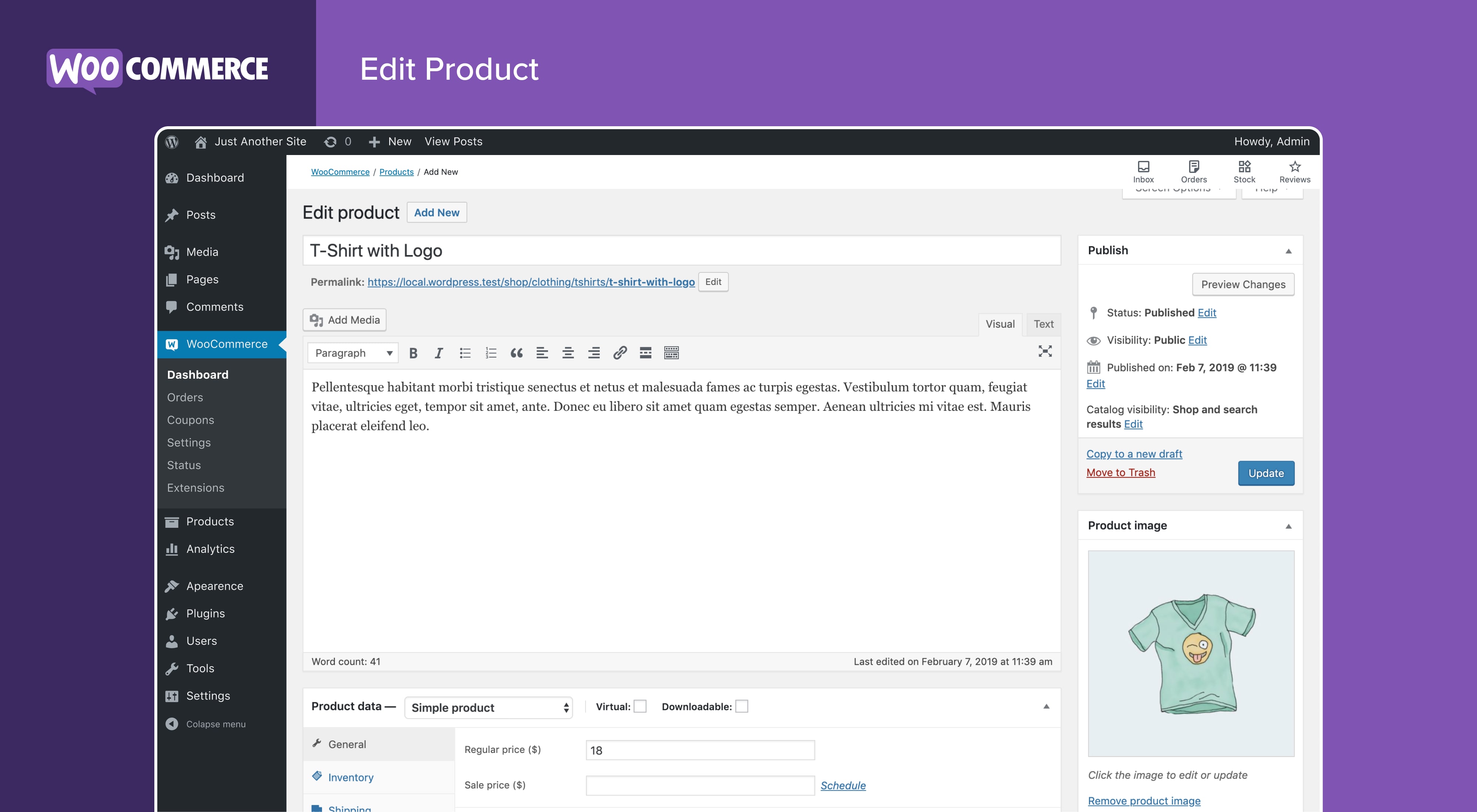
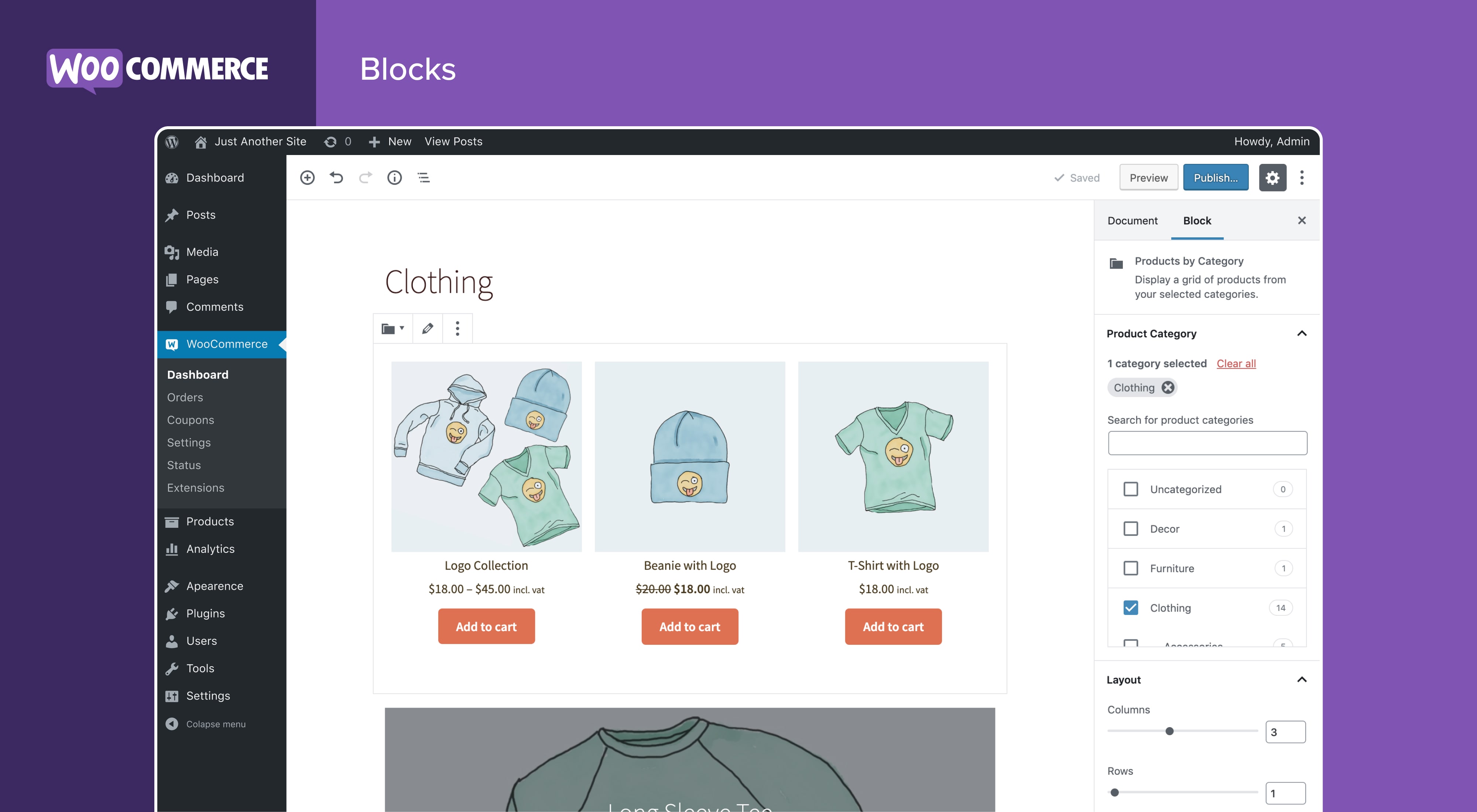
Screenshot
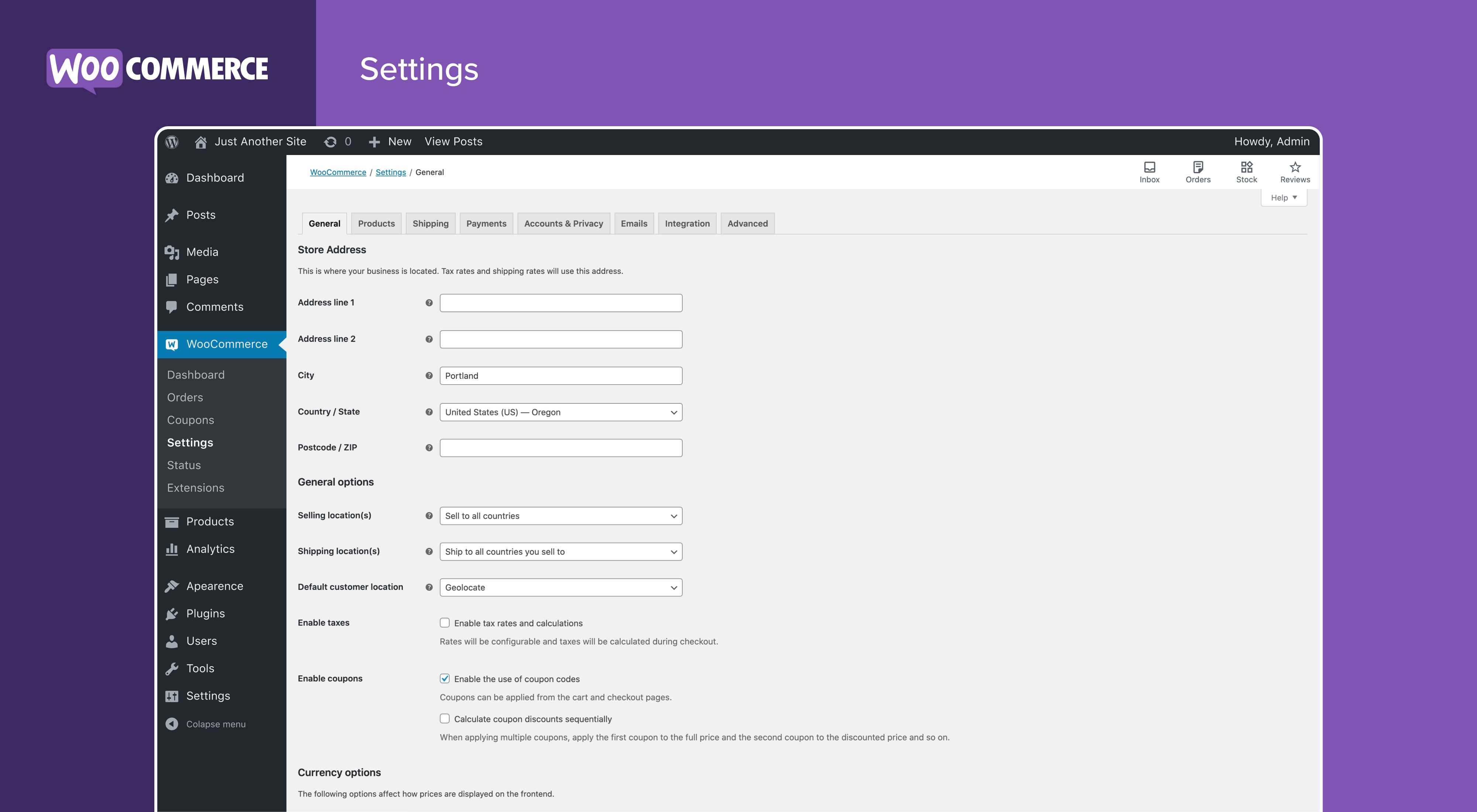
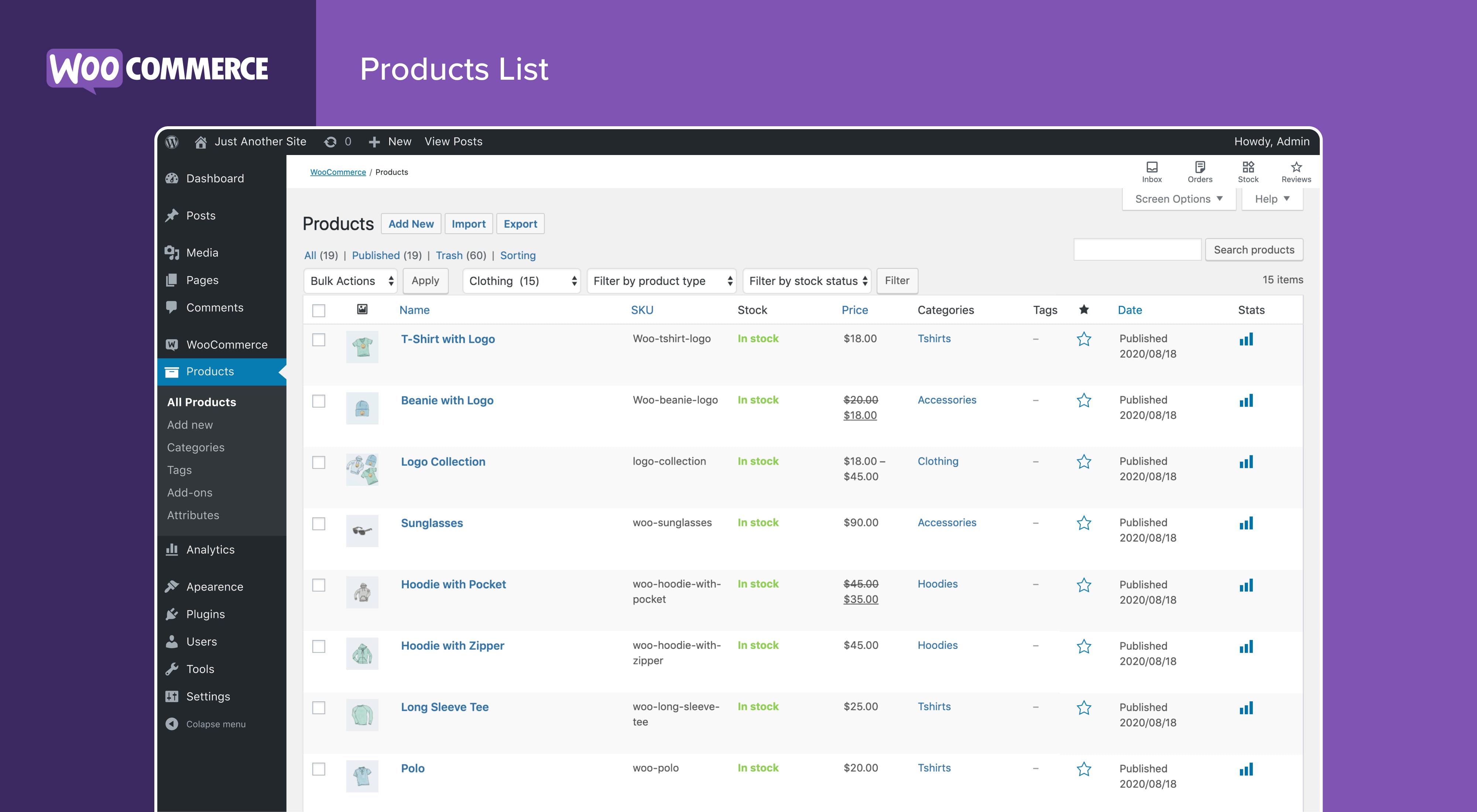
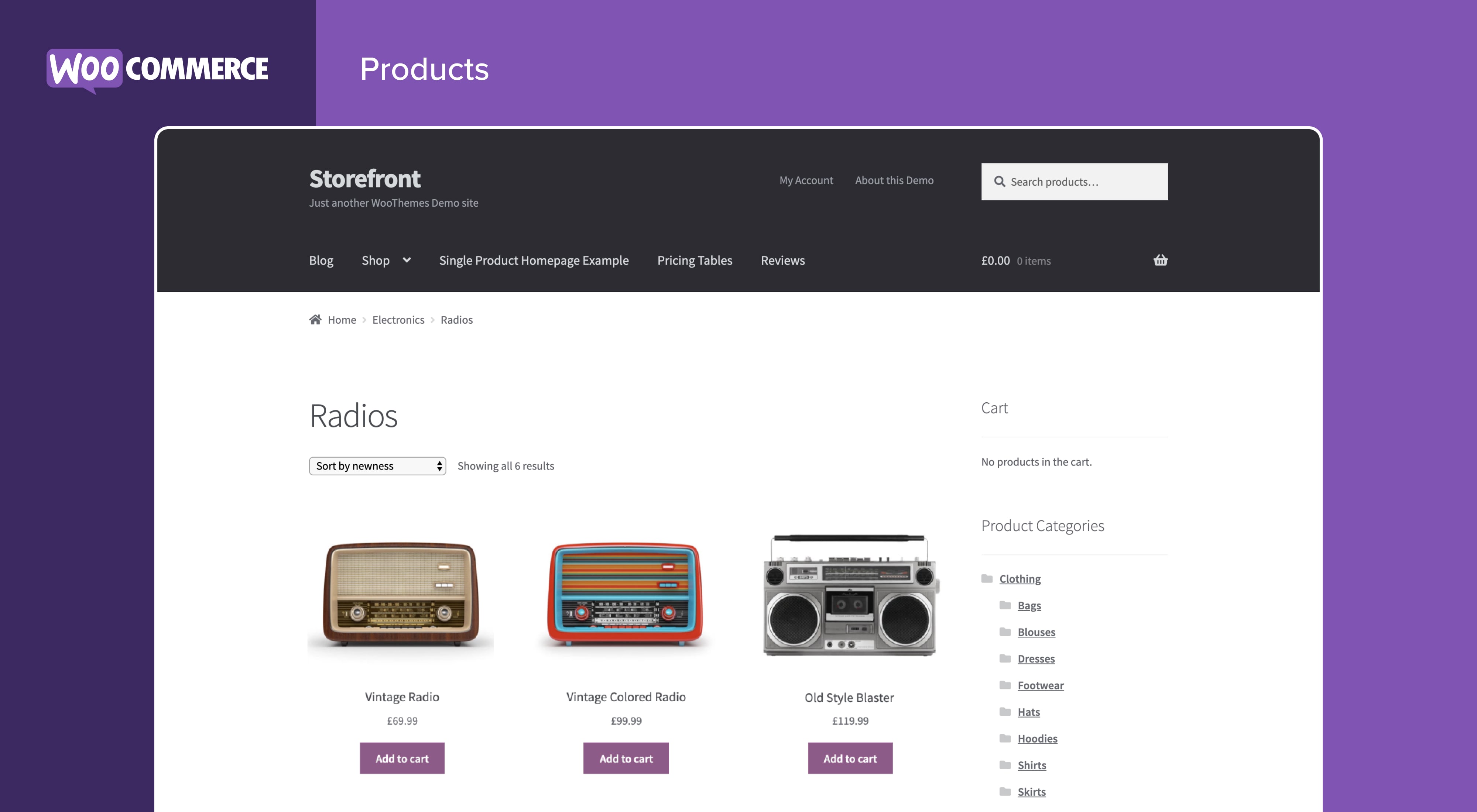
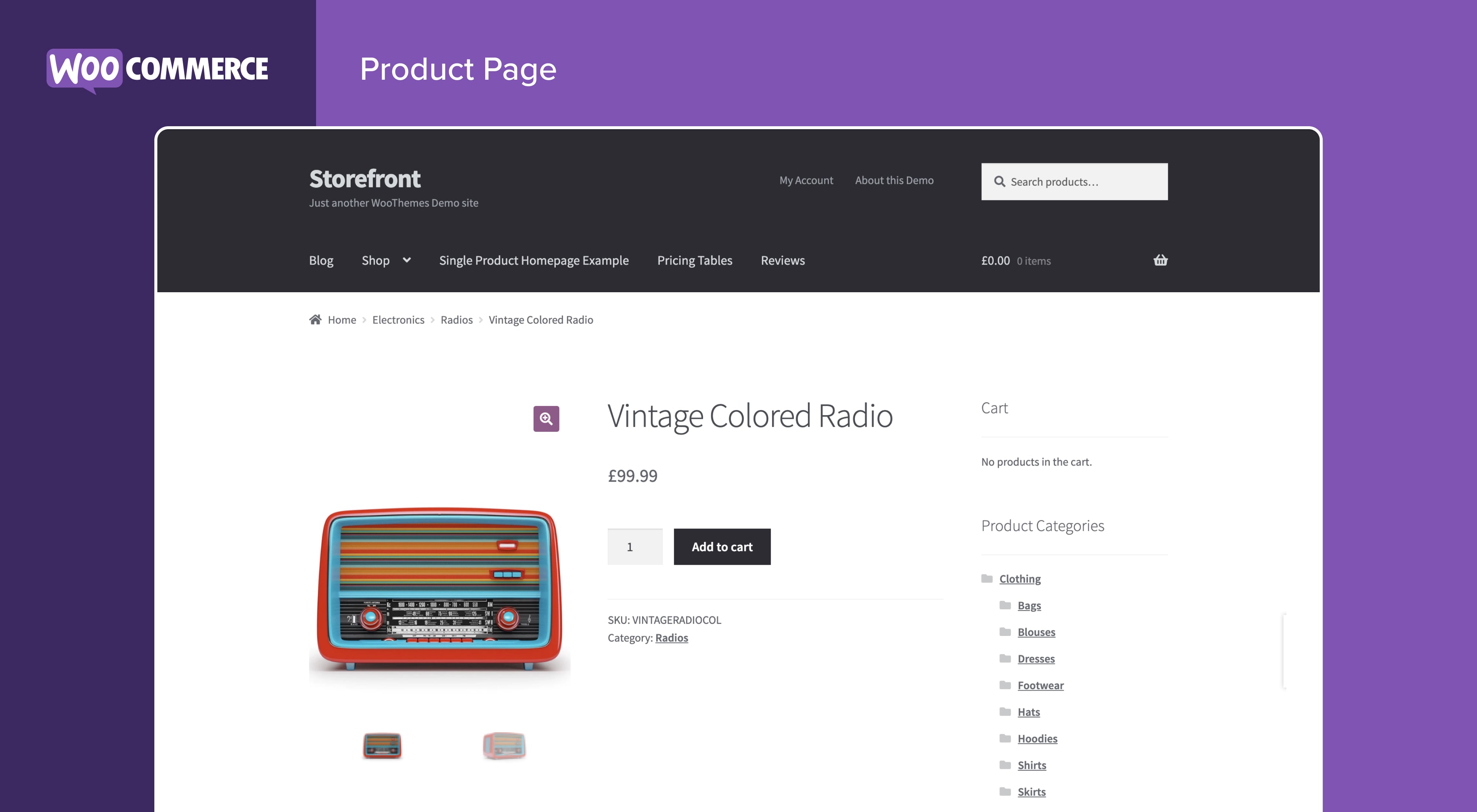
Installazione
Requisiti minimi
- È richiesto PHP 7.4 o versione successiva (si consiglia PHP 8.0 o versione successiva)
- È richiesto MySQL 5.6 o versioni superiori, OPPURE MariaDB versione 10.1 o versioni superiori
Visita la documentazione sui requisiti dei server WooCommerce per un elenco dettagliato dei requisiti dei server.
Installazione automatica
L’installazione automatica è l’opzione più semplice: WordPress gestirà il trasferimento del file e non dovrai lasciare il tuo browser web. Per l’installazione automatica di WooCommerce, accedi alla tua bacheca di WordPress, naviga fino al menu Plugin e fai clic su “Aggiungi nuovo”.
Nel campo di ricerca digita “WooCommerce”, quindi fai clic su “Cerca plugin”. Una volta trovato, puoi visualizzare i dettagli come versione, valutazione e descrizione. Ancora più importante, puoi effettuare l’installazione! Fai clic su “Installa ora” e WordPress si occuperà del resto.
Installazione manuale
Il metodo di installazione manuale richiede di scaricare il plugin WooCommerce e di caricarlo sul tuo server web utilizzando la tua applicazione FTP preferita. Sul codex di WordPress puoi consultare le istruzioni su come effettuare questa operazione.
Aggiornamento
Gli aggiornamenti automatici dovrebbero funzionare correttamente, ma consigliamo comunque di effettuare il backup del sito.
Se riscontri problemi con le pagine negozio/categoria dopo un aggiornamento, prova ad aggiornare i permalink andando in WordPress > Impostazioni > Permalink e premendo “Salva”. In questo modo dovrebbe tornare tutto alla normalità.
Dati di esempio
Insieme a WooCommerce, vengono forniti alcuni dati di esempio che possono essere utilizzati per verificare l’aspetto dei prodotti; importa sample_products.xml tramite il programma di importazione WordPress. Puoi anche utilizzare il programma di importazione CSV di base o la nostra estensione della suite di importazione di CSV per importare sample_products.csv
FAQ
-
Dove posso trovare documentazione e guide utente per WooCommerce?
-
Per assistenza nell’impostazione e nella configurazione di WooCommerce, consulta la guida Per iniziare e la guida per i nuovi proprietari di un negozio WooCommerce.
Per estendere o creare temi WooCommerce, consulta la nostra documentazione e le Migliori pratiche per sviluppatori di plugin.
-
Dove posso ottenere supporto o parlare con altri utenti su WooCommerce Core?
-
Se ti trovi in difficoltà, puoi chiedere aiuto nel Forum di supporto di WooCommerce seguendo queste linee guida, contattarci tramite lo Slack della community di WooCommerce o scrivere sul gruppo della community di WooCommerce su Facebook.
-
Dove posso ottenere assistenza per le estensioni che ho acquistato dal Marketplace di WooCommerce?
-
Per assistenza con le estensioni a pagamento del Marketplace di WooCommerce: prima, rivedi la nostra guida fai da te alla risoluzione dei problemi. Se il problema persiste, apri un ticket di supporto tramite il nostro helpdesk. I nostri Happiness Engineer dedicati cercano di rispondere entro 24 ore.
-
Sto riscontrando problemi ad accedere a WooCommerce.com. Cosa succede ora?
-
Prima risolvi i problemi di accesso più comuni utilizzando questa utile guida passo-passo. Non funziona ancora? Contattaci.
-
WooCommerce funzionerà con il mio tema?
-
Sì! WooCommerce funzionerà con qualsiasi tema, ma potrebbero essere necessarie alcune modifiche aggiuntive. Se stai cercando un tema con l’integrazione avanzata di WooCommerce, consigliamo Storefront.
-
Come aggiorno WooCommerce?
-
Abbiamo una guida dettagliata su Come aggiornare WooCommerce.
-
Il mio sito non funziona. Cosa devo fare?
-
Inizia diagnosticando il problema con la nostra utile guida alla risoluzione dei problemi.
Se hai notato un errore dopo l’aggiornamento di un tema o un plugin, potrebbero essere presenti problemi di compatibilità tra questo e WooCommerce. Se il problema è si è verificato dopo l’aggiornamento di WooCommerce, potrebbe essere presente un conflitto tra WooCommerce e un tema o un plugin aggiornato.
In entrambi gli esempi, consigliamo di eseguire un test sui conflitti utilizzando Health Check (che ti consente di disattivare i temi e i plugin senza influire sui visitatori) o di risolvere il problema usando un sito di sviluppo.
-
Dove posso segnalare i bug?
-
Segnala i bug presenti nell’archivio GitHub di WooCommerce. Puoi anche inviarci una notifica tramite il nostro forum del supporto: assicurati di fare ricerche nei forum per avere la conferma che l’errore non sia già stato segnalato.
-
Dove posso richiedere nuove funzionalità, temi ed estensioni?
-
Richiedi nuove funzionalità ed estensioni e vota i suggerimenti esistenti sulla nostra bacheca ufficiale per le richieste di funzionalità. I nostri team di prodotto rivedono con regolarità le richieste e le considerano preziose per la pianificazione del prodotto.
-
WooCommerce è fantastico! Posso contribuire?
-
Sì, puoi! Entra nel nostro archivio GitHub e segui il blog relativo allo sviluppo per rimanere aggiornato su tutto ciò che accade nel progetto.
-
Dove posso trovare la documentazione sulle REST API?
-
La vasta documentazione REST API di WooCommerce è disponibile su GitHub.
-
La mia domanda non è elencata qui. Dove posso trovare ulteriori risposte?
-
Dai un’occhiata alle domande frequenti per saperne di più.
Recensioni


Contributi e sviluppo
“WooCommerce” è un software open source. Le persone che hanno contribuito allo sviluppo di questo plugin sono indicate di seguito.
Collaboratori-
Automattic
-
WooCommerce
-
Mike Jolley
-
James Koster
-
Claudio Sanches
-
Rodrigo Primo
-
Peter Fabian
-
Vedanshu – a11n
-
Julia Amosova
-
obliviousharmony
-
Néstor Soriano Vilchez
-
sadowski
-
Ron Rennick
-
royho
-
Barry
-
Claudiu Lodromanean
-
Tiago Noronha
-
Kelly Choyce-Dwan
-
levinmedia
-
Albert Juhé Lluveras
-
Darren Ethier (nerrad)
-
Joshua Wold
-
Nadir Seghir a11n
-
Rua Haszard
-
Michael P. Pfeiffer
-
Niels Lange
-
Raluca
-
tjcafferkey
-
danielwrobert
-
patriciahillebrandt
-
albarin
-
Tung Du
-
Manish Menaria
-
Karol Manijak
-
sunyatasattva (a11n)
-
Alexandre Lara
-
Luigi Teschio
-
danieldudzic
-
Sam
-
Alex Florisca
-
opr18
-
tarunvijwani
-
Paulo Arromba
-
Saad T.
-
Boro Sitnikovski
-
Gerhard Potgieter
-
Corey McKrill a11n
-
Jorge A. Torres
-
Leif Singer
“WooCommerce” è stato tradotto in 68 lingue. Grazie ai traduttori per i loro contributi.
Traduci “WooCommerce” nella tua lingua.
Ti interessa lo sviluppo?
Esplora il codice segui il repository SVN, segui il log delle modifiche tramite RSS.
Changelog
9.6.0 2025-01-20
WooCommerce
- Fix – Fix EmailPreviewTest::test_dummy_product_filter to validate dummy product properties directly #54104
- Fix – Add aria modal attribute to photoswipe #53245
- Fix – Add check for comingSoonNewsletter object before adding in newsletter panel #53781
- Fix – Add checks to various template functions, guard against fatal errors when the global $product object is unavailable. #53167
- Fix – Add description to display name field on account details page #53312
- Fix – Added new validation to Store API checkout endpoint regarding Accounts & Privacy definitions. #53421
- Fix – Add focus indicator to recommended products on the legacy Cart page #52353
- Fix – Add headings to the main section of the Cart page with the block variation #52077
- Fix – Add To Cart Button: fix style when
core/buttonblock isn’t visible in the page. #53052 - Fix – Add to Cart with Options – Stepper Layout: trigger change event when stepper button clicked. #53343
- Fix – Align variation selector labels and selects in the Single Product template of block themes #53598
- Fix – Apply fix from #52726 to new coming soon template #52762
- Fix – A required text additional field will now accept 0 as a valid input. #52782
- Fix – Avoid crash widget area when Product Collection is rendered #53656
- Fix – Fix: Styling issues in Product Editor around featured product star and variation dimensions spacing #53707
- Fix – Fix: Unable to connect sub-directory based multi-sites to WooCommerce.com. #52649
- Fix – Fix a bug where server validation errors were not dismissed after validation passes. #53362
- Fix – Fix blocks registration through registerBlockSingleProductTemplate #53626
- Fix – Fix click event on Import from a CSV file box in add products task #53265
- Fix – Fix conflicting namespace between EmailPreviewRestController and PaymentRestController causing Payments settings to fail to load #53497
- Fix – Fix core profiler crash when locale string incorrect format #53502
- Fix – Fix css date and time inputs display in order admin #53471
- Fix – Fixed core profiler not showing jetpack auth step when pre-installed #53744
- Fix – fixed the opt in checkbox to respect the user choice when previously opted out #52525
- Fix – Fix ellipsis menu position in Analytics #53066
- Fix – Fixes a bug when additional fields with a value of 0 would not display on the order confirmation or edit order screen #53717
- Fix – Fixes the parameter passed in one of the set-active-payment-method events to use the paymentMethodSlug argument name, in line with the documentation #53415
- Fix – Fix grouped product styles for TT5 #52856 #52856
- Fix – Fix header with an image in Coming Soon page template causes text overlap and spacing #52726
- Fix – Fix hovering over core profiler extension to show cursor:pointer #53238
- Fix – Fix incorrect alignment of T&C checkbox and label #52983
- Fix – Fix incorrect capitalization of checkout field labels for German locale #53342
- Fix – Fix incorrect industry type in profiler api #52660
- Fix – Fix janky interactions in core profiler #53240
- Fix – Fix localization of In-App Marketplace endpoints #53106
- Fix – Fix PHP and Core API tests #52761
- Fix – Fix PHP warnings when user_email is not populated on my-account page. #53670
- Fix – Fix product SKU styles #52787 #52787
- Fix – Fix tests #52965
- Fix – Fix the “Are you sure you want to leave this page?” bug when interacting with the countries’ search input. #53588
- Fix – Fix variation image not switching if another one is selected #53152
- Fix – Improved Analytics and Product CSV export usability by allowing negative numeric values to be unescaped while continuing to escape potentially risky strings to prevent CSV Injection (async, PHP-based CSV exporting). #53022
- Fix – Improve shipping method block CSS specificity to prevent a display issue for admin accounts on WordPress.com #52349
- Fix – Make Add to Cart with Options tooltip text localizable #53272
- Fix – Make Stock Indicator block behavior consistent between the Product Collection block and the Single Product template #53462
- Fix – Post editor: ensure that blocks aren’t registered multiple times. #53217
- Fix – Prevent Fatal Error when viewing order refund in admin page. #52803
- Fix – Product Gallery (Beta) – Fix block not rendering after being added. #53145
- Fix – Product Gallery (Beta): Fix image aspect-ratio in full page mode #53201
- Fix – Product Gallery (Beta) on mobile, the thumbnails were disappearing on page reload. #53160
- Fix – Product Gallery: fix the incorrect scroll origin in Chrome #53314
- Fix – Product Hero: allow changing displayed product #53090
- Fix – Product reviews: improve how reviews are printend on the admin side. #53313
- Fix – Properly break from Note loop using break instead of continue, and also perform some tiny refactoring #52671
- Fix – Reduce the risk of (empty where clause) database errors when performing an order search. #53025
- Fix – Reinstate Jetpack connection screen for sites with Jetpack pre-installed #52814
- Fix – Skip capturing shipping taxes if the shipping method tax status is set to none. #### Comment #46069
- Fix – Turn coupon accordion title into a heading level 2 element on the block-based Checkout page #52844
- Fix – Turns the state field hidden when selecting the Cyprus country as a shipping/billing address. #53459
- Fix – Unify ToggleGroupControl styles in Blocks inspector control #48535
- Fix – Update billing email autocomplete to use email only #53059
- Fix – Updated wc_get_cart_url() to only return permalinks rather than building the current URL manually. #53419
- Fix – Update password strength role #53202
- Fix – Update product photoswipe top bar button order #53045
- Fix – Update several WC Admin UI elements to honor the correct product image aspect ratio #52828
- Fix – Update the checkout page order summary product title to use h3 #53037
- Fix – Validate and sanitize the event origin and event data when listening to message events from attachParentListeners function to prevent xss attacks during the customize your store flow #53418
- Add – Add “Recurring payments” icon next to payment providers #53669
- Add – Add an API endpoint to disconnect a site from WooCommerce.com #53473
- Add – Add categories for other payment suggestions #53270
- Add – Add coming soon minimal left image template #53024
- Add – Add coming soon mondern black template #53084
- Add – Add coming soon social links template part #52866
- Add – Add country selector component for the new Payment settings page. #53075
- Add – Add Croatian countries #51959
- Add – Add drag & drop offline payment settings #52888
- Add – Add filters to prevent quantity adjustment or removal notices in checkout blocks #52547
- Add – Add global_unique_id query support for variations to products and variations REST endpoint. #52839
- Add – Add Launch Newsletter panel for the coming soon template. #52650
- Add – Add new “exclude_status” filter on the “/products” endpoint #52898
- Add – Add new “exclude_types” filter on the “/products” endpoint. #53184
- Add – Add new
include_statusfilter on the/productsendpoint. #52780 - Add – Add order actions to the order details screen in My Account. #52756
- Add – Add provider-agnostic ordering API for the Payments NOX while retaining BC with legacy gateway ordering. #53150
- Add – Adds validation to variable product transient data #53603
- Add – Add the
downloadableparam to the/productsendpoint #53028 - Add – Add the
include_typesparam to the/productsendpoint. #52994 - Add – Add the
virtualparam to the/productsendpoint #53002 - Add – Add unit tests for Hand-Picked collection #52677 #52677
- Add – Allow merchants to edit the cart and checkout block order summary total headings. #53548
- Add – Allow order summary subtotal heading to be edited in both cart and checkout blocks. #53544
- Add – Comment: Add product type selector to the add to cart with options block toolbar #53354
- Add – Comment: Add save method to AddToCartWithOptions #53613 #53613
- Add – Comment: Add To Cart with Options: introduce blockify feature flag #53166
- Add – Comment: Register store for the product types #53366
- Add – Comment: switch current product type from the Add To Cart with Options block toolbar #53398
- Add – Display payment suggestions for each selected country in WooCommerce > Settings > Payments #53505
- Add – Enables replacing cart item images in cart-blocks using a filter. Complementary shortcode hook already exists: woocommerce_cart_item_thumbnail. #52310
- Add – Experimental: add live preview for subject, heading, and additional content when managing specific email #53718
- Add – Experimental: generate subject for email preview #53581
- Add – Experimental: live preview email styles changes without saving settings #53627
- Add – Experimental: live preview email subject and from name and address changes in settings #53204
- Add – Experimental: send a test email from email settings #53399
- Add – Implement a new page step for recommended payment methods #53288
- Add – Make tabs on product page keyboard accessible #53158
- Add – Product Gallery: disable prev/next buttons on first and last image #53318
- Add – Product Summary: Add more options to typography supports so it has the same options as Post Excerpt #53185
- Add – Product Summary: create new improved version of Product Summary block including multiple features #48984
- Add – REST API: add orders/statuses endpoint #52455
- Add – Single Product Compatibility Layer: Treat Product Gallery as a Single Product block #53378
- Add – Transform SettingsSection data for layout #52905
- Add – Updates the Action Scheduler library to 3.9.0. #52857
- Update – – Updated readme.txt to reflect the integration of WooCommerce Admin into WooCommerce core and revised dashboard descriptions. #52928
- Update – AbstractBlock: allow assigning any api_version to the block and bump the blocks to api_version 3 #52755
- Update – Add branding changes for core profiler and lys #53429
- Update – Add feature to enable tate limits for Store API’s Checkout endpoint and Checkout block. #53711
- Update – Add incentives logic to the frontend for payment settings. #53432
- Update – Add loading states to the React settings page #53122
- Update – Add requires_jpc field to determine plugins that require JPC #52887
- Update – Add support for IPs with port in WC_Geolocation::get_ip_address #52551
- Update – Add support for the status “future” in the “include_status” and “exclude_status” params of the Product List endpoint. #53690
- Update – Comment: do not register Add To Cart with Option when the feature flag is False #53368
- Update – Comment: render the product type toolbar button only when the product is not defined #53430
- Update – Comment: select initially the Simple product type #53484
- Update – Enable “coming soon” option by default in WooCommerce installation #53685
- Update – Enabled Brands to all users. #53083
- Update – Enable remote logging UI and mark feature as stable in FeaturesController #53649
- Update – Ensure Modern settings pages re-render on updated url #53016
- Update – feat: add product review fields autocomplete attribute #51970
- Update – Implement accepting and applying WooPayments incentives from the new Payments settings page. #53672
- Update – Implement drag and drop ordering on the React payment settings page. #53301
- Update – Include purge cache when coming soon template is updated in documentation #52695
- Update – Introduce opt-in WooCommerce rebranding #53308
- Update – Limit core profiler extensions to 8 maximum #53742
- Update – Product Collection: move “Display Settings” from Toolbar to Inspector Controls #52666
- Update – Removed final use of the FeatureGating class and deprecated it. #52768
- Update – Remove usage of the AccessiblePrivateMethods trait #52937
- Update – Update automattic/jetpack-connection and related Jetpack dependencies #53620
- Update – Updated delayed account creation wording when emailing password set up links. #53558
- Update – Updated product settings to use locale-specific weight and dimension units based on the store’s country. #53652
- Update – Update the customer invoice email templates to account for orders with failed payments #52977
- Update – Update transient validation for variable products #53724
- Dev – Added e2e test for analytics reports #53290
- Dev – Add ellipsis menu action handlers to the React settings page items #53033
- Dev – Add Reactified Settings page for managing payment gateways (under feature flag) #52785
- Dev – Adjust client to use fixed version of providers API #53150
- Dev – API core tests: add an extra check for response code on user create #53147
- Dev – API core tests: fixes for customer CRUD tests #53189
- Dev – Api Core tests: fix the setup of orders test to work on multiple runs #53205
- Dev – Api Core tests: update urls across all tests for compatibility with multisite setup #53212
- Dev – Bump @wordpress/env to 10.14.0 and remove patch for 10.10.0 #53692
- Dev – Change the logo and message for WooCommerce tax during onboarding #53699
- Dev – Change the Woo logos in the mobile banner and modal in admin #53716
- Dev – CI config: include blocks e2e with wp L-1 in the daily checks #53089
- Dev – docs: Update payment gateway failure response documentation #53156
- Dev – E2E setup script: Read customer password from the .env file instead of being hardcoded. #53361
- Dev – E2E test: improve my account – create account test by using unique test user #53383
- Dev – E2E test: improve usage of test data in shop-search-browse-sort test #53395
- Dev – E2E tests: add tags and some todo comments to follow-up #53631
- Dev – E2E tests: add tags and some todo comments to follow-up #53662
- Dev – E2E tests: Audit /admin-tasks folder and add tags #53667
- Dev – E2E tests: deleted unused Playwright configuration file #53182
- Dev – E2E tests: fix create order test for multiple environments #53393
- Dev – E2E tests: fixed flakiness in the customize store header and footer tests #53286
- Dev – E2E tests: fixed flaky test for creating a grouped product #53310
- Dev – E2E tests: fix flakiness in api test orders search #53764
- Dev – E2E tests: fix flakiness in shop-search-browse-sort spec #53614
- Dev – E2E tests: improve customer-list tests #53392
- Dev – E2E tests: improve documentation on running the api tests suite #52964
- Dev – E2E tests: improve handling of dotenv files stored in env directories #53442
- Dev – E2E tests: improve order-edit test #53391
- Dev – E2E tests: improve page-loads test #53552
- Dev – E2E tests: improve shopper/product-variable test by ensuring unique test data per run #53273
- Dev – E2E tests: remove wait for networkidle #53463
- Dev – E2E tests: skip the third test scenario in existing e2e test loading-screen as it is not a valid #53663
- Dev – E2E tests: stabilized e2e test core profiler can connect to woo com to fix flakiness #53554
- Dev – E2E tests: support consumer key from env variable #53188
- Dev – E2E tests: update base URL to always end in a forward slash #53180
- Dev – E2E tests: update checkout-login test to use the existing customer instead of creating a new one #53385
- Dev – E2E tests: updated tags used in page-loads spec #53624
- Dev – E2E tests: update Playwright tags and configs for environments #53580
- Dev – E2E tests: update URLs across e2e tests for multisite setup compatibility #53228
- Dev – Hide task list and make sure store management is then shown #53291
- Dev – Implement CollectionHandlerRegistry class to manage collection handlers #52509 #52429
- Dev – Implement different post sandbox account setup modal for dev mode #53706
- Dev – Implement ProductQueryBuilder class to handle product queries #52429 #52429
- Dev – Implement ProductRenderer class for rendering and interactivity #52464 #52429
- Dev – Implement soft routing for recommended payment methods from NOX #53688
- Dev – Implement the UI for the recommended payment methods list screen. #53601
- Dev – Introduce reset WooPayments account modal on the Payments Settings page with React feature flag on. #53590
- Dev – Monorepo: build tweaks to reduce size of wireit-caches #53503
- Dev – Monorepo: validate block.json files as part of build process. #52767
- Dev – Move ProductCollectionUtils to the ProductCollection Folder #53116 #53116
- Dev – patch woo core existing test case #53557
- Dev – Pull data into the react version of the settings page from the new API #52824
- Dev – Remove flaky frontend spec test and increase sample size #52510
- Dev – Remove Payment recommendations block from the settings page if reactify-classic-payments-settings feature flag is on. #53507
- Dev – Remove reference assignment operator #52583 #52583
- Dev – Stabilize JS dependency updates #52815
- Dev – Style ellipsis menu and offline payments item #53475
- Dev – Switch from test-drive to live account from the settings page #53453
- Dev – Test drive onboarding flow from settings #53173
- Dev – Update affected tests to be compatible with both Gutenberg stable and nightly. #53294
- Dev – Update CI config for api core tests to be triggered by changes in the setup and configuration files #53183
- Dev – Update CI config to run tests for updates of i18n dir #52959
- Dev – Update existing tests with the Playwright utils from the @woocommerce/e2e-utils-playwright package #53377
- Dev – Update the
@wordpress/scriptsdependency used in the@woocommerce/block-librarypackage to 30.6.0 #53619 - Dev – Upgraded Typescript in the monorepo to 5.7.2 #53165
- Dev – Use decode entities from
@wordpress/html-entities. #52676 - Dev – Uses the newly introduced legacy order status constants in unit tests. #52433
- Dev – Uses the newly introduced order internal status constants in the main WooCommerce plugin codebase. #52770
- Dev – Uses the newly introduced order status constants in legacy unit tests. #51921
- Dev – Uses the newly introduced order status constants in the main WooCommerce plugin codebase. #51922
- Tweak – Add a bottom border to the checkout block expanded order summary on mobile. #52980
- Tweak – Adjust paddings on top of page order summary to better align on mobile. #52604
- Tweak – Change “District Of Columbia” to “District of Columbia”. #53073
- Tweak – Comment: Fix: woocommerce_upsell_display was receiving a string instead of an integer in $limit #51549
- Tweak – Comment: use core function to register Add to Cart with Options (experimental) block #53348
- Tweak – Define TS types for the useCollectionData() hook #52586
- Tweak – ISO Code update for Odisha state (India) https://en.wikipedia.org/wiki/ISO_3166-2:IN (23 November 2023) #53341
- Tweak – Just cleaning up the codebase + some refactors. No change to functionality #53721
- Tweak – Minimize the potential for fatal errors if an unexpected type is passed to the
wc_get_order_status_namefunction. #52797 - Tweak – Modifies the remote logging feature to avoid unwanted compatibility checks. #53222
- Tweak – Moved delayed account setting to top of list in account settings. #53370
- Tweak – Pass color_scheme parameter to the Jetpack connection URL. #52925
- Tweak – Rating Star: render a single SVG wrapper element per stars group #52903
- Tweak – Replace trigger_error in WooCommerce::__set with an exception #52764
- Tweak – Speed up
wc_customer_bought_productby refactoring the DB query logic #52919 - Tweak – Update cash on delivery gateway copy #53612
- Tweak – Update color scheme of some Marketplace illustrations #53513
- Tweak – Updated Product Data > Attributes onboarding notice #53657
- Performance – Added feature to introduce caching to HPOS Data Stores #46023
- Performance – Optimize admin features loading to improve frontend performance #52480
- Performance – Remove unnecessary setState() from #53355
- Enhancement – Add conditions so desc_at_end attribute can be used to display field descriptions below textarea fields in settings #51437
- Enhancement – Associate email field and payment option radio with their descriptions on block-based Checkout page #52949
- Enhancement – Cart block: display shipping calculator in collapsible panel design. #52658
- Enhancement – Checkout fields (phone, company, address_2) that can be toggled on and off now sync across all blocks globally. #52784
- Enhancement – Ensure PTK error log only happens once per day using a transient to track the last log #53665
- Enhancement – Experimental: make email preview floating next to email settings on wide displays #53693
- Enhancement – Hide Knowledge Base when the marketplace suggestions option is disabled. #52715
- Enhancement – Improve embedded CES layout rendering with element checks and code refactor #52729
- Enhancement – Introduce dedicated payment extension suggestions incentives providers and expose them through the Payments settings API. #53317
- Enhancement – Pass product instance into
woocommerce_product_readaction as second argument #51851 - Enhancement – Prevent the variation list from being displayed as an HTML list if there is only one attribute on the Mini Cart Modal #52924
- Enhancement – Redirect to the connection approval screen when the connection is initiated from WooCommerce.com. #53445
- Enhancement – Update coming soon minimal left image template image handling for better responsiveness #53236
- Fix – Fixes a JS error introduced in #53158 when navigating tabs using keyboard on a product page without a gallery. #53877
- Fix – Fix role retrieval for users with non-sequential roles #53974
- Fix – Fix test previously expecting a md5 hash but now produces a SHA-256 hash for the gravatar URL. #53916
- Update – Update plugins with terms of service notice in core profiler. #53806
- Dev – Change the Woo logo in the marketing banner #54096
- Dev – Update WooCommerce logo in blocks #54147
- Tweak – Fix deprecation warnings in PHP 8.3 in email preview classes #53870
- Fix – CYS: Fix redirection in “Go to the store” link #54260
- Fix – Fix: Revert “Clear” Button from to Tag for Improved Theme Compatibility while maintaining accessibility improvements #54320
- Fix – Fix product-image border for images without “alt” #54247 #54247
- Fix – Summary: Extend allowed attributes with class in Summary component #54410
- Update – Product Summary: sanitize HTML in Product Summary #54324
- Dev – Change logo in old WooCommerce.com connect page and API auth page. #54378