
Description de M1 ERP
M1 est un logiciel ERP dans le cloud sur abonnement conçu pour les fabricants. Il permet notamment de regrouper vos opérations commerciales dans un seul système afin de centraliser toutes vos données. Ce logiciel vous permet de coordonner et de partager des données entre les différents services de votre entreprise, y compris les ventes, la gestion des stocks, la planification, la production, les expéditions, etc. M1 vous aide à développer votre activité.
Qui utilise M1 ERP?
Les ateliers, fabricants, entreprises de fabrication sur commande et de production discrète.
Où peut se déployer M1 ERP?
À propos du vendeur
- ECI Software Solutions
- Situé à Grand Prairie, É.-U.
- Fondé en 1999
Assistance M1 ERP
- Support téléphonique
- Support 24/7 (réponse directe)
- Chat/Clavardage
Pays disponibles
Australie, Canada, Nouvelle-Zélande, États-Unis
Langues
anglais
M1 ERP - Prix
À partir de :
- Oui, essai gratuit disponible
- Non, pas de version gratuite
M1 ERP n'est pas disponible en version gratuite mais propose un essai gratuit.
À propos du vendeur
- ECI Software Solutions
- Situé à Grand Prairie, É.-U.
- Fondé en 1999
Assistance M1 ERP
- Support téléphonique
- Support 24/7 (réponse directe)
- Chat/Clavardage
Pays disponibles
Australie, Canada, Nouvelle-Zélande, États-Unis
Langues
anglais
M1 ERP en vidéos et en images

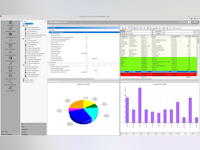


Fonctionnalités - M1 ERP
Alternatives à M1 ERP









Avis sur M1 ERP
Angie
I love how easy the modules link with each other
Commentaires : Very happy. I'm glad I have been brought in a job that chose this software. Everyone that I've met and spoke with through tech support is helpful and personable.
Avantages :
The ability to drill down between modules is wonderful. I've never used a software that allowed this so seamlessly.
Inconvénients :
The lack of online inquiries through the internet from fellow users that might have experienced something that isn't typical to help others figure it out. This can be technical or a way to resolve a process issue.
Timothy
M1 - A very visual ERP
Avantages :
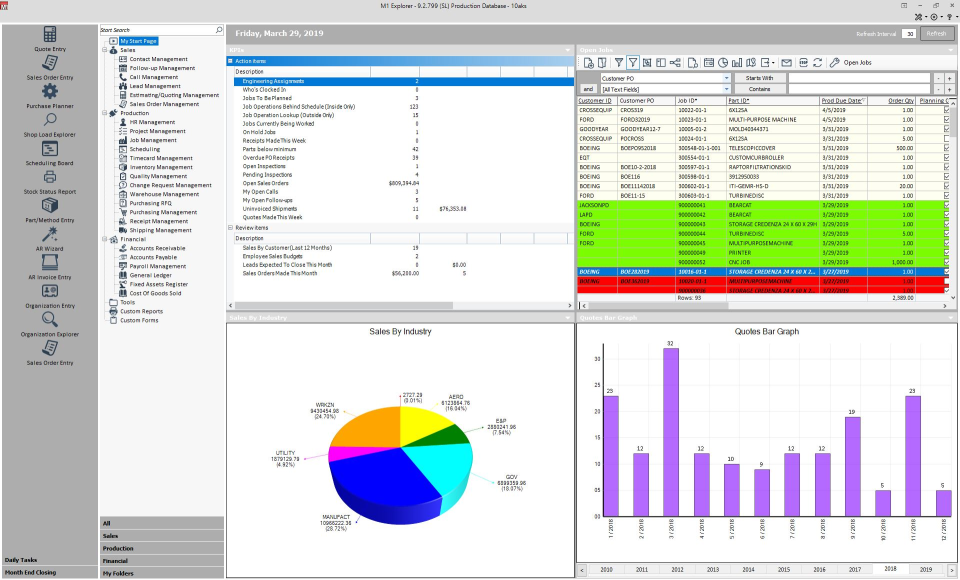
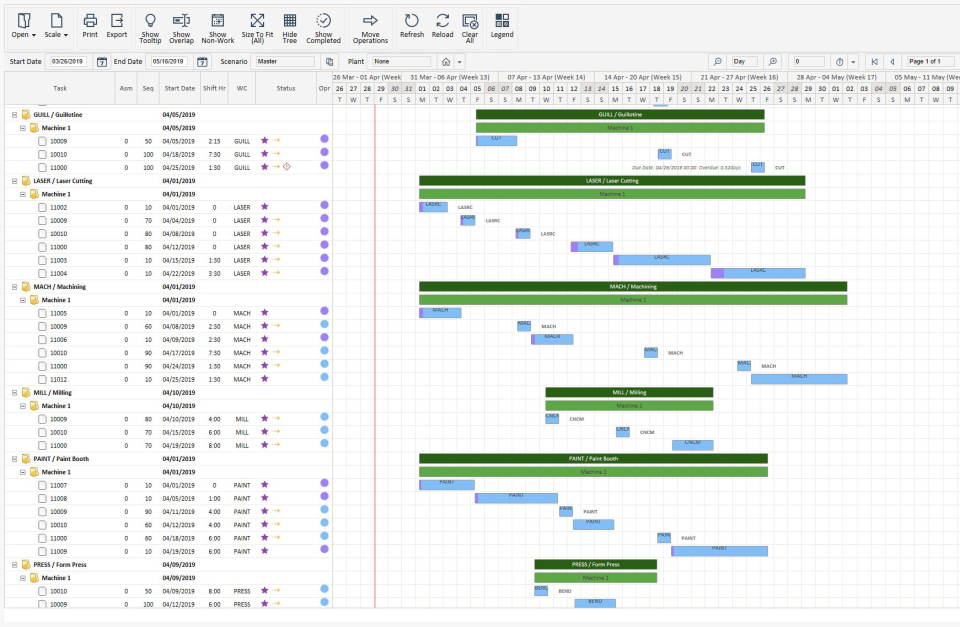
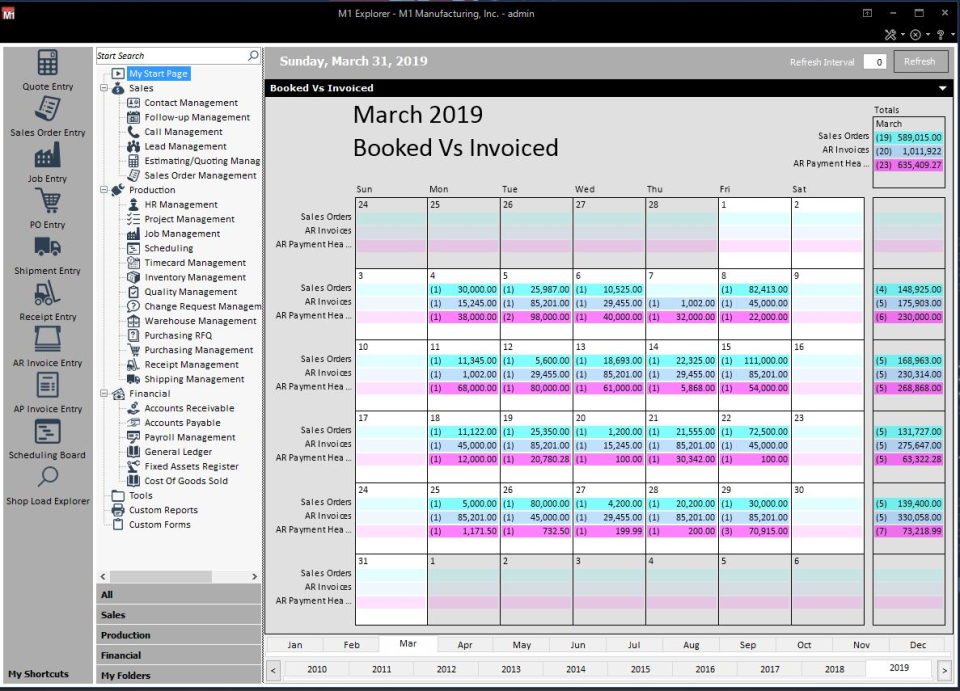
M1 is incredibly visual; whether you prefer traditional forms or spreadsheet views, you can customize the navigation and data forms with ease. Search features are robust in the spreadsheet style views. M1 is also fairly flexible for customization regardless of programming skills. We can easily add fields to any module and forms can be manipulated to match our information flow. In our business every order is a custom order yet the straight forward manufacturing module makes planning and scheduling simple. Dashboards on the start screen are great to monitor daily activities. While most ERP implementations require significant work, the visual nature of M1 really helped us keep the project on track. The M1 implementation specialist spent time to learn our business and specific information needs. 9 months running and we are very happy. We have added several additional modules since the implementation and have linked M1 to our sales tax service provider. The suite of included reports are handy, though they need some customization when you start up. Export to Excel is very easy. We added Spreadsheet Server option to really increase the capability to share data with Excel. Security controls are very robust.
Inconvénients :
At times customer service response is a bit longer than we would like though once they are working on an issue, they are great at resolving. Some of the included reports are fairly complex yet require customization in Crystal Reports. Best to have some working knowledge of Crystal reports. Some modules in M1 are not consistent with others - probably different programmers or different schedules for upgrading - however that slows the process just bit when you move module to module.
Joe
ECI Support does not understand this product and will not stand behind it.
Avantages :
If you are able to deploy, implement and customize M1 for your company without any support from ECI this is a good option.
Inconvénients :
Support is terrible - ECi was unwilling to respond to any of my questions on the software's functionality. I have paid for maintenance and support on 9 licenses for over 15 years and they will not even respond to my online request. When I finally called in and waited for a live person they insisted that I needed to pay for training in order to get answers to general use questions about how to setup and use different functions in the software. After 2 hours of paid training I had very few answers to my questions and my trainer "[SENSITIVE CONTENT HIDDEN]" had a list of questions he was going to "get back to me on". It has been several weeks and once again I have no answers and "[SENSITIVE CONTENT HIDDEN]" is ignoring my emails.
Nancy
Pretty good software. Lots of little things that are good, and some are not so good.
Avantages :
The drill-down from reports feature is great. The where used is extremely helpful to find specific info. The software is customizable (though not easily) and fully searchable. Being able to email customers their Invoices and Vendors their POs via email is a plus.
Inconvénients :
Too many things to know how one transaction affects another. Many reports are not set up the way we would like them. We were told when we bought the software that you did not need to know coding to be able to customize parts of the software or reports. Customizing is difficult to the average user, and for anything to be customized by M1, it always costs extra. Security settings are trial and error/very gray. Not black and white. For our business to utilize other aspects of the software we purchased, we would need to hire people just to run the software.
Daniel
M1 Manufacturing Software Review
Commentaires : It's been pretty good. It was a huge step forward from our previous software for a fraction of the price.
Avantages :
I like the customization available since it's built on SQL Server and uses Microsoft forms. It's easy to get at the data and add custom features. The fact that is uses Crystal Reports as the reporting engine is nice - so there's not a big learning curve there.
Inconvénients :
I think it could respond a little quicker to inquiries (the screens sometimes feel slow) and the errors are sometimes cryptic - unless you are familiar with the database tables and their layout.