
Description de Shortcut
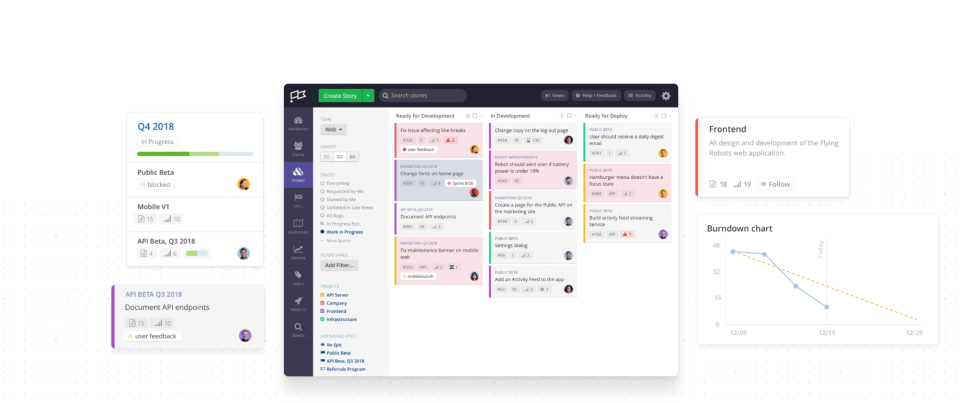
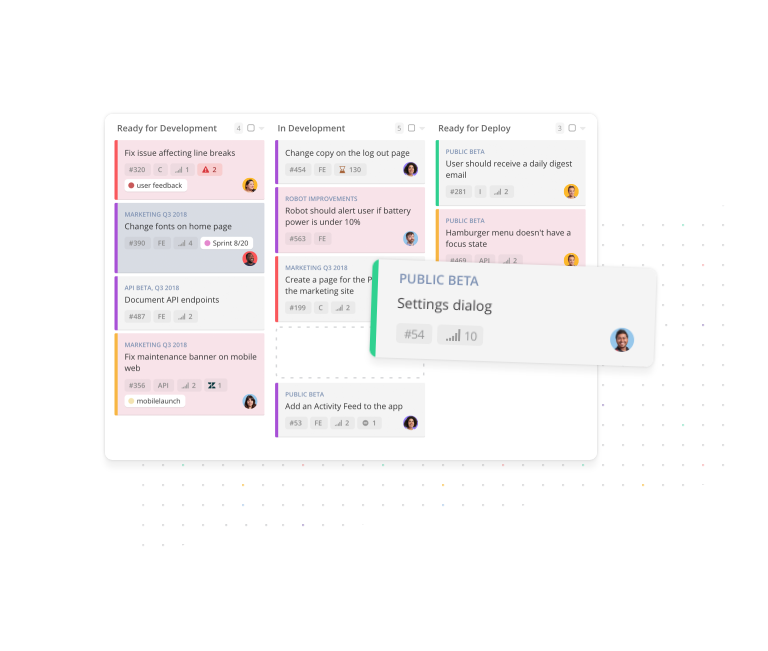
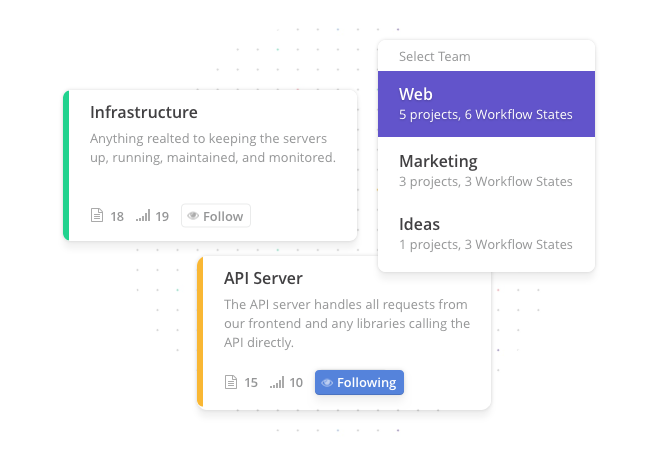
Gestion de projet intuitive et facile à utiliser pour les équipes logicielles qui souhaitent avoir une vue d'ensemble de leurs projets. Clubhouse contient tout ce dont vous avez besoin pour travailler sur un projet logiciel moderne, en laissant de côté toutes les fonctionnalités superflues. Évaluez la faisabilité de vos délais avec le suivi des progrès et l'analyse prédictive. Les intégrations disponibles réduisent le temps d'administration et automatisent les tâches répétitives : GitHub, Slack, Zapier, Dropbox, Drive, Box, etc. Essayez-le gratuitement dès aujourd'hui !
Qui utilise Shortcut?
Clubhouse est la solution préférée de milliers d'équipes de développement logiciel qui recherchent un outil de gestion de projet qui les aide à effectuer leur travail et leur donne une vue d'ensemble sans les ralentir.
Où peut se déployer Shortcut?
À propos du vendeur
- Shortcut
- Situé à New York, É.-U.
- Fondé en 2015
Assistance Shortcut
- Support 24/7 (réponse directe)
- Chat/Clavardage
Langues
anglais
Shortcut - Prix
À partir de :
- Oui, essai gratuit disponible
- Oui, version gratuite disponible
Shortcut est disponible en version gratuite et propose un essai gratuit. La version payante de Shortcut est disponible à partir de 10,00 $ US/mois.
Tarification et forfaits obtenez un essai gratuitÀ propos du vendeur
- Shortcut
- Situé à New York, É.-U.
- Fondé en 2015
Assistance Shortcut
- Support 24/7 (réponse directe)
- Chat/Clavardage
Langues
anglais
Shortcut en vidéos et en images


Fonctionnalités - Shortcut
Alternatives à Shortcut







Avis sur Shortcut
Utilisateur vérifié
Bon logiciel de workflow
Commentaires : Bonne expérience au global.
Avantages :
Simple et ergonomique, fait ce qu'on lui demande!
Inconvénients :
Je pense qu'il n'apporte pas plus de valeur ajoutée sur un plan déploiement stratégique dans une entreprise que d'autres solutions déjà intégrées et gratuites comme Planner (Microsoft) ou même Trello

Bryan
The perfect tool for software projects using Kanban
Commentaires : Clubhouse helps us manage agile software projects better than ever before. With other tools it feels like we are forcing it to try to accommodate our workflow, but with Clubhouse it feels like it was designed exactly for our use.
Avantages :
Clubhouse brought us a new set of features and ways to organize stories and tasks that we didn't know we wanted/needed. We have always stuck with tools that were able to help improve our kanban based workflow rather than the simple project board tools like Trello that cater to everyone more than software/product development specifically. There are few tools out there that provide what we are looking for: the ability to organize and label stories with more granularity than a single label (estimates, types, project, priorities, epic, etc), and the ability to have reports like velocity and burndown charts.
Inconvénients :
It is a very small thing, but it would be nice if we could adjust the color scheme of both things like labels beyond the default options, as well as adjust the overall interface colors.
Cindy
Simple to use and provides enough features to run and manage sprints for a small team
Avantages :
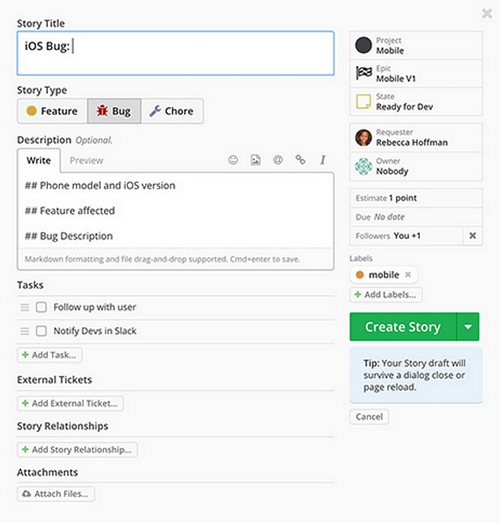
- Simple to learn and navigate so the team could quickly start using the product after switching- Love the dark mode and the colour coding of different story types i.e bug, feature or chore so it's easy to see things at the high level- Easy to create sprints and I like the summaries provided on the story points
Inconvénients :
- You can only write stories in markdown text. Not a big issue since I've become really good at it! But it'd be good if there was a text editor instead- Sometimes when I create a story and I accidentally click out of it, I lose the progress. It'd be good if they had a draft functionality where the stories get created as a draft straight away
Alternatives envisagées : Jira
Pourquoi choisir Shortcut : We needed something that was more focused on sprint management
Logiciel antérieur : Notion
Pourquoi passer à Shortcut : JIRA has a quite suite of features however it was too complex for what we were looking for. We need something to track our sprints and features and shortcut was perfect for that.
Kirsty
Short may be an overstatement for shortcut
Avantages :
This is an adequate task management/tracking software. It has a fantastic Zendesk integration and multiple customizable fields. It also boasts decent search and filtering functions but it isn't particularly user-friendly and filling out all the fields that make it function well takes a great deal of time (hence the title of this review).
Inconvénients :
There are no AI/smart suggestions for related epic/team fields so every time you make a new ticket you have to search through them by scratch. They also don't offer a great tag database or tag definitions so you have to create naming conventions separately offline. You also can't use rich text in story descriptions.
Marco
My review
Commentaires : =)
Avantages :
The software is incredible, it's easy to use, and the features just feats your team needs.
Inconvénients :
For Brazil it is a really expensive product, I wouldn't be able to pay the complete version, although I know that the free plan locks features that would be really helpful. Some international companies vary the price based on the exchange rate. That would allow to sell your product here easily. For example, for a team of 7 the price would be $84,00, that makes almost R$500,00 here that is almost the same as all the shopping (food, grocery..) for a family of two for a month. See?Other than that, it would be awesome to be able to change the team shortcut url. When I've created my team account I didn't know that the company name would be used for the URL, now it is very long and very ugly to share.