
PDF Studio

Sobre PDF Studio
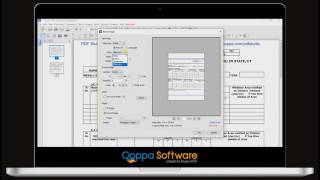
PDF Studio es un software de edición de PDF de instalación local que es compatible con sistemas operativos Windows, Mac y Linux. Incluye diversas funciones y herramientas para completar los flujos de trabajo de edición de PDF. Los usuarios pueden crear PDF, escanear documentos, completar formularios, proteger documentos confidenciales, editar páginas, optimizar los PDF, comparar archivos y más. PDF Studio se puede integrar con DocuSign, Dropbox, OneDrive y Google Drive.
PDF Studio Standard está disponible con funciones limitadas necesarias para crear y editar archivos PDF. Con PDF Studio PRO, los usuarios pueden acceder a funciones adicionales, como conversión de archivos, procesamiento por lotes, opciones de OCR, firmas digitales, redacción y limpieza, diseñador de formularios interactivos y más. Ambas versiones de PDF Studio permiten a los usuarios revisar y realizar anotaciones en los archivos PDF, establecer permisos de usuario o contraseñas y agregar marcas de agua y encabezados/pies de página.
Imágenes




¿Tienes dudas sobre PDF Studio?
Compara con una alternativa popular
Precio inicial
Opciones de precios
Funciones
Integraciones
Facilidad de uso
Relación calidad-precio
Atención al cliente
Alternativas
PDFelement

Smallpdf

SignWell

DocFly

Opiniones
¿Ya tienes PDF Studio?
¡Ayuda a los compradores de software! Las opiniones sobre los productos son útiles para que el resto de los usuarios podamos tomar las decisiones acertadas.

- Sector: Tecnología y servicios de la información
- Tamaño de la empresa: 2-10 empleados
- Software usado A diario durante Prueba gratis
-
Fuente de la reseña
Calificación general
- Relación calidad-precio
- Facilidad de uso
- Asistencia al cliente
- Probabilidad de recomendación 8.0 /10
Super complete, fast and powerful PDF editor
Revisado el 10/5/2021
Puntos a favor
Easy to edit a pdf, do everything I did with Acrobat Pro without a problem
Very fast and include a lot a functionality, maybe more than Adobe
Puntos en contra
Integration with onedrive not fully working on my ubuntu

- Sector: Investigación
- Tamaño de la empresa: 2-10 empleados
- Software usado A diario durante Más de dos años
-
Fuente de la reseña
Calificación general
- Relación calidad-precio
- Facilidad de uso
- Asistencia al cliente
- Probabilidad de recomendación 10.0 /10
PDF Studio 2019- solid choice for Linux users, researchers, who want a cross-platform solution.
Revisado el 7/8/2020
PDF Studio is reliable tool for annotating PDFs. It is fast, easy to use, has a good UI that allows...
PDF Studio is reliable tool for annotating PDFs. It is fast, easy to use, has a good UI that allows users to switch between the tradition menu bar and a ribbon bar. I use it daily for reducing the size of PDFs and converting them to png image formats for distribution.
Puntos a favor
It is truly cross-platform- I used it on my Linux, Windows, and Apple systems without any problem. Its one of the few PDF editors for Linux.
It's easy to use- the menu is well designed and its much easier to find the tools I need than Adobe Acrobat with its convoluted odd menu system.
It has reliable OCR built into the software and good tools for optimizing PDFs (reducing size) and for saving as image files (jpeg, png, tiff, etc).
Puntos en contra
It cannot open dynamic XFA forms, but considering that most non-Adobe PDF editors can't read them, its not unusual. Dynamic XFA forms are uncommon PDF forms render drawing and layout information. Even Adobe products don't properly support them. Unfortunately, our office used these forms regularly.
- Sector: Servicios medioambientales
- Tamaño de la empresa: Trabajador autónomo
- Software usado A diario durante Más de dos años
-
Fuente de la reseña
Calificación general
- Relación calidad-precio
- Facilidad de uso
- Asistencia al cliente
- Probabilidad de recomendación 0.0 /10
Does not work on Mac Studio M1 Pro
Revisado el 2/8/2023
I used it daily for years and then upon upgrading last year it continually disappoints. Since I had...
I used it daily for years and then upon upgrading last year it continually disappoints. Since I had used it for a long time and spent a lot of time and effort with customer support to try and get the 2022 version running properly, I figured that the 2023 offering would have fixed all the issues that I had highlighted to the Quoppa people, but no, it's exactly the same.
Puntos a favor
Great feature set. Adn ability to use scaled drawings and measurements
Puntos en contra
Back in 2012 (PDF Studio 12) it was fully reliable, but the recent iterations (2022 and 2023) do not work on Mac Studio M1 Max computer. Simple copy / paste errors, can't delete some annotations, print to JPG often misses some annotations, so exported jpg's are incomplete, can't re-order objects (send to back or bring to front does not work)
- Sector: Electrónica de consumo
- Tamaño de la empresa: 2-10 empleados
- Software usado A diario durante 6-12 meses
-
Fuente de la reseña
Calificación general
- Relación calidad-precio
- Facilidad de uso
- Probabilidad de recomendación 10.0 /10
Finally a PDF editor that is fast and smooth even on huge architectural drawing.
Revisado el 27/12/2023
Fantastic. Because of the tab tool bar interface, I can find tools I did not know existed and try...
Fantastic. Because of the tab tool bar interface, I can find tools I did not know existed and try them and because of the tap tool bar, it is not overly cluttered.
Puntos a favor
Love the interface and ease of finding the tools.
Puntos en contra
App does not respect my Logi Options mouse settings. Zooms to fast with mouse wheel.

- Sector: Servicios de información
- Tamaño de la empresa: 2-10 empleados
- Software usado A diario durante Más de dos años
-
Fuente de la reseña
Calificación general
- Relación calidad-precio
- Facilidad de uso
- Asistencia al cliente
- Probabilidad de recomendación 10.0 /10
Complete PDF editing suite
Revisado el 16/7/2022
PDF Studio has a user-friendly design and is the finest alternative to Adobe Acrobat. It is quick,...
PDF Studio has a user-friendly design and is the finest alternative to Adobe Acrobat. It is quick, simple to use, and has a nice user interface.
Puntos a favor
It is the best PDF editor and converter available with a low-cost perpetual license. It have optical character recognition capabilities. The best thing is that it is cross-platform and works flawlessly on Linux, Windows, and Macbooks.
Puntos en contra
I've never had any big issues using PDF Studio. However, the OCR tool did not always recognize the text.
Preguntas frecuentes sobre PDF Studio
He aquí algunas preguntas frecuentes sobre PDF Studio.P. ¿Qué tipo de planes de precios ofrece PDF Studio?
PDF Studio ofrece los siguientes planes de precios:
- A partir de: USD 99.00/una vez
- Prueba gratis: Disponible
P. ¿Quiénes son los usuarios habituales de PDF Studio?
Los clientes habituales de PDF Studio son:
Trabajador autónomo, 2-10, 11-50, 51-200, 201-500, 501-1,000, 1,001-5,000
P. ¿Qué idiomas admite PDF Studio?
PDF Studio admite los siguientes idiomas:
inglés
P. ¿PDF Studio es compatible con dispositivos móviles?
PDF Studio admite los siguientes dispositivos:
P. ¿Con qué otras aplicaciones se integra PDF Studio?
PDF Studio se integra con las siguientes aplicaciones:
DocuSign, Dropbox Business, Google Drive, OneDrive
P. ¿Qué tipo de asistencia ofrece PDF Studio?
PDF Studio ofrece las siguientes opciones de asistencia:
E-mail/Help Desk, Preguntas frecuentes/foro, Base de conocimientos
Categorías relacionadas
Ver todas las categorías de software encontradas para PDF Studio.


