


Tweets
- Tweets, current page.
- Tweets & replies
- Media
You blocked @AppleSupport
Are you sure you want to view these Tweets? Viewing Tweets won't unblock @AppleSupport
-
Pinned Tweet
Apple Watch checks your heart rate automatically throughout the day, but you can check it yourself whenever you're feeling curious. Watch this video to see how.pic.twitter.com/kBB9lKOTsZ
Thanks. Twitter will use this to make your timeline better. UndoUndo -
Game coins.
 Movie rentals.
Yearly subscription to a dating app.
Movie rentals.
Yearly subscription to a dating app.  Check all your purchases from iTunes and App Store, right on your iPhone. Here's how: https://apple.co/2JC6PEc pic.twitter.com/4Sx9zWup6xThanks. Twitter will use this to make your timeline better. UndoUndo
 -
Your Apple Watch can tell you if your heart rate goes above or below a chosen BPM. Here's how to set up heart rate alerts: https://apple.co/2JxTj4I pic.twitter.com/RP95NVt7ub
Thanks. Twitter will use this to make your timeline better. UndoUndo -
Turn yourself into your Memoji during your FaceTime call, and give your friends something to talk about. Here's how, in iOS 12: https://apple.co/2DdwyCT pic.twitter.com/67j23vo1ZF
Thanks. Twitter will use this to make your timeline better. UndoUndo -
Get a second opinion. Then a third and fourth. Here's how to add a new person to Group FaceTime: https://apple.co/2DdVIkQ pic.twitter.com/hYEs3iD6ZN
Thanks. Twitter will use this to make your timeline better. UndoUndo -
iPhone buried in your bag? Make a call from your Apple Watch with Siri instead. Watch this video to see how.pic.twitter.com/Xc0hIq5dkP
Thanks. Twitter will use this to make your timeline better. UndoUndo -
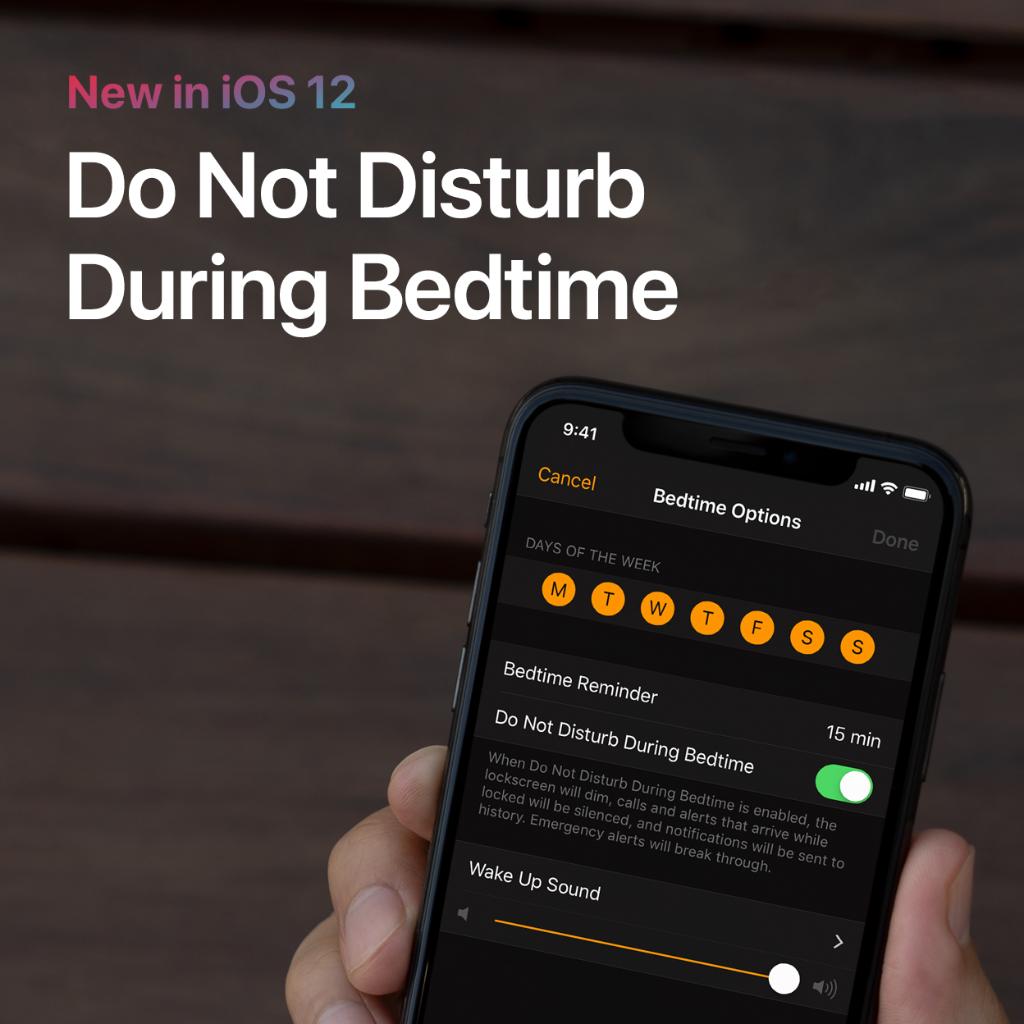
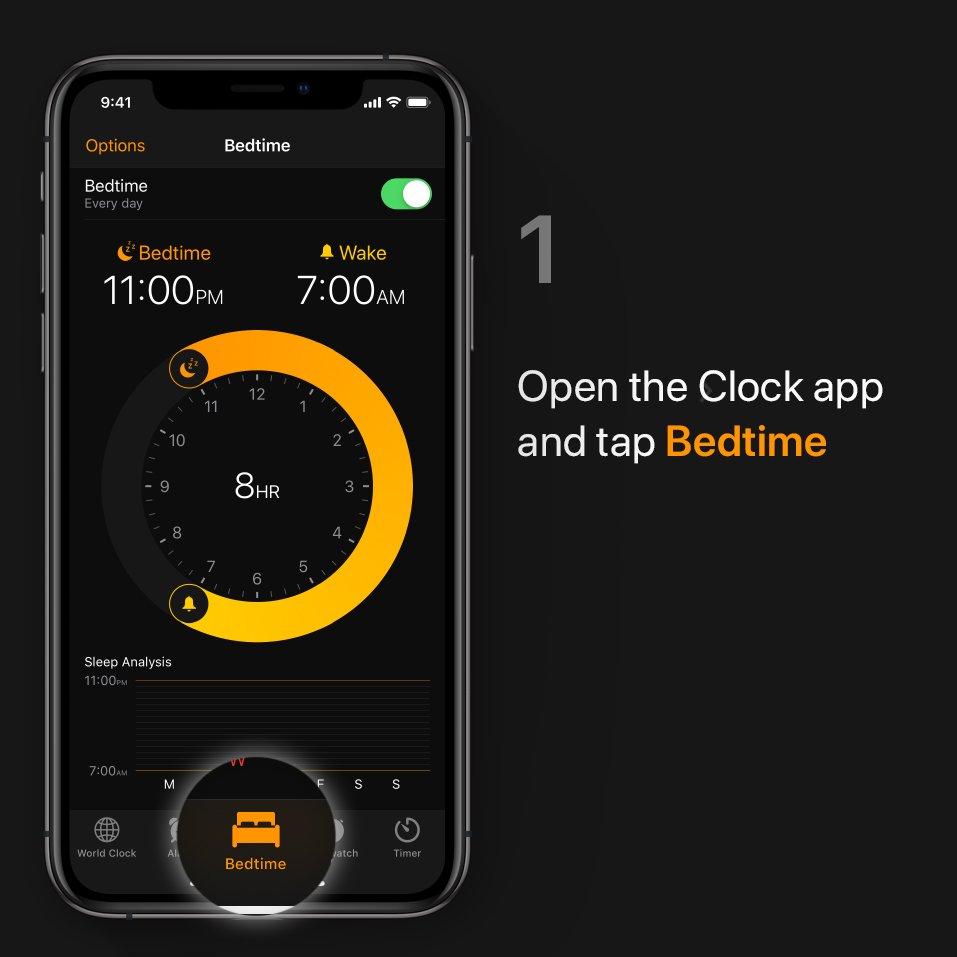
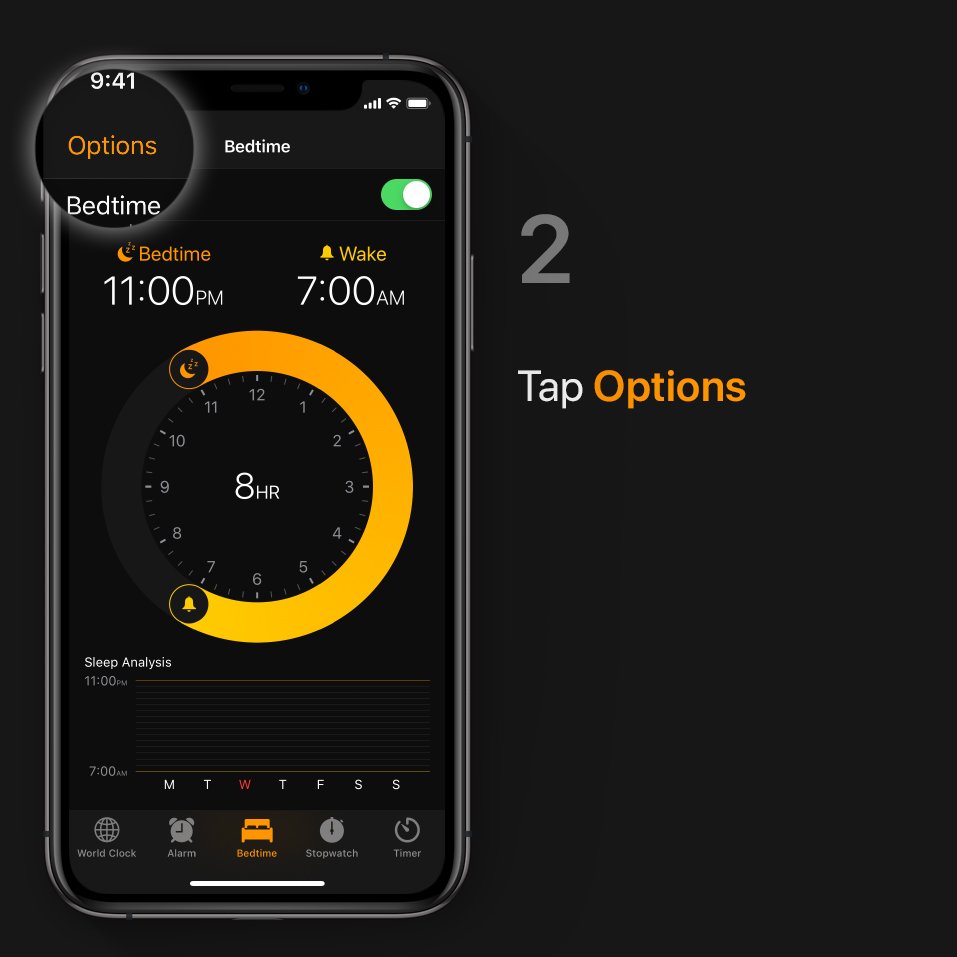
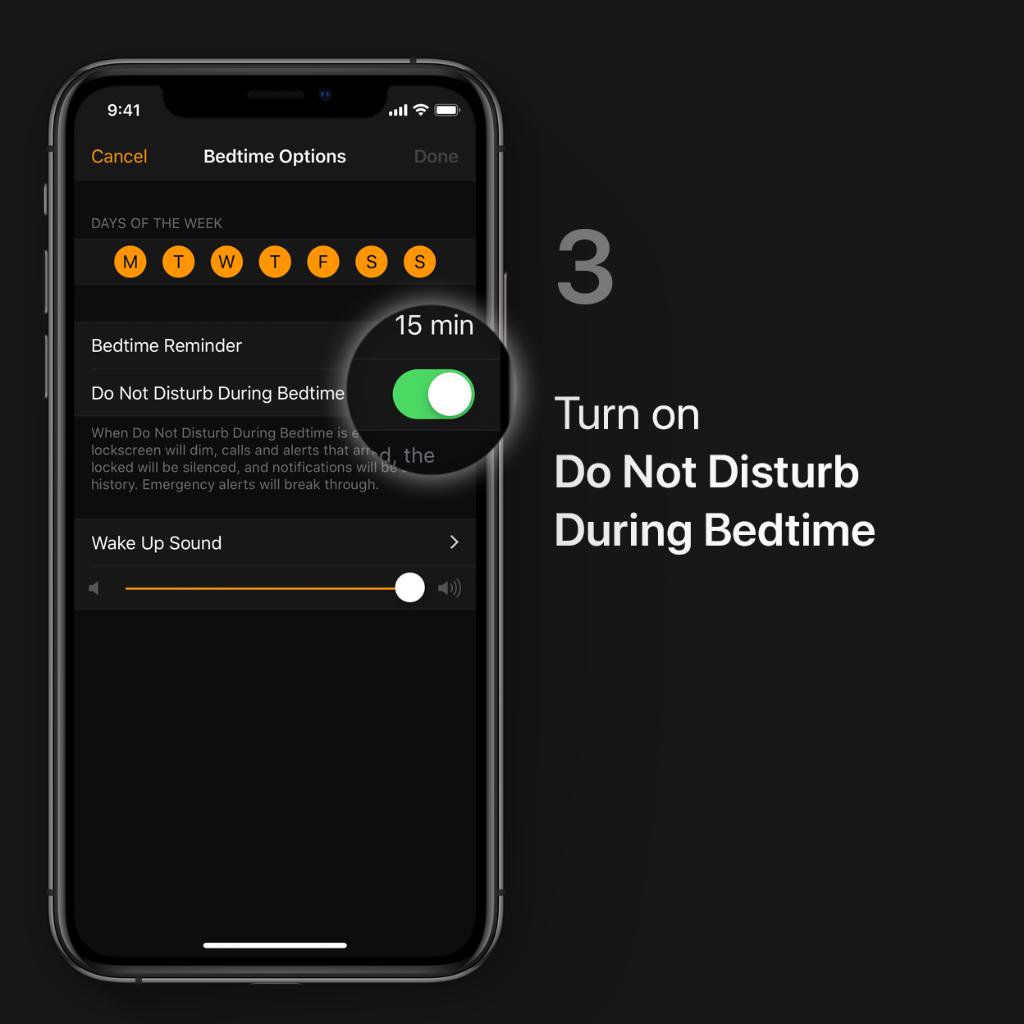
Trying to get better sleep? The new Do Not Disturb During Bedtime feature in iOS 12 can silence notifications and keep your Lock screen nice and dim. Learn more about Bedtime: https://apple.co/2JmPe30 pic.twitter.com/lpMjbK3WfN
 Thanks. Twitter will use this to make your timeline better. UndoUndo
 -
Glasses, sunglasses, or no glasses? With Memoji, you don't have to decide.


 Quickly duplicate your Memoji, so you can make different versions without starting over. Like this.pic.twitter.com/grYm3imVPIThanks. Twitter will use this to make your timeline better. UndoUndo
 -
Bank alerts vs. celebrity news. Some notifications are more important than others. With iOS12, you can quiet some notifications right from the Lock screen. Here's how.pic.twitter.com/8mpK0d23Yy
Thanks. Twitter will use this to make your timeline better. UndoUndo -
Get ready for that important meeting or that much-needed massage.
 Schedule Do Not Disturb until a certain time using 3D Touch in Control Center. Like this.pic.twitter.com/X2ZthKx2QmThanks. Twitter will use this to make your timeline better. UndoUndo
 -
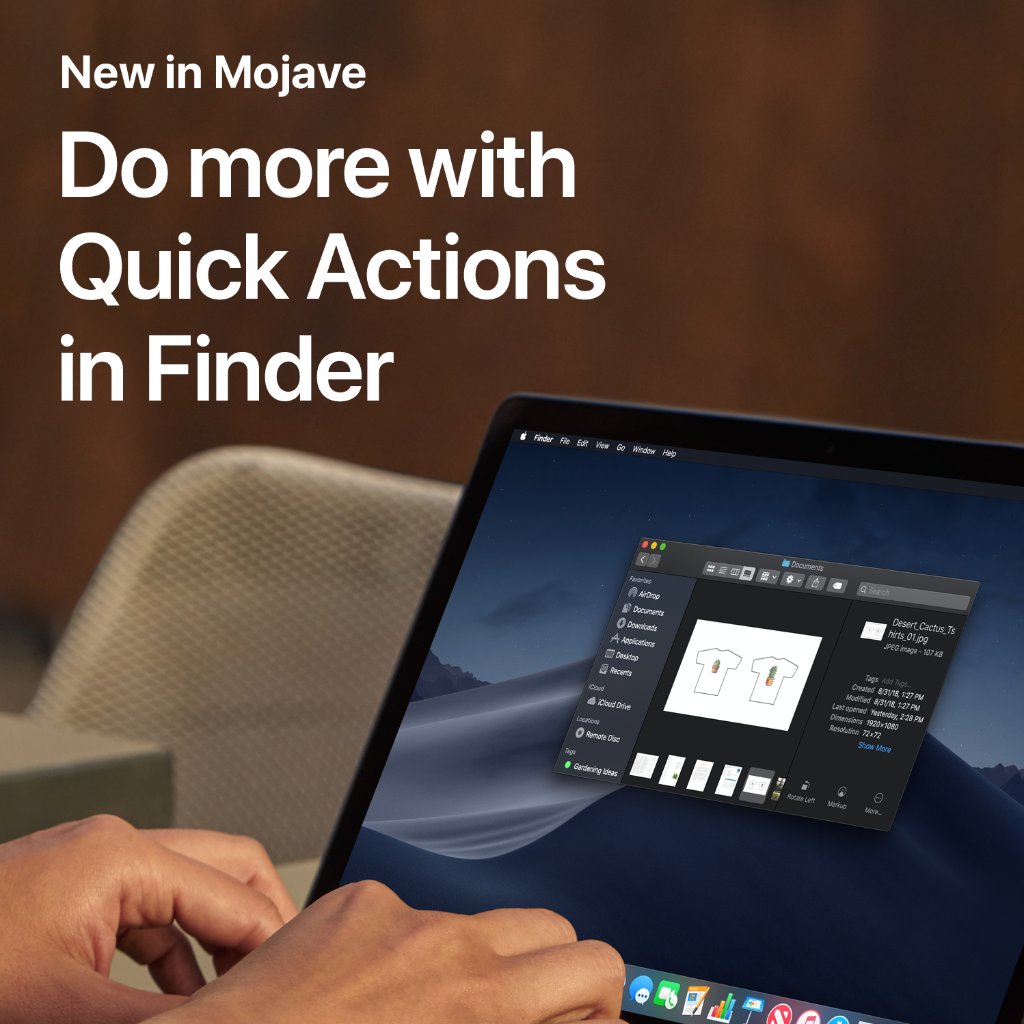
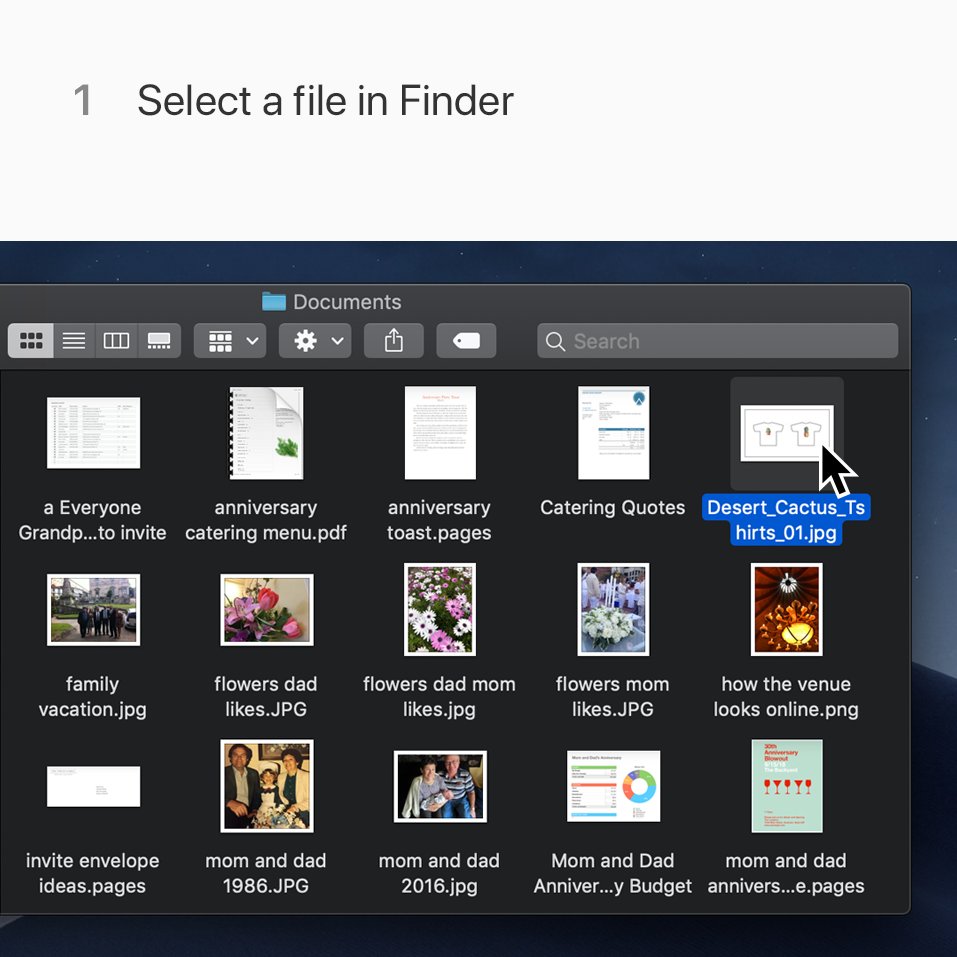
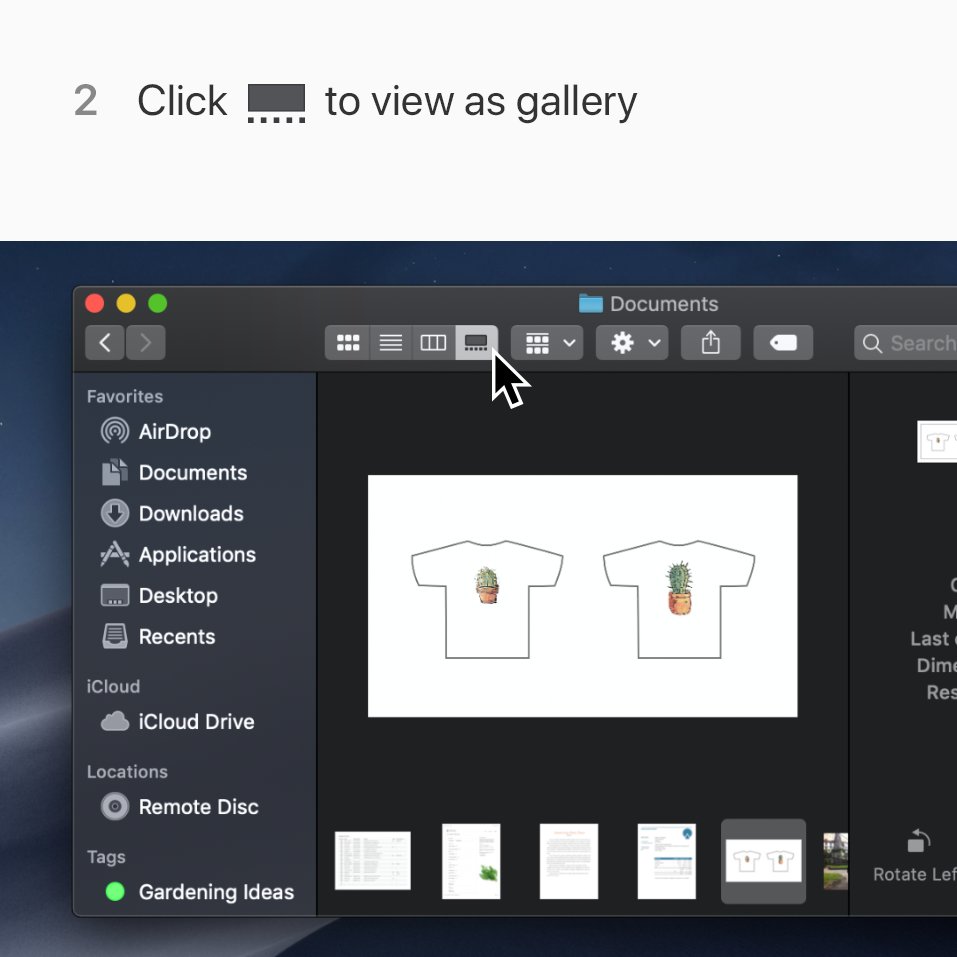
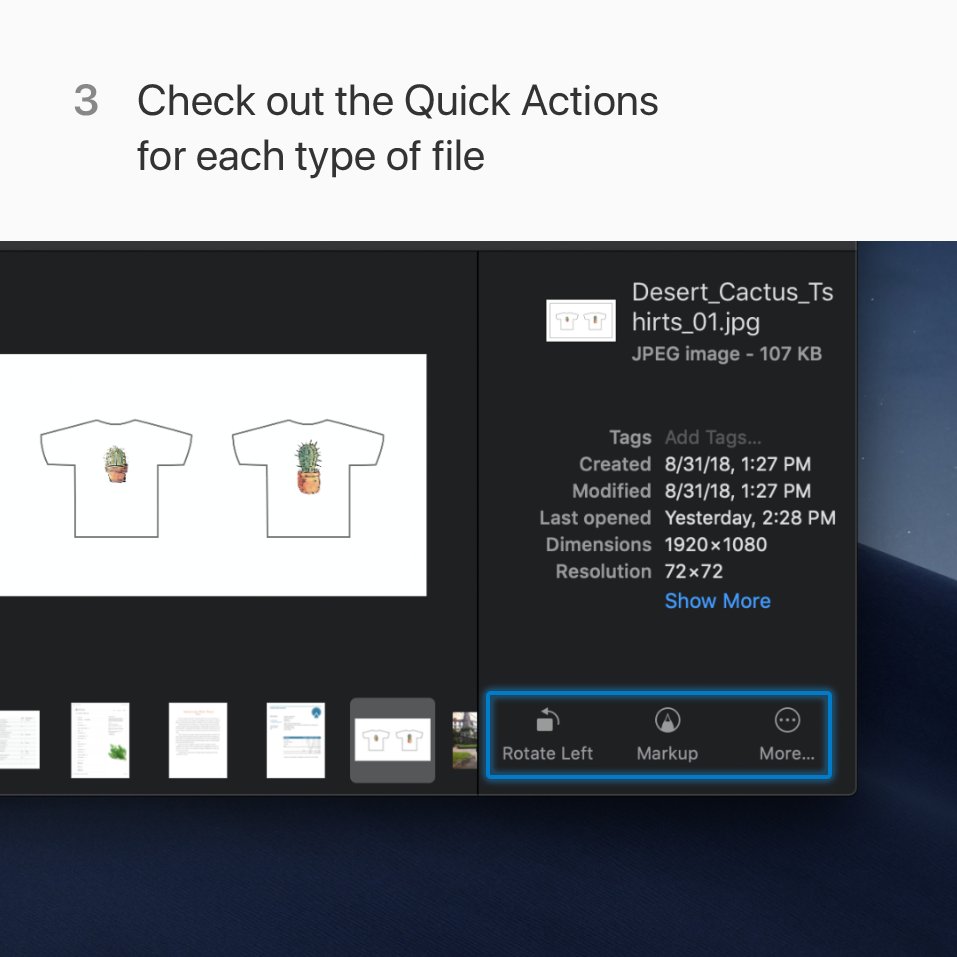
Circle what's important. Rotate it the right way. Trim it to the good part. Right in Finder. Here's where to find Quick Actions in macOS Mojave.pic.twitter.com/hQ9utE4sV6
 Thanks. Twitter will use this to make your timeline better. UndoUndo
 -
Don't go without your Apple Watch if you don't have to. With AppleCare+ you'll get a replacement right away if your current one needs repair. Tap below to learn more about Express Replacement Service.
Thanks. Twitter will use this to make your timeline better. UndoUndo -
Monday
 Tuesday
  Wednesday
  Thursday
  Friday
  Saturday
  Sunday
  Challenge a friend to a seven-day competition with your Apple Watch, and stay motivated all week. Here's how: https://apple.co/2PJjs2M pic.twitter.com/GY8sBvfpV9Thanks. Twitter will use this to make your timeline better. UndoUndo
 -
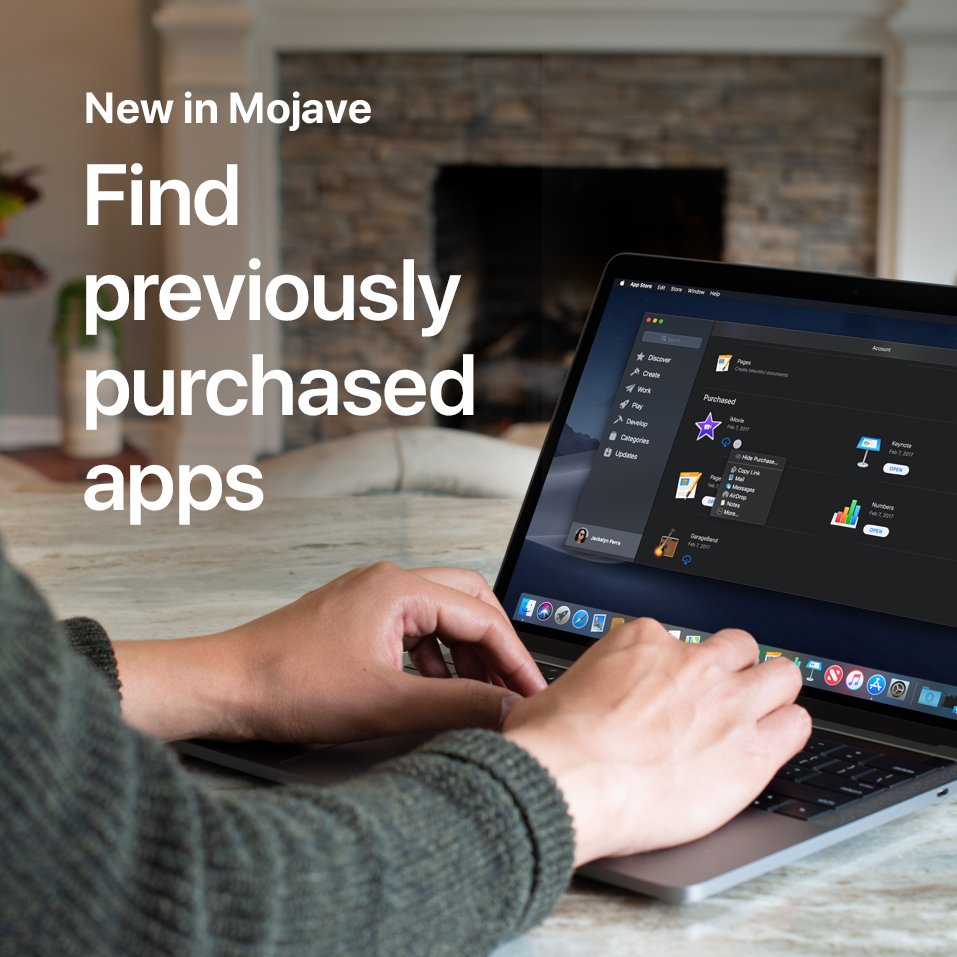
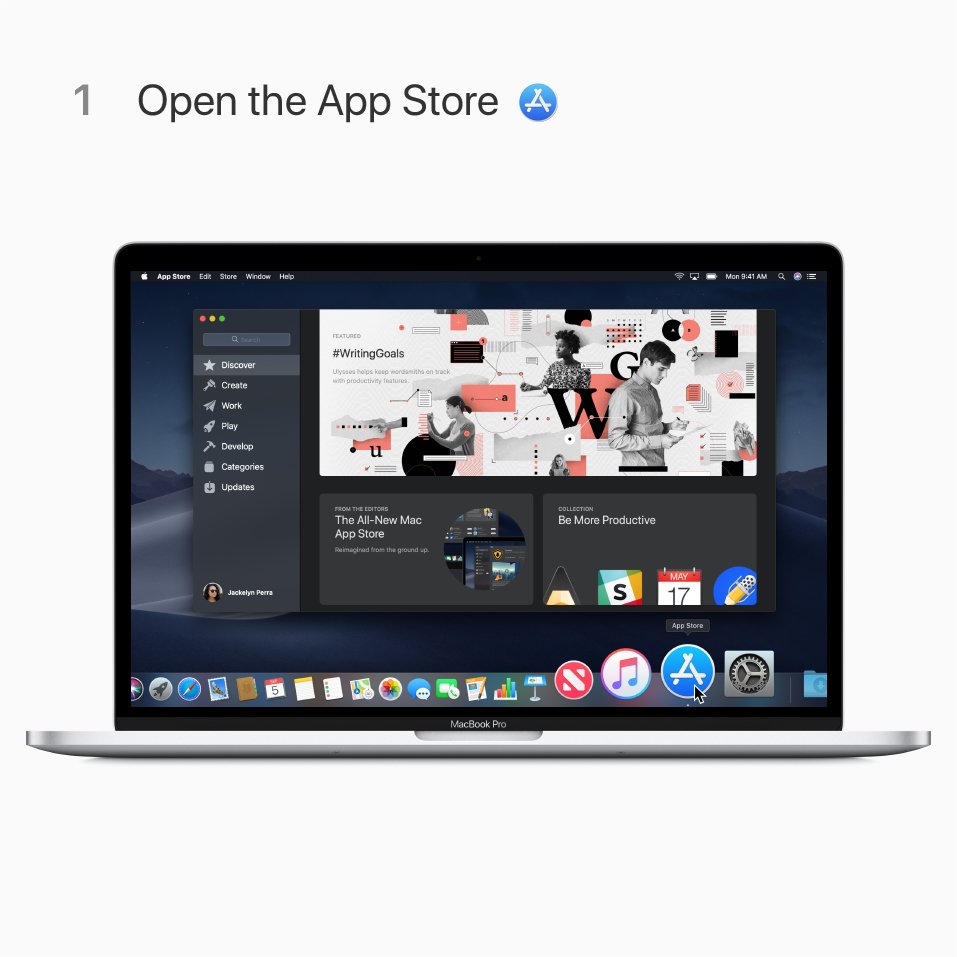
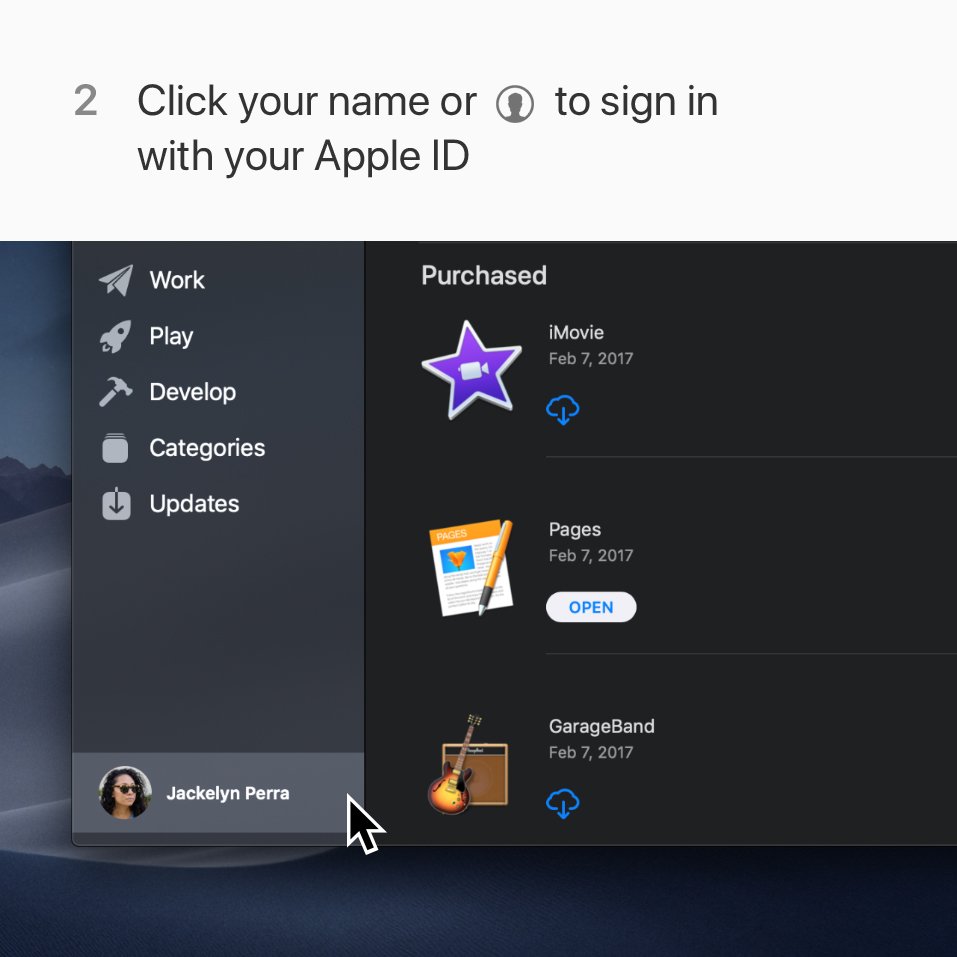
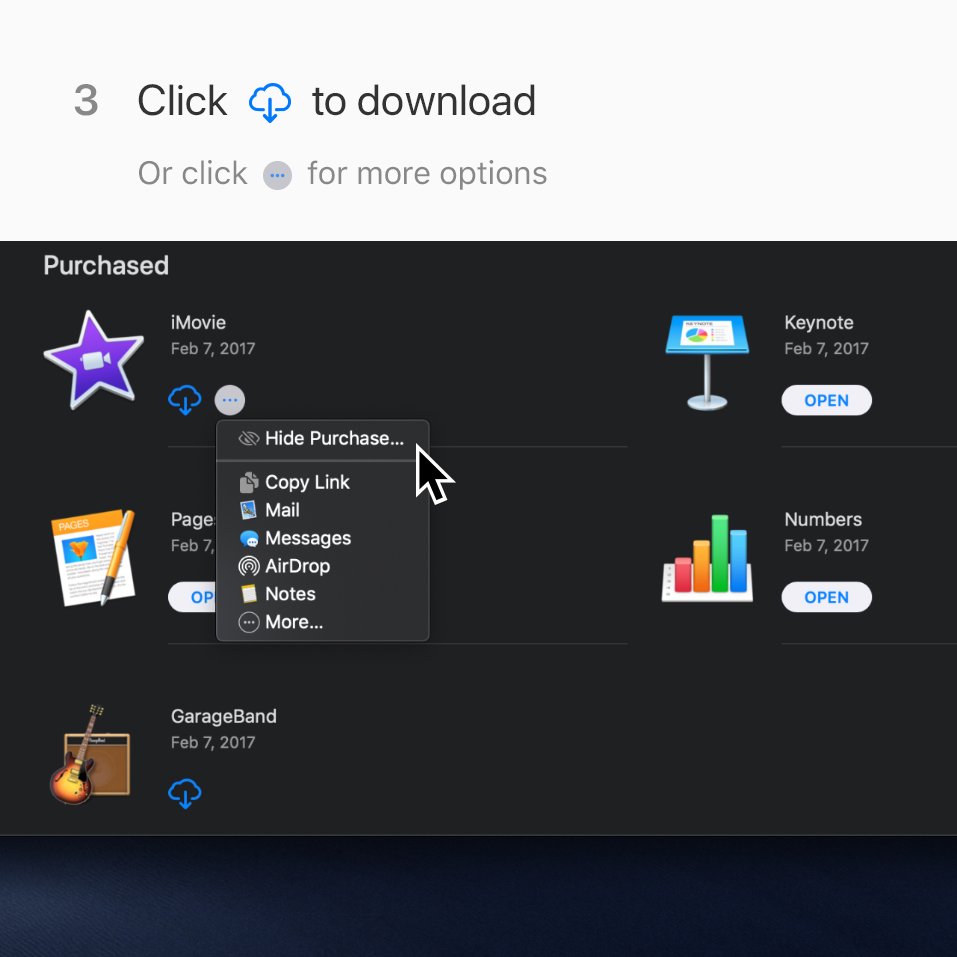
The Mac App Store gets a new design in macOS Mojave. Here's where to find your purchased apps. Learn more: https://apple.co/2CPMyuo pic.twitter.com/LqxKOtmPjW
 Thanks. Twitter will use this to make your timeline better. UndoUndo
 -
 Shiny new Apple Watch? Learn how to pair to your iPhone and get it all set up.
See how, on our YouTube channel: https://apple.co/2Cs5qP0 pic.twitter.com/d4gDhhCZIqThanks. Twitter will use this to make your timeline better. UndoUndo
Shiny new Apple Watch? Learn how to pair to your iPhone and get it all set up.
See how, on our YouTube channel: https://apple.co/2Cs5qP0 pic.twitter.com/d4gDhhCZIqThanks. Twitter will use this to make your timeline better. UndoUndo -
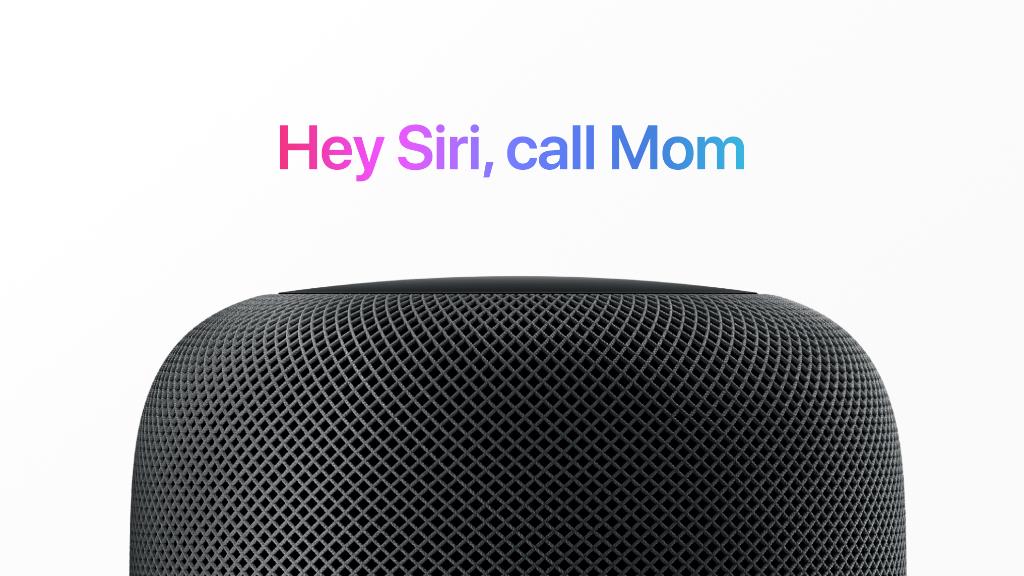
You don't need your phone in your hand to make a call. Now you can just ask Siri on your HomePod. Like this.pic.twitter.com/RAuhrYtZrF
 Thanks. Twitter will use this to make your timeline better. UndoUndo
 -
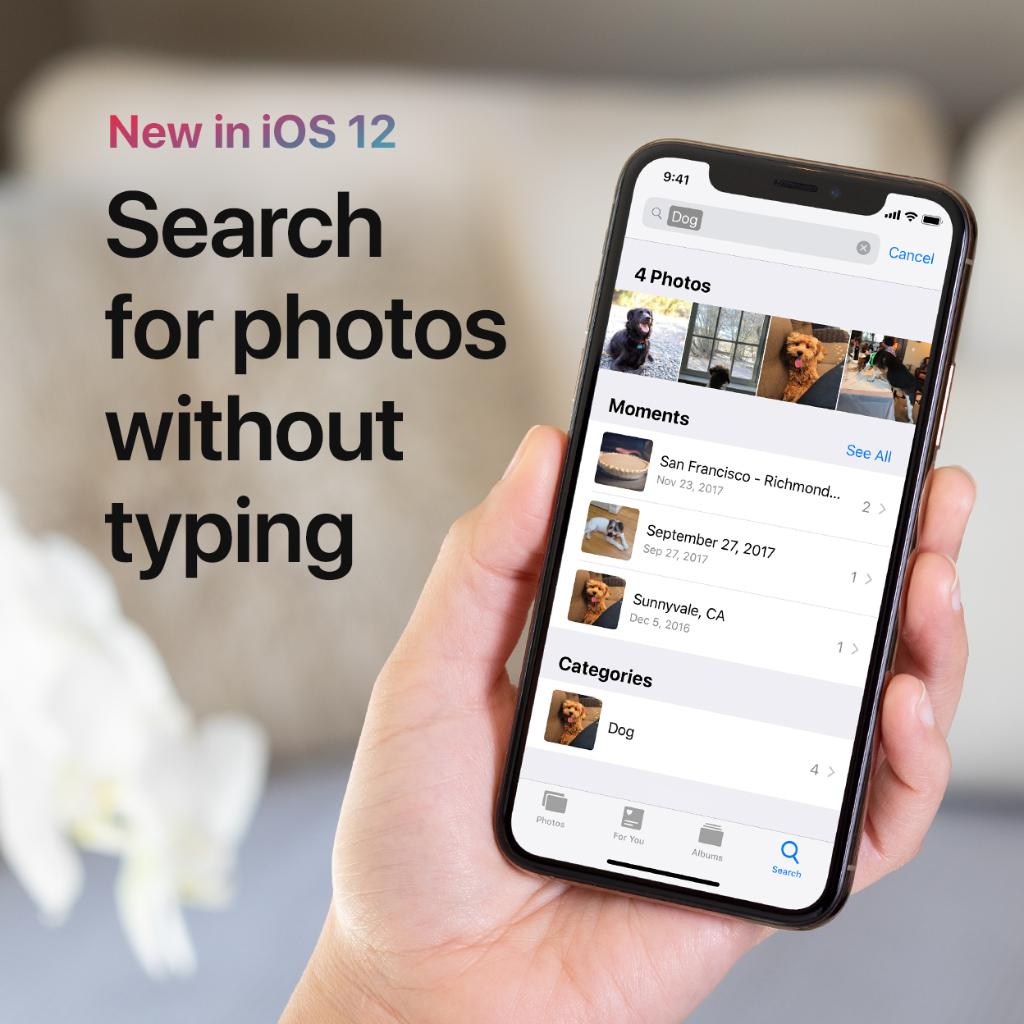
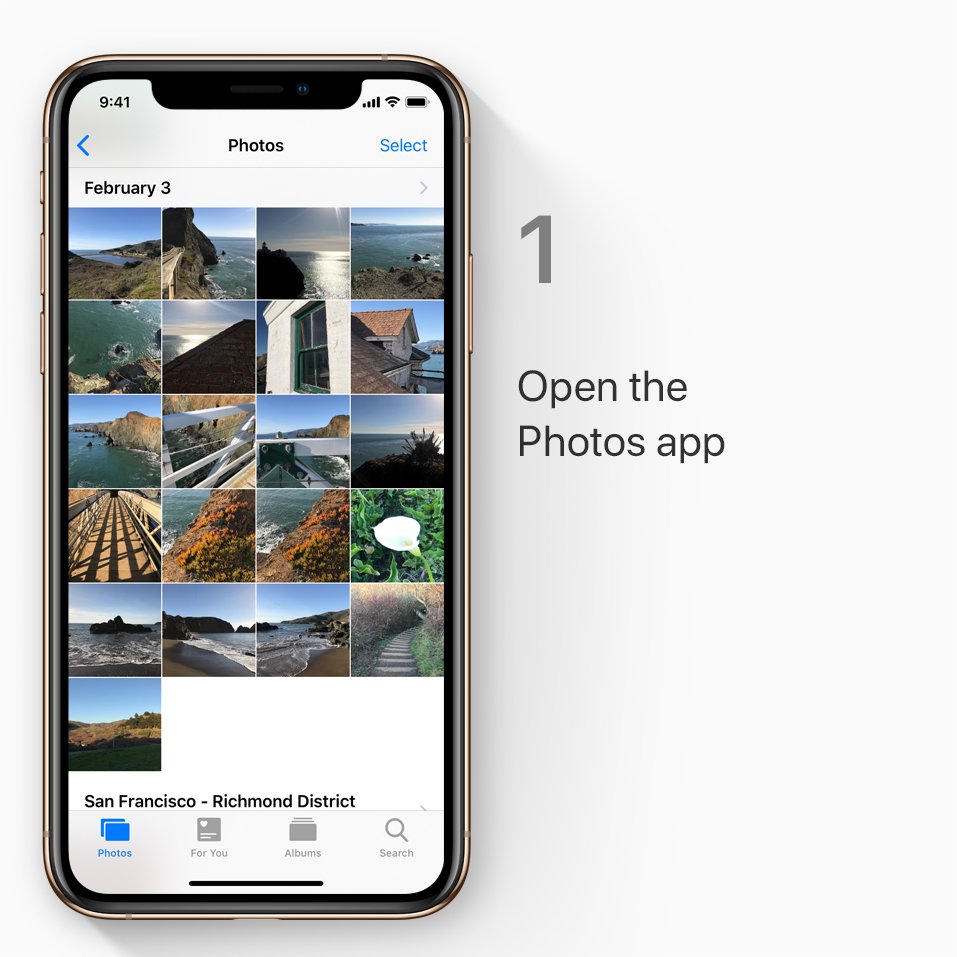
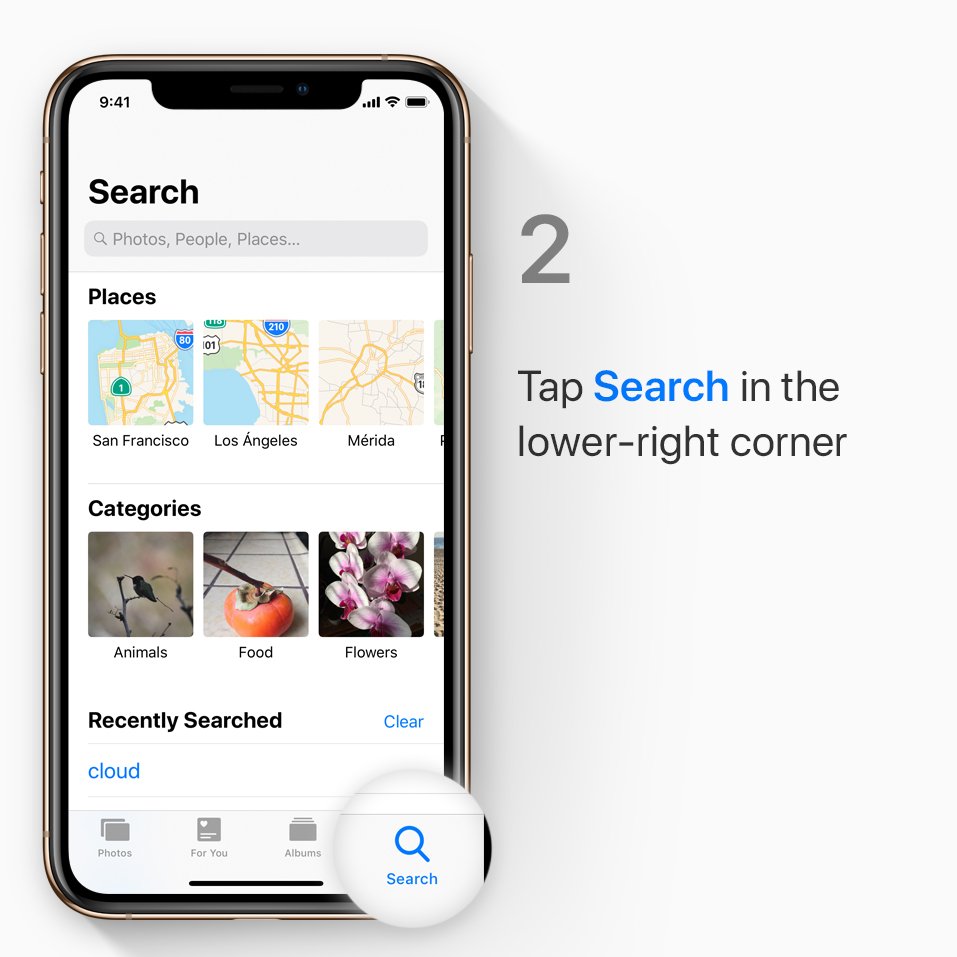
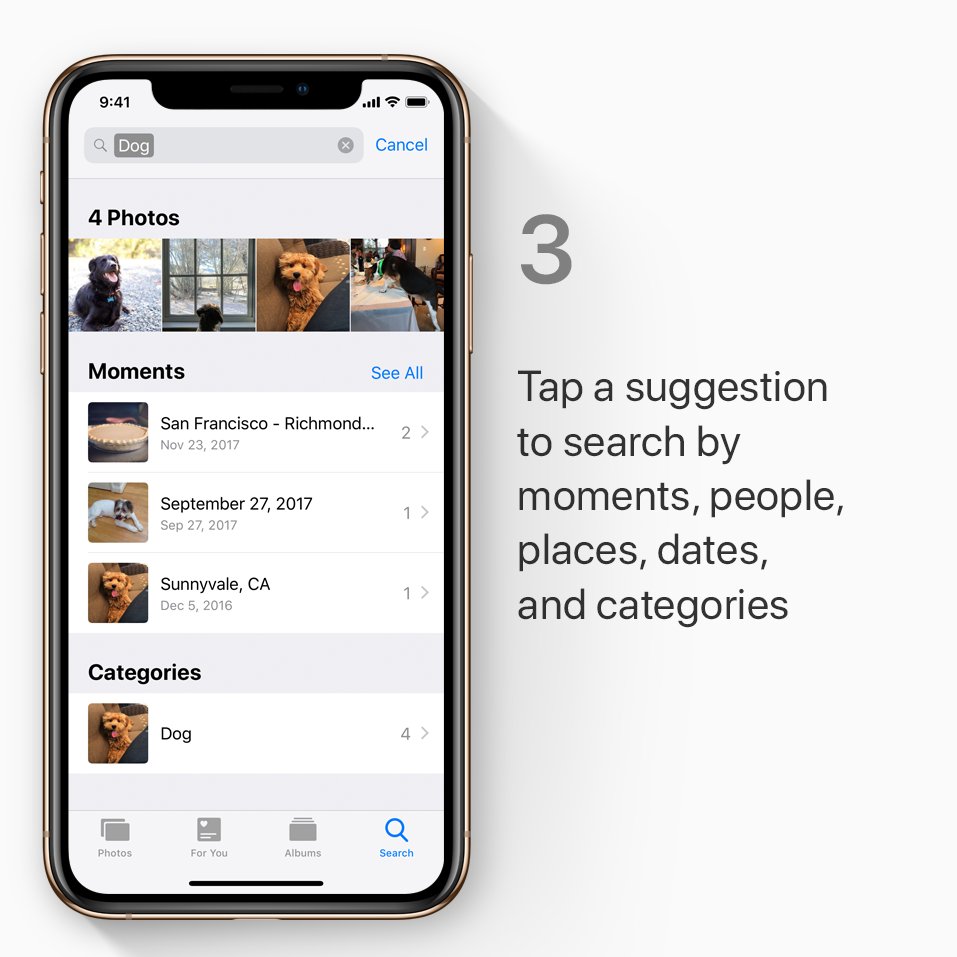
Looking for photos of your pet? Of course you are. Here's how to find them a lot quicker, with search suggestions in iOS 12.pic.twitter.com/BCg0qeOq6A
 Thanks. Twitter will use this to make your timeline better. UndoUndo
 -
Challenge your friends to crush their fitness goals, then cheer each other on.
 See how to get started with the Activity app, over on our YouTube channel: https://apple.co/2CMGVgs pic.twitter.com/tcxmRpDWl3Thanks. Twitter will use this to make your timeline better. UndoUndo
 -
Wondering what some of the symbols mean on your Apple Watch? Here's a quick guide: https://apple.co/2Cf16mr pic.twitter.com/bZPgCBT0FU
Thanks. Twitter will use this to make your timeline better. UndoUndo -
Just when you thought you couldn't get any more animated.
 Here's how to send a selfie with Memoji: https://apple.co/2CGNT6G pic.twitter.com/QIjlzCY8xDThanks. Twitter will use this to make your timeline better. UndoUndo

Loading seems to be taking a while.
Twitter may be over capacity or experiencing a momentary hiccup. Try again or visit Twitter Status for more information.