
Many Google apps, one platform in the cloud


Increase the power of your favorite Google apps — like Calendar, Docs, Drive, Gmail, Sheets, and Slides.
Apps Script lets you do more with Google. All on a JavaScript platform in the cloud.

Try a 5-minute quickstart
Add-on for Google Docs
Create a Docs add-on that transforms selected text into other languages with Google Translate.Macros, menus, and custom functions
Tailor spreadsheet functions to your needs and build reports with a custom menu in Google Sheets.Managing responses for Google Forms
Email Calendar invites and a personalized Google Doc to every user who responds to a form.Build add-ons to extend Google Sheets, Docs, Slides, and Forms


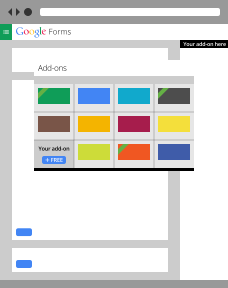
Desktop add-ons for Docs, Sheets, Slides, and Forms
Apps Script makes it easy to create and publish add-ons in an online
store for Google Sheets, Docs, Slides, and Forms. There’s no better way to
distribute scripts to large numbers of users, whether you want to ship
your code to the whole world or keep it private to the users in your
G Suite domain.
Android add-ons for Docs and Sheets
Developers can use Apps script to connect Android apps to the Google Docs and Sheets apps on Android. This allows users to pass data to and from their Docs and Sheets to those apps, all from their mobile device.
A living, breathing platform (well, metaphorically)
October 24, 2017
- The Gmail add-ons framework is now available to all developers.
- A new Card service supports Gmail add-ons by defining several UI widget elements that you can use to create a Gmail add-on interface without HTML or CSS. These widgets function on both desktop and mobile. You can only use the Card service in a Gmail add-on project.
- You can now view and explicitly edit Apps Script project manifests. These files give you more direct control of project properties.
- You can now directly control the OAuth scopes that your project requests during authorization. Use this control to prevent your script project from asking for more access than it needs.
- You can now deploy a script project directly from the project manifest.
- We've updated the Publish script editor menu item to more accurately represent the various kinds of deployments a project can have, such as add-on, web app, or API executable deployments.
October 10, 2017
- The Calendar service
has been extended with the following new methods:
- CalendarApp.createAllDayEvent(title, startDate, endDate)
- CalendarApp.createAllDayEvent(title, startDate, endDate, options)
- CalendarApp.getEventById(iCalId)
- Calendar.createAllDayEvent(title, startDate, endDate)
- Calendar.createAllDayEvent(title, startDate, endDate, options)
- Calendar.getEventById(iCalId)
- CalendarEvent.setAllDayDates(startDate, endDate)
- The Groups service has been extended with the following new methods:
- The Spreadsheet service has been extended with the following new methods and classes:
October 6, 2017
- Add-ons now require OAuth Client Verification prior to beginning the publication process. Verification no longer is conducted during the add-on review.
September 26, 2017
- Added Apps Script support for the Google Slides service. You can now use Apps Script to create and edit presentations and their contents; you can also build add-ons for Google Slides.
September 15, 2017
- Added GmailDraft to the Gmail service. You can now create, edit, delete, and send new draft messages or draft replies to existing messages and threads. Drafts can reply to the original sender or "reply all".
- You can now determine if a message or thread is in your priority inbox using GmailMessage.isInPriorityInbox() or GmailThread.isInPriorityInbox().
July 28, 2017
- Added a getFormUrl() method that returns the URLs of Forms send responses to this Sheet or Spreadsheet.
- Adds a Checkbox Grid item to Forms.
- Enabled the collection of exception and error reports using Stackdriver Error Reporting.
July 18, 2017
- To protect users from abuse, Google OAuth clients that request certain sensitive OAuth scopes are subject to review by Google. Such apps may present users with a warning screen saying the app is unverified by Google. You can remove this screen from your app's authorization flow by submitting a review request.