Description
Keep any WordPress site secure, increase traffic, and engage your readers.
Traffic and SEO Tools
Traffic is the lifeblood of any website. Jetpack includes:
- [free] Site stats and analytics
- [free] Automatic sharing on Facebook, Twitter, LinkedIn, Tumblr, Reddit, and WhatsApp
- [free] Related posts
- [paid] Search engine optimization tools for Google, Bing, Twitter, Facebook, and WordPress.com
- [paid] Advertising program that includes the best of AdSense, Facebook Ads, AOL, Amazon, Google AdX, and Yahoo
Security and Backup Services
Stop worrying about data loss, downtime, and hacking. Jetpack provides:
- [free] Brute force attack protection
- [free] Downtime and uptime monitoring
- [free] Secured logins and two-factor authentication
- [paid] Malware scanning, code scanning, and threat resolution
- [paid] Site backups, restores, and migrations
Content Creation
Add rich, beautifully-presented media — no graphic design expertise necessary:
- [free] A high-speed CDN for your images
- [free] Carousels, slideshows, and tiled galleries
- [free] Simple embeds from YouTube, Google Documents, Spotify and more
- [free] Sidebar customization including Facebook, Twitter, and RSS feeds
- [free] Extra sidebar widgets including blog stats, calendar, and author widgets
- [paid] High-speed, ad-free, and high-definition video hosting
Discussion and Community
Create a connection with your readers and keep them coming back to your site with:
- [free] Email subscriptions
- [free] Comment login with Facebook, Twitter, and Google
- [free] Fully-customizable contact forms
- [free] Infinite scroll for your posts
Expert Support
We have an entire team of Happiness Engineers ready to help you. Ask your questions in the support forum, or contact us directly.
Paid Services
Most of Jetpack’s features and services are free. Jetpack also provides advanced security and backup services, video hosting, site monetization, priority support, and more SEO tools in three simple and affordable plans.
Get Started
Installation is free, quick, and easy. Set up the free plan in minutes.
Screenshots
Dashboard: Bird’s eye view of your site stats, status, and health. 
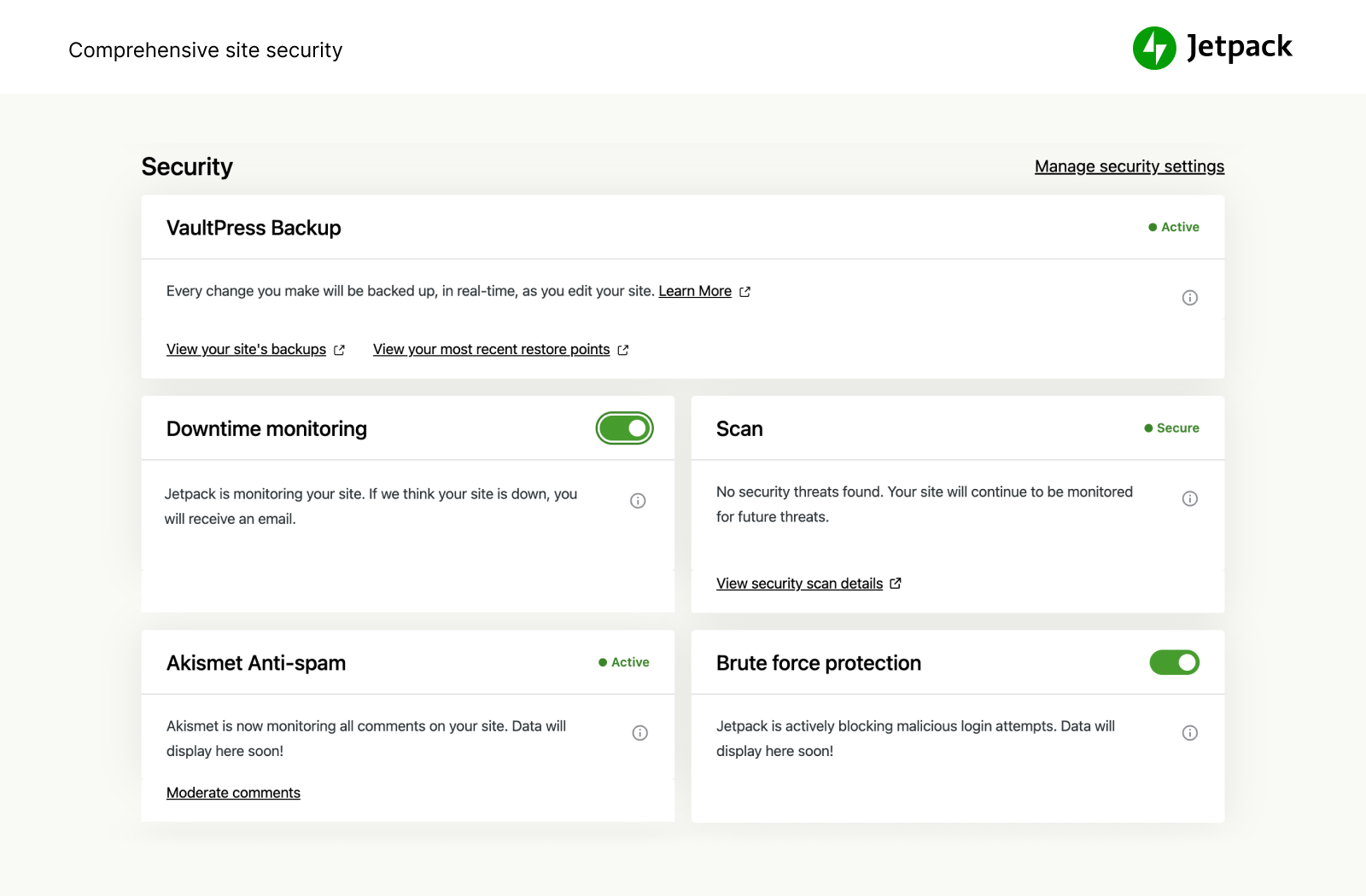
Safety: Protect your site and data with powerful security services. 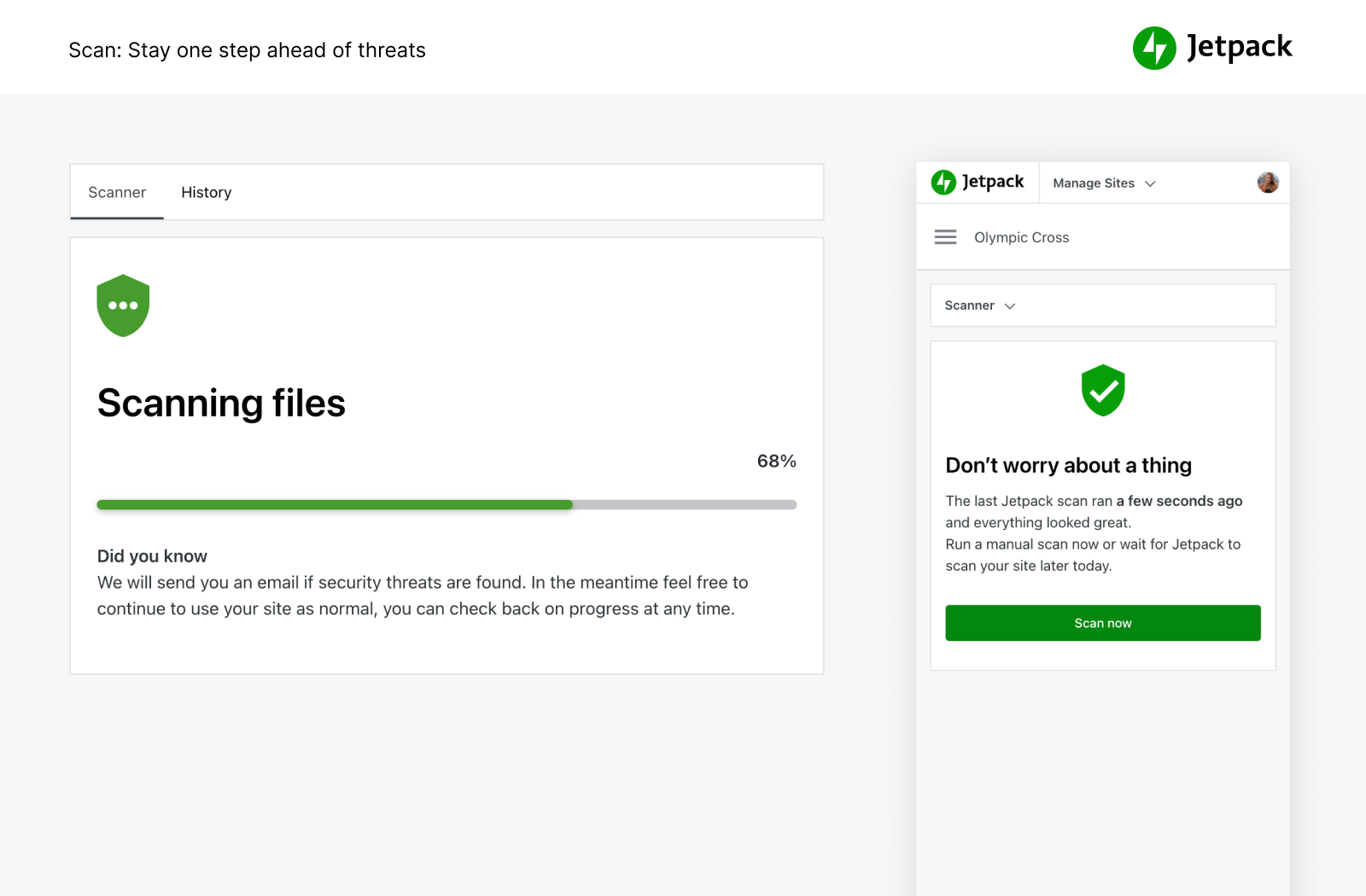
Engagement: Social sharing, likes, and related posts. 
Analytics: Actionable site stats and traffic insights. 
Traffic: SEO Tools for Google, Twitter, Facebook and more.
Installation
Automated Installation
Installation is free, quick, and easy. Install Jetpack from our site in minutes.
Manual Alternatives
Alternatively, install Jetpack via the plugin directory, or upload the files manually to your server and follow the on-screen instructions. If you need additional help read our detailed instructions.
FAQ
- Installation Instructions
-
Automated Installation
Installation is free, quick, and easy. Install Jetpack from our site in minutes.
Manual Alternatives
Alternatively, install Jetpack via the plugin directory, or upload the files manually to your server and follow the on-screen instructions. If you need additional help read our detailed instructions.
- Is Jetpack Free?
-
Yes! Jetpack’s core features are and always will be free.
These include: site stats, a high-speed CDN for images, related posts, downtime monitoring, brute force attack protection, automated sharing to social networks, sidebar customization, and many more.
- Should I purchase a paid plan?
-
Jetpack’s paid services include automated backups, security scanning, spam filtering, video hosting, site monetization, SEO tools, and priority support.
If you’re interested in learning more about the extra layers of protection and advanced tools available, learn more about our paid plans.
- Why do I need a WordPress.com account?
-
Since Jetpack and its services are provided and hosted by WordPress.com, a WordPress.com account is required for Jetpack to function.
- I already have a WordPress account, but Jetpack isn’t working. What’s going on?
-
A WordPress.com account is different from the account you use to log into your self-hosted WordPress. If you can log into WordPress.com, then you already have a WordPress.com account. If you can’t, you can easily create one during installation.
- How do I view my stats?
-
Once you’ve installed Jetpack your stats will be available on WordPress.com/Stats, on the official WordPress mobile apps, and on your Jetpack dashboard.
- How do I contribute to Jetpack?
-
There are opportunities for developers at all levels to contribute. Learn more about contributing to Jetpack or consider joining our beta program.
Reviews

After updating my site got super slow
After updating my site got super slow, started to consume 4Gb of RAM, after disabling the Plugin my site kept the average consumption of 400Mb of RAM.

What Happened
Was a great plugin.
Settings have disappeared for basic functions. Seems a bit sneaky to take away basic controls?
Slows web performance.
I’ve deactivated it on most of my sites until future update or rewrite.

It’ll kill ur site
With last update this plugin will kill your website. Good luck.

Nice Plugin
Jetpack is a complete solution for my blog. Highly recommended plugin. Publicize feature is just awesome.

Great plugin
nice plugin

awesome plugin
Thanks for the awesome plugin it adds many great features to wordpress.
Contributors & Developers
“Jetpack by WordPress.com” is open source software. The following people have contributed to this plugin.
Contributors-
adamkheckler
-
Andrew Duthie
-
Alex Kirk
-
allendav
-
alternatekev
-
Andy Skelton
-
annezazu
-
Andy Peatling
-
Automattic
-
Andrew Ozz
-
Barry
-
Mohammad Jangda
-
Beau Lebens
-
Ben Lobaugh (blobaugh)
-
Michael Cain
-
Cena
-
Christopher Finke
-
Chase Livingston
-
Michelle Langston
-
csonnek
-
Daniel Bachhuber
-
daniloercoli
-
Davor
-
designsimply
-
Daryl L. L. Houston (dllh)
-
Dan Johnson
-
Derek Smart
-
dzver
-
Eric Binnion
-
Elio Rivero
-
Enej Bajgoric
-
Eoin Gallagher
-
Stefania Mattana
-
Erick Hitter
-
Gregory Cornelius
-
George Stephanis
-
Greg Ichneumon Brown
-
goldsounds
-
Hew
-
Hugo Baeta
-
hypertextranch
-
Matt (Thomas) Miklic
-
Ian Dunn
-
jacobshere
-
Jeff Bowen
-
Jeremy Herve
-
Jen H.
-
Jenia
-
Greg Stewart
-
Joey Kudish
-
Jennifer M. Dodd
-
Joen Asmussen
-
John James Jacoby
-
Justin Shreve
-
Jorge Bernal
-
Brandon Kraft
-
lamday
-
Lance Willett
-
lschuyler
-
James Huff
-
martinremy
-
Matt Mullenweg
-
Matt Wiebe
-
Matias Ventura
-
Jeff Golenski
-
Miguel Fonseca
-
Michael Adams (mdawaffe)
-
Michael Arestad
-
Miguel Lezama
-
Mikey Arce
-
Marcus Kazmierczak
-
nancythanki
-
Nick Momrik
-
Konstantin Obenland
-
Gary Pendergast
-
Jesse Friedman
-
rachelsquirrel
-
Rich Collier
-
Richard Archambault
-
Richard Muscat
-
Rocco Tripaldi
-
Ryan Cowles
-
Sam Hotchkiss
-
Stefan Carstocea
-
Stephen Quirk
-
Stephane Daury (stephdau)
-
Tim Moore
-
Marin Atanasov
-
Alex Mills (Viper007Bond)
-
Peter Westwood
-
Yoav Farhi
-
Igor Zinovyev
“Jetpack by WordPress.com” has been translated into these 20 locales: French, Turkish, Japanese, Russian, Croatian, Chinese (China), Brazilian Portuguese, Esperanto, Spanish, Italian, Hebrew, Swedish, Dutch, Albanian, Romanian, Chinese (Taiwan), English (UK), English (Canada), English (Australia), English (New Zealand). Thank you to the translators for their contributions.
Translate “Jetpack by WordPress.com” into your language.
Interested in development?
Browse the code or subscribe to the development log by RSS.
Changelog
5.2.1
- Release date: August 2, 2017
- Release post: https://jetpack.com/?p=22686
Bug fixes
* Solves an issue that caused widgets to lose their content when saved in WP Admin or Customizer.
5.2
- Release date: August 1, 2017
- Release post: https://jetpack.com/?p=22509
Major Enhancements
* Contact Forms now sports a fancy new interface that allows you to visually compose your form in the editor.
* We have a new and slick way to showcase and explain the features we recommend to activate to new users.
Enhancements
* Reduced 500kb from plugin zip file, which means faster updates.
* Refactored and reduced code for Comment Likes so it’s faster and lighter.
Bug fixes
* An inconsistency experienced in WordPress.com dashboard when Related Posts settings were set in the local site’s WP Admin is now fixed.
* Fixed a 404 when loading Open Sans font from a stylesheet plus now it’s only enqueued if it will be used.
* Solve PHP warnings when Image widget wasn’t migrated.
5.1
- Release date: July 5th, 2017
- Release post: https://jetpack.com/?p=20888
Major Enhancements
* You and your readers can now show appreciation to particularly clever comments with the new Comment Likes feature.
Enhancements
* Quickly visit your current site’s front-end directly from the Masterbar’s new “View Site” item.
* Site data fetch from /me/sites REST API endpoint now includes blog_public in the list of returned options.
* The Flickr widget now automatically displays images in a grid if there’s enough room.
* E-mail sharing is now disabled by default unless it’s explicitly enabled by a filter or Akismet is active.
Compatibility Improvements
- Updated instructions in Flickr widget to reflect recent changes to the Flickr UI.
Bug fixes
- EU Cookie Law Banner cookie no longer cached.
- WP Admin menu can now be accessed in mobile when Masterbar is displayed.
- We now sync the
order_idfororder_itemsin older WooCommerce versions. - UI now handles VaultPress connection or registration problems gracefully.
- Photon now works correctly with images uploaded before WordPress 2.7.
