

ಟ್ವೀಟ್ಗಳು
- ಟ್ವೀಟ್ಗಳು
- ಟ್ವೀಟ್ಗಳು & ಪ್ರತಿಕ್ರಿಯೆಗಳು
- ಮಾಧ್ಯಮ
@AppleSupport ತಡೆಹಿಡಿಯಲಾಗಿದೆ
ನೀವು ಖಚಿತವಾಗಿಯೂ ಈ ಟ್ವೀಟ್ಗಳನ್ನು ನೋಡಲು ಬಯಸುವಿರಾ? ಟ್ವೀಟ್ಗಳನ್ನು ನೋಡುವುದು @AppleSupport ಅವರನ್ನು ತಡೆತೆರವುಗೊಳಿಸುವುದಿಲ್ಲ.
-
ಪಿನ್ ಮಾಡಿದ ಟ್ವೀಟ್
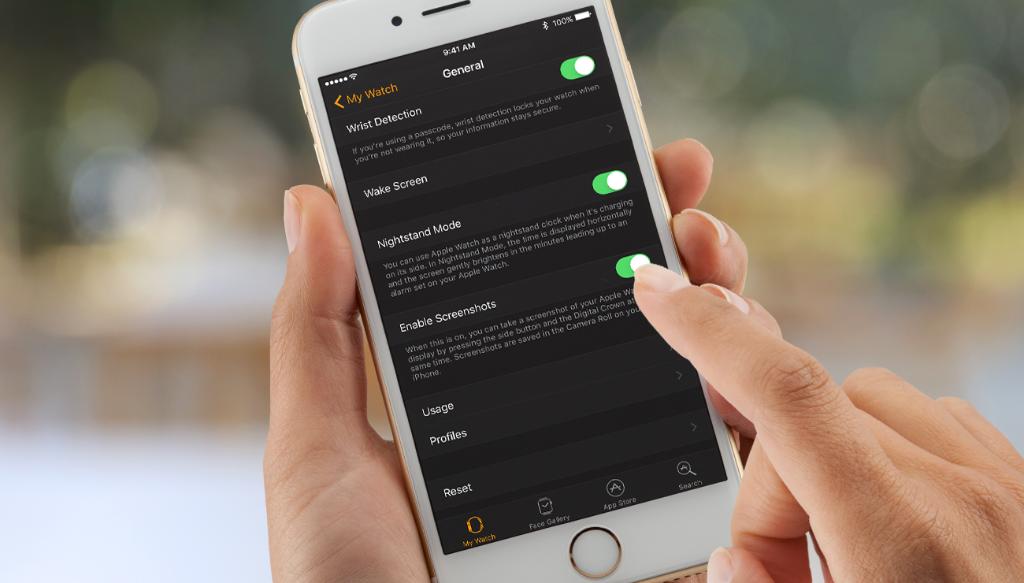
Learn how to enable screenshots in watchOS 3: http://apple.co/2gpPfVk pic.twitter.com/iLP1F0GlgM
-
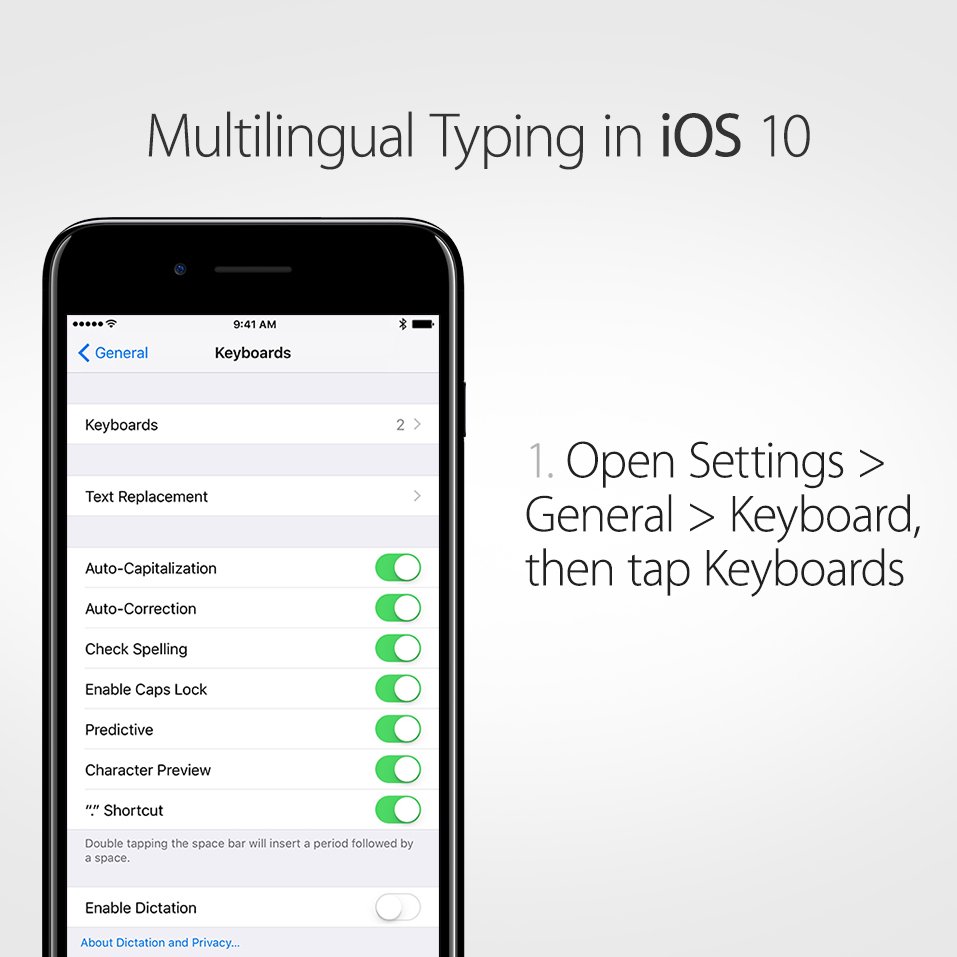
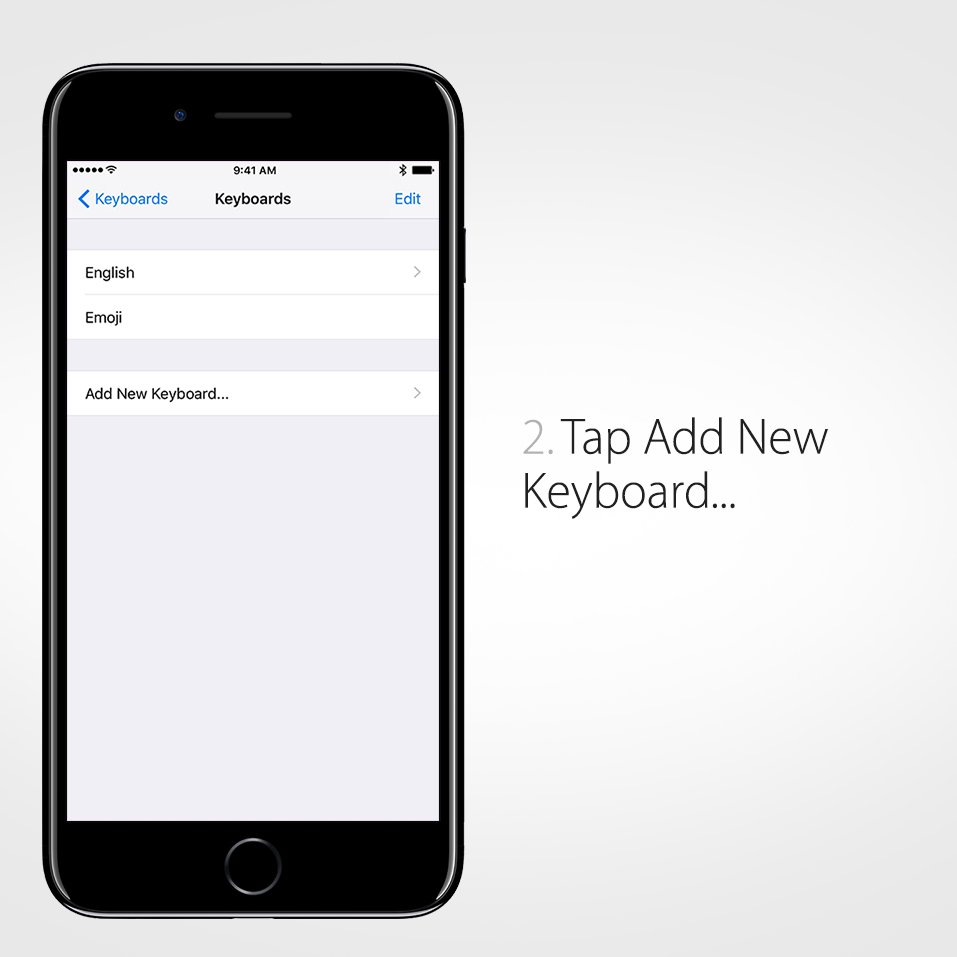
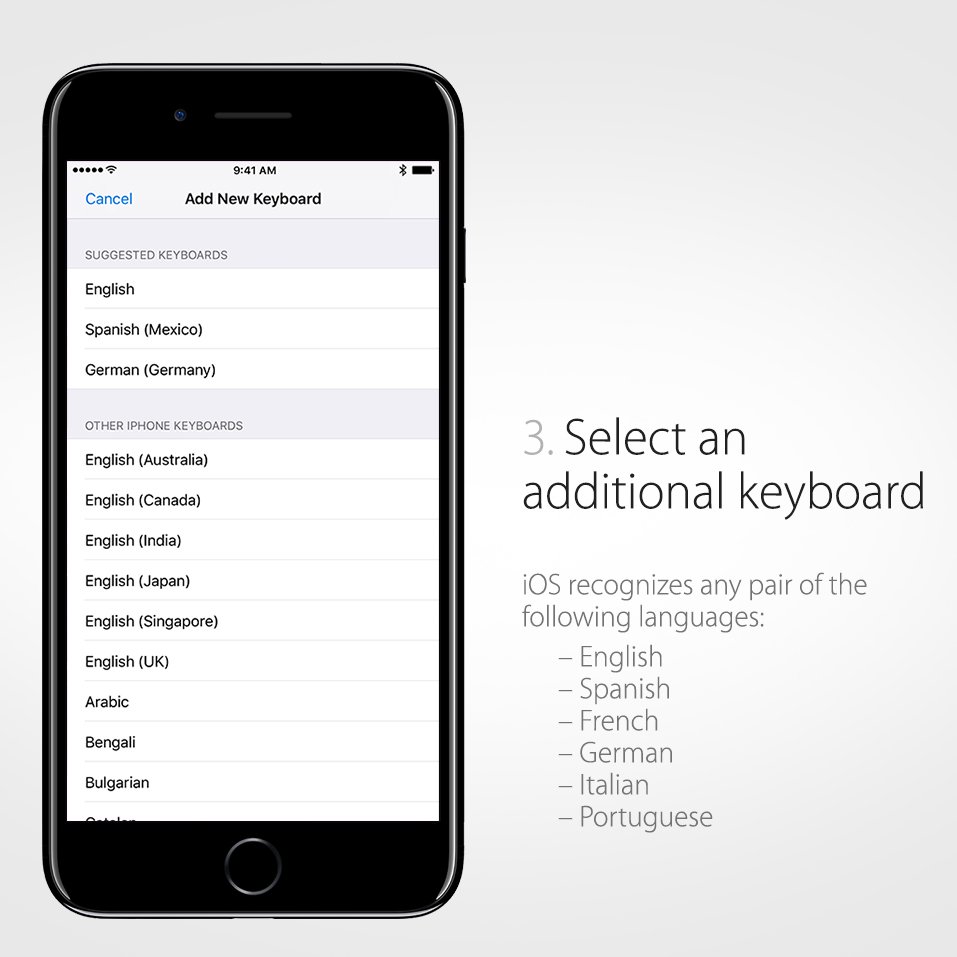
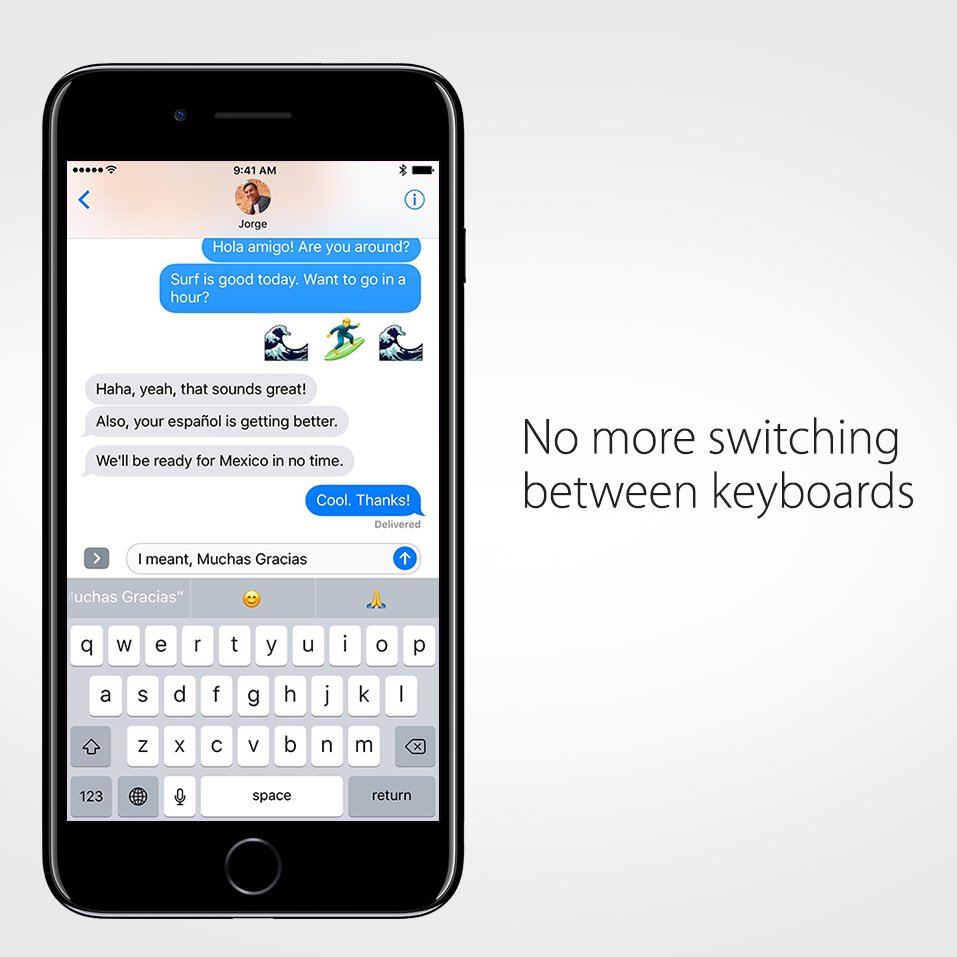
Be bilingual without the typos. Here’s how to add a 2nd language in iOS 10.pic.twitter.com/1V9MPKhZZi
-
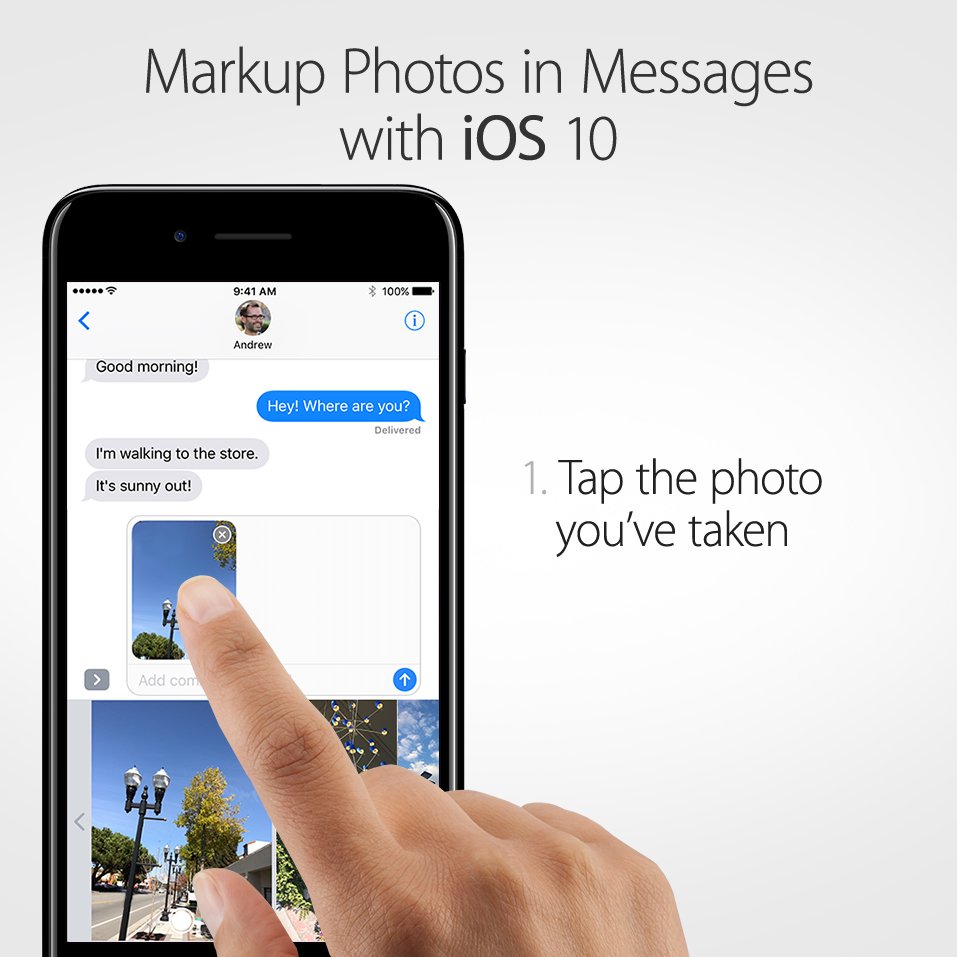
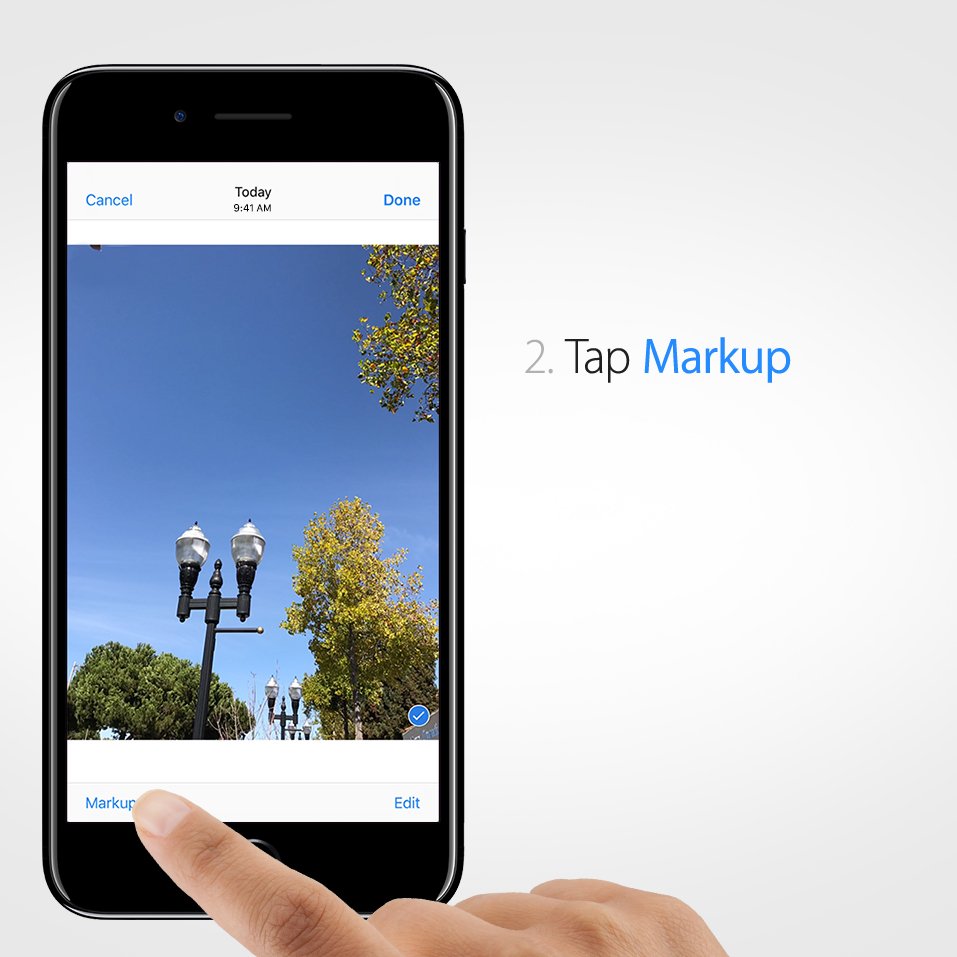
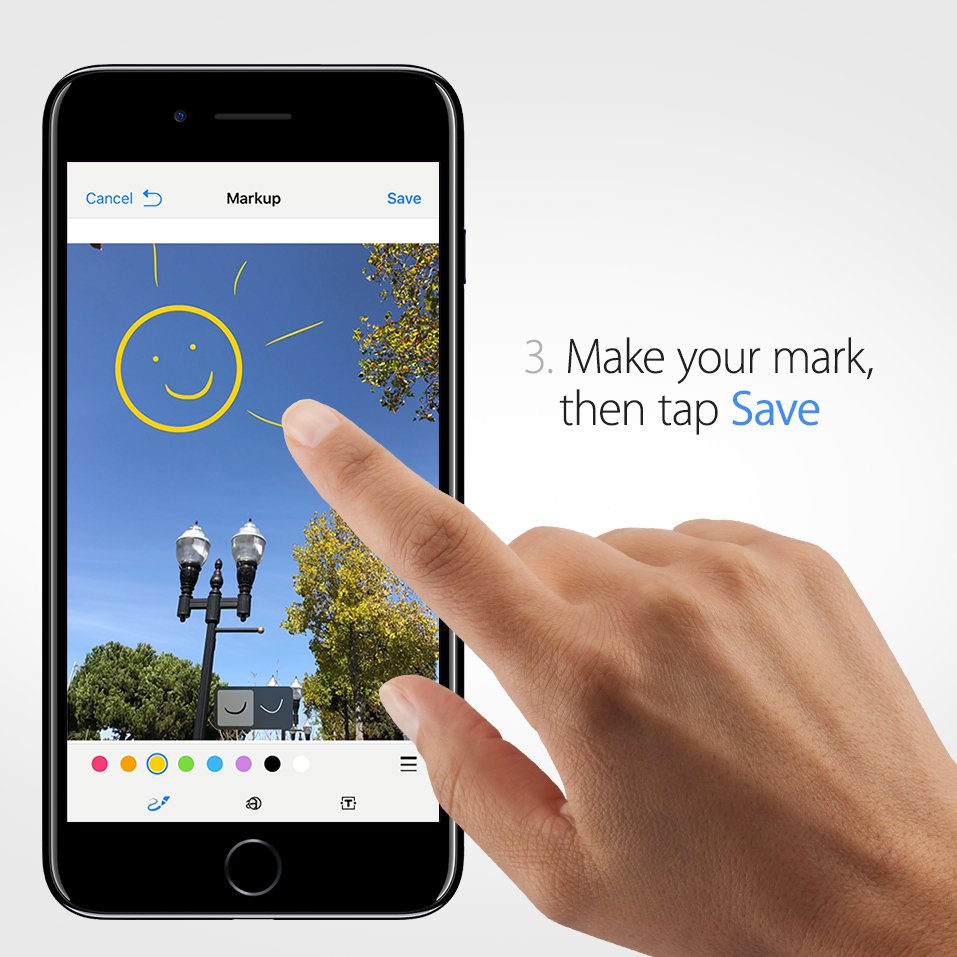
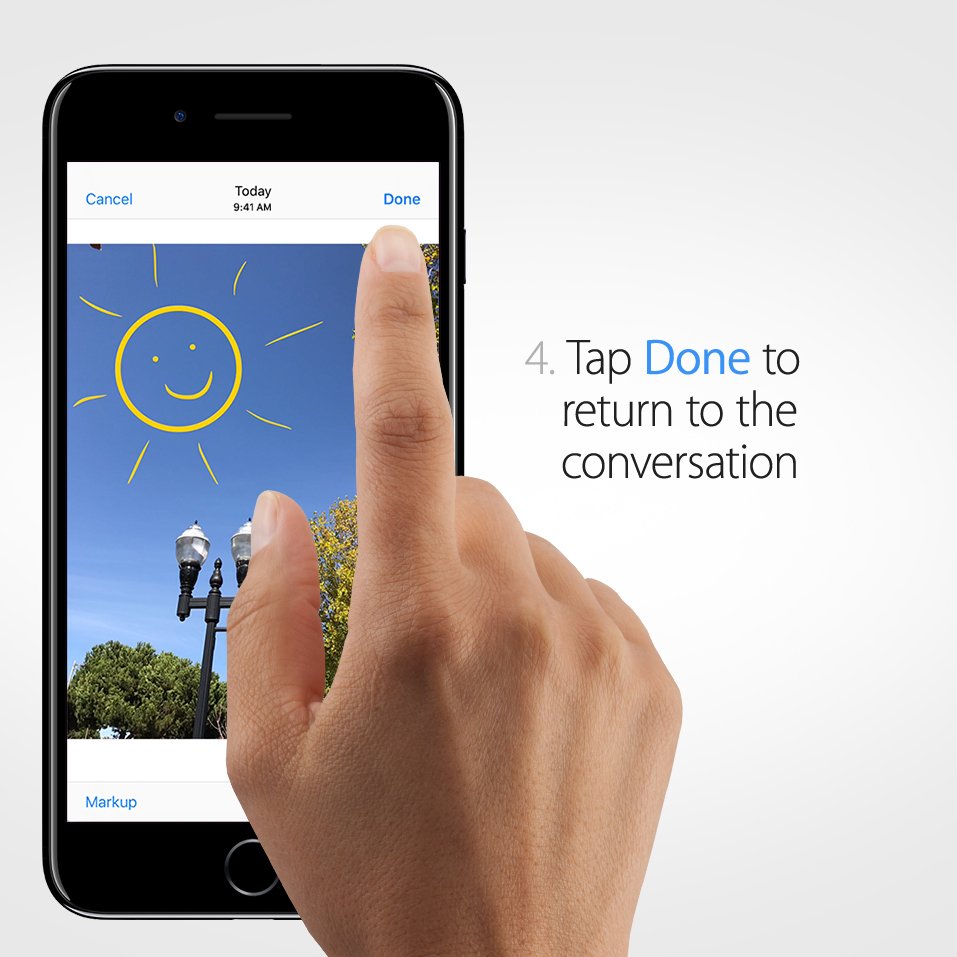
Illustrate your point. Draw, zoom, and add text to images before sending.pic.twitter.com/okSeAQsCgy
-
Broaden your horizons. Listen to music mixes made just for you. Refreshed every week.pic.twitter.com/tmx0UoqM7d
-
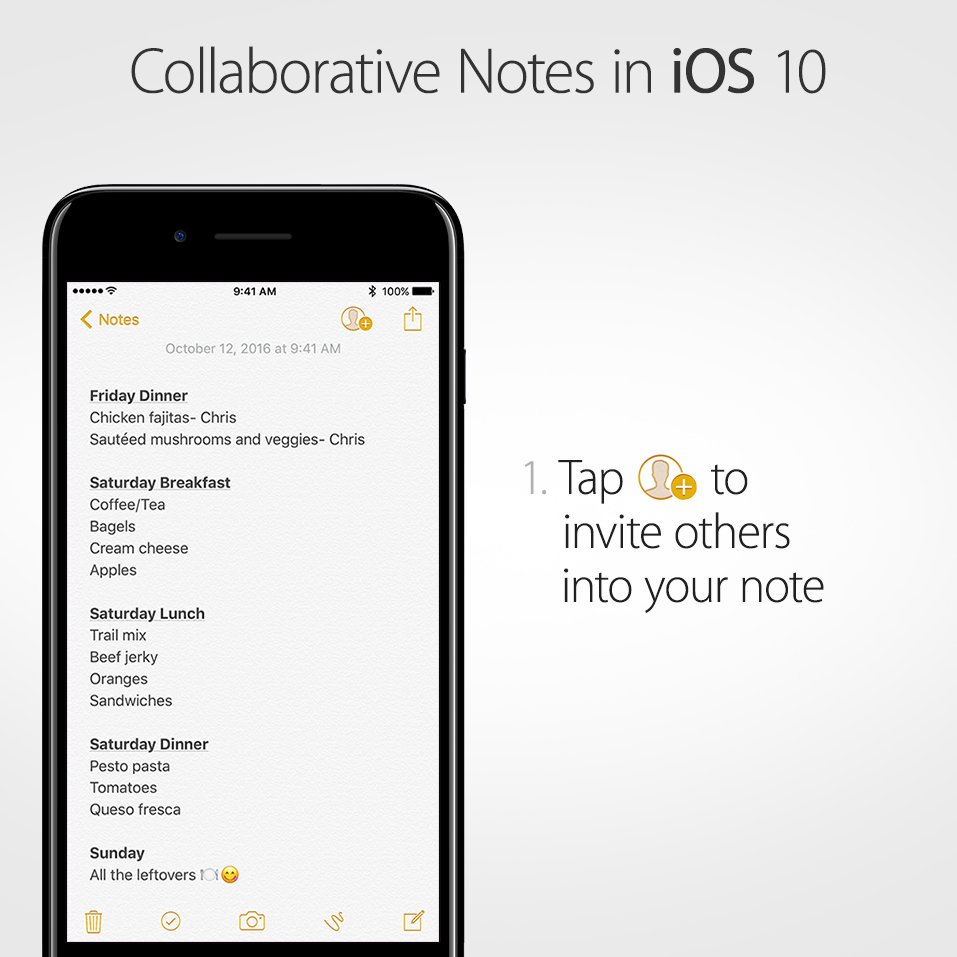
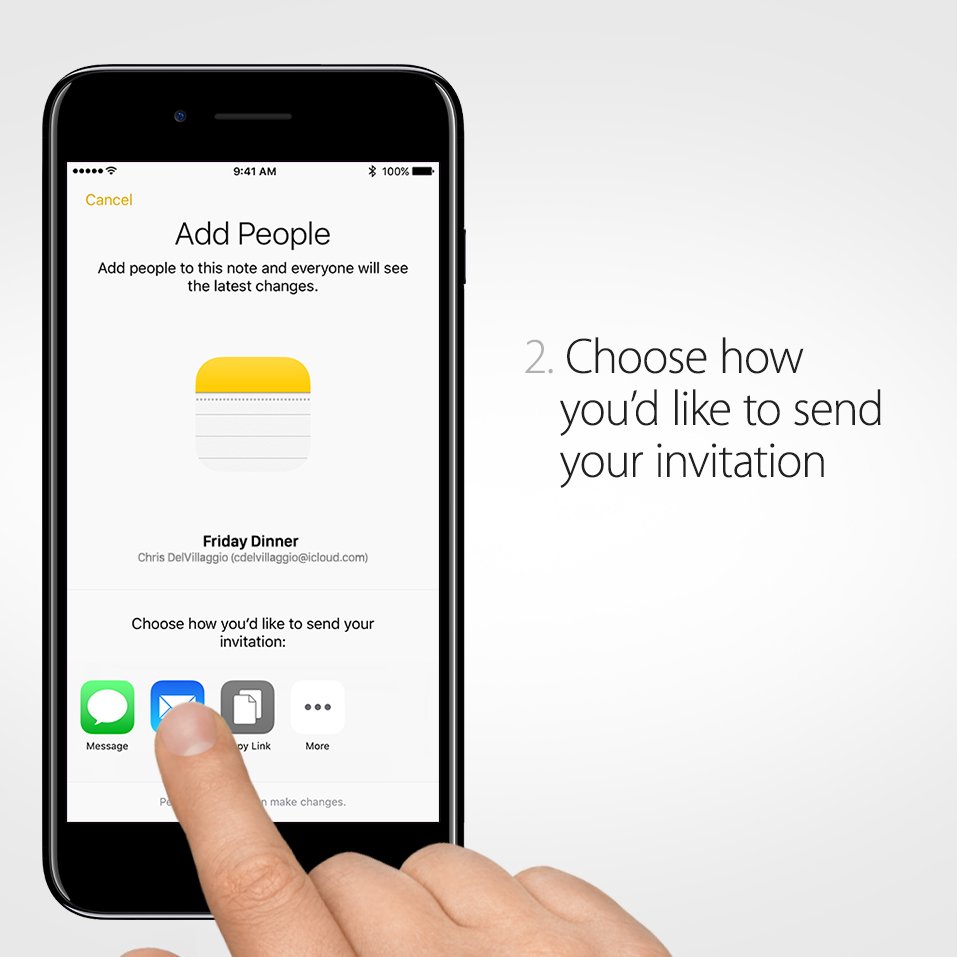
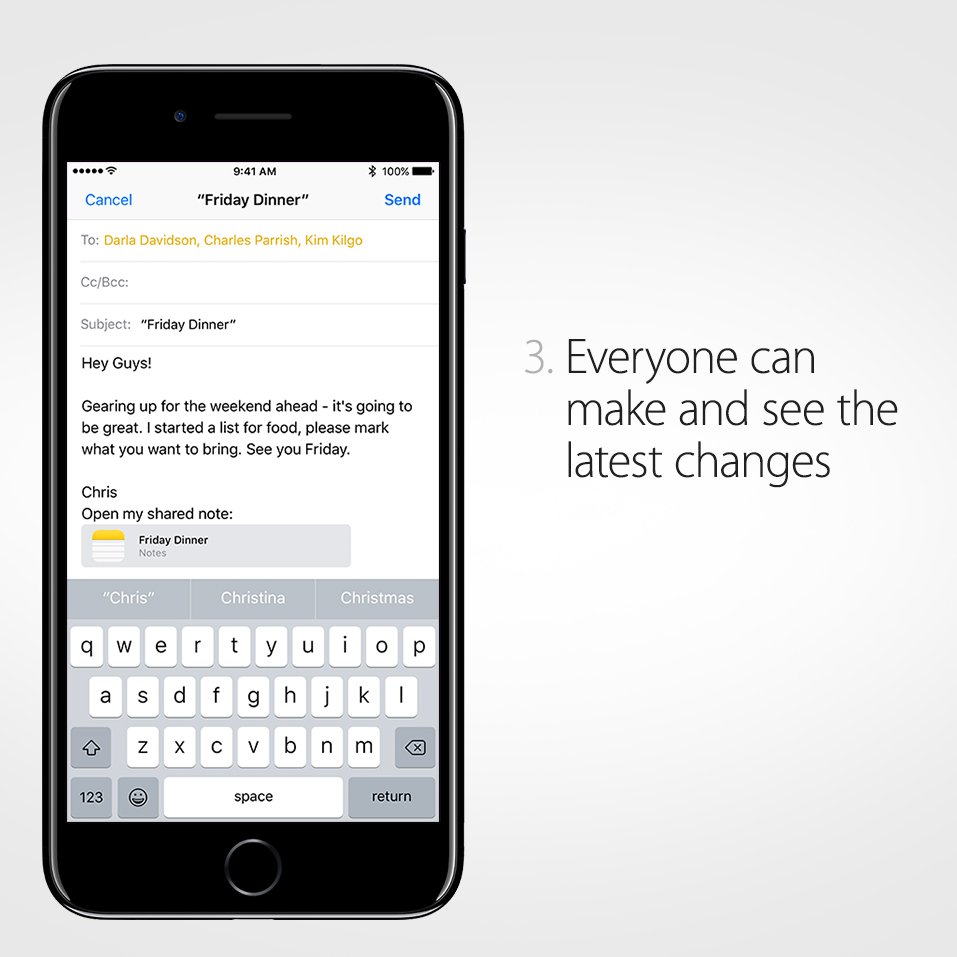
Great minds collaborate. Share thoughts, lists, and tasks with Notes and get everyone on the same page.pic.twitter.com/uo96XLEDOL
-
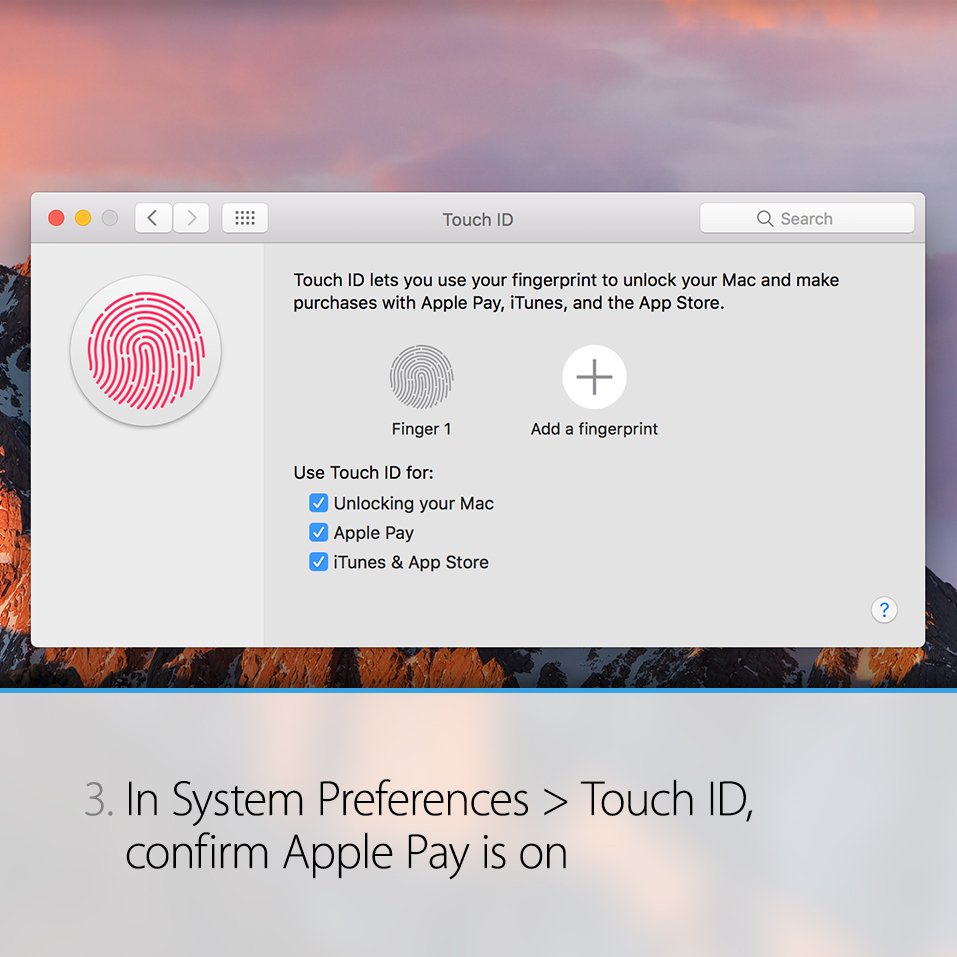
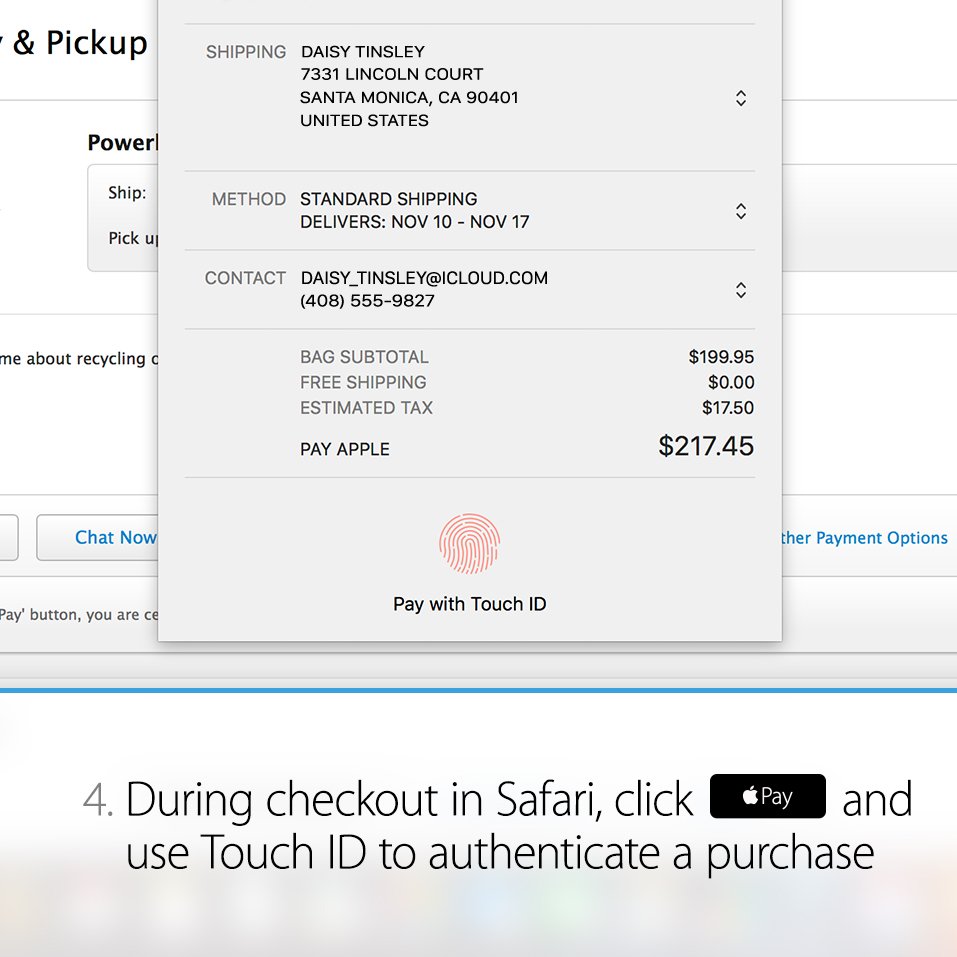
Breeze through checkout. Set up your Wallet & Apple Pay on your MacBook Pro with Touch ID.pic.twitter.com/diRCKWCc9P


-
Pay with ease. Checkout with a click and a tap using Apple Pay in Safari on the MacBook Pro with Touch ID: http://apple.co/2f4Bn5B pic.twitter.com/9r4W816JnX

-
Charging is in the tone. When the 2016 MacBook Pro is connected to power successfully, you will hear a tone.pic.twitter.com/Rl1OQlONJS
-
On to a running start. Open the lid to turn on the 2016 MacBook Pro.pic.twitter.com/KPKnw3LrAX
-
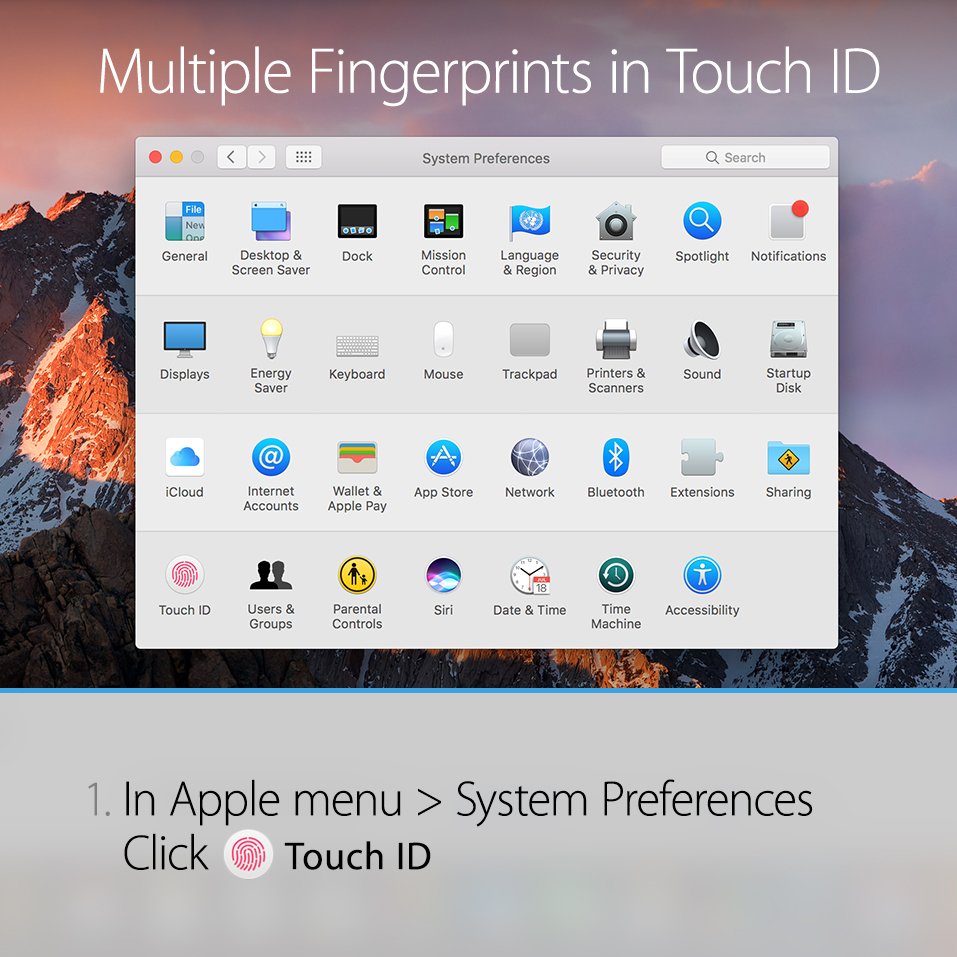
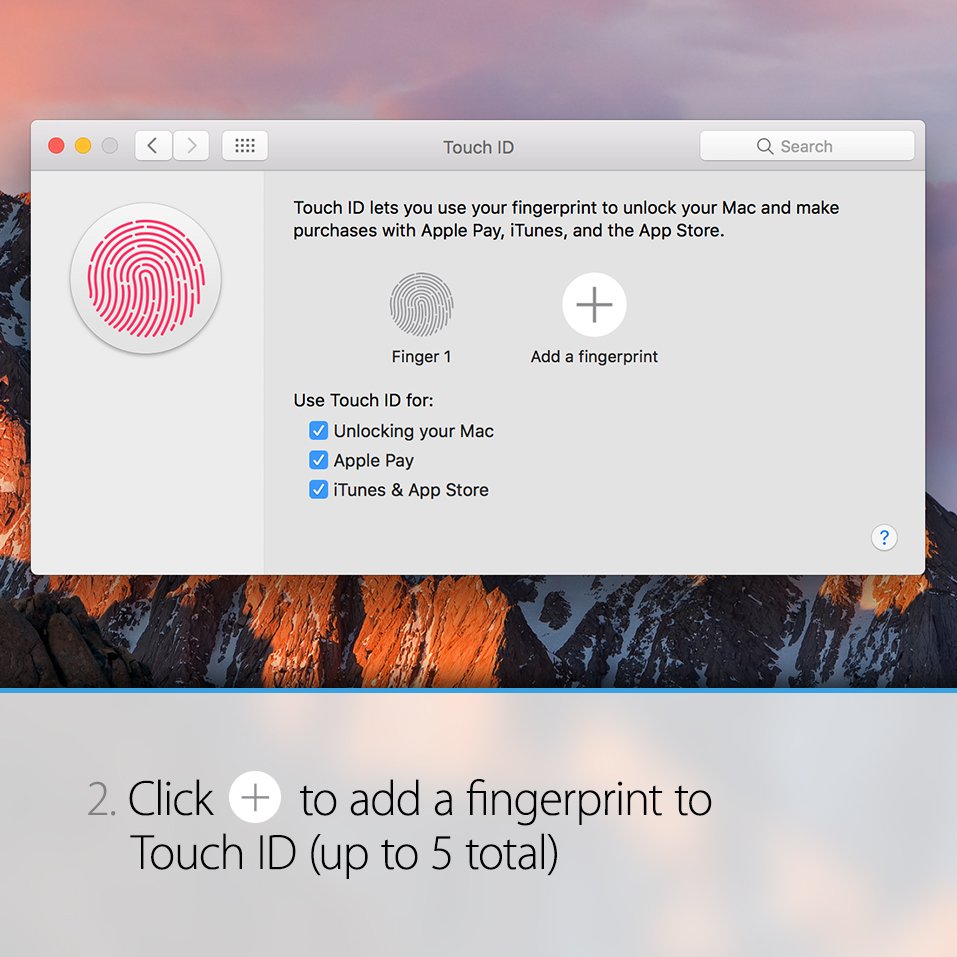
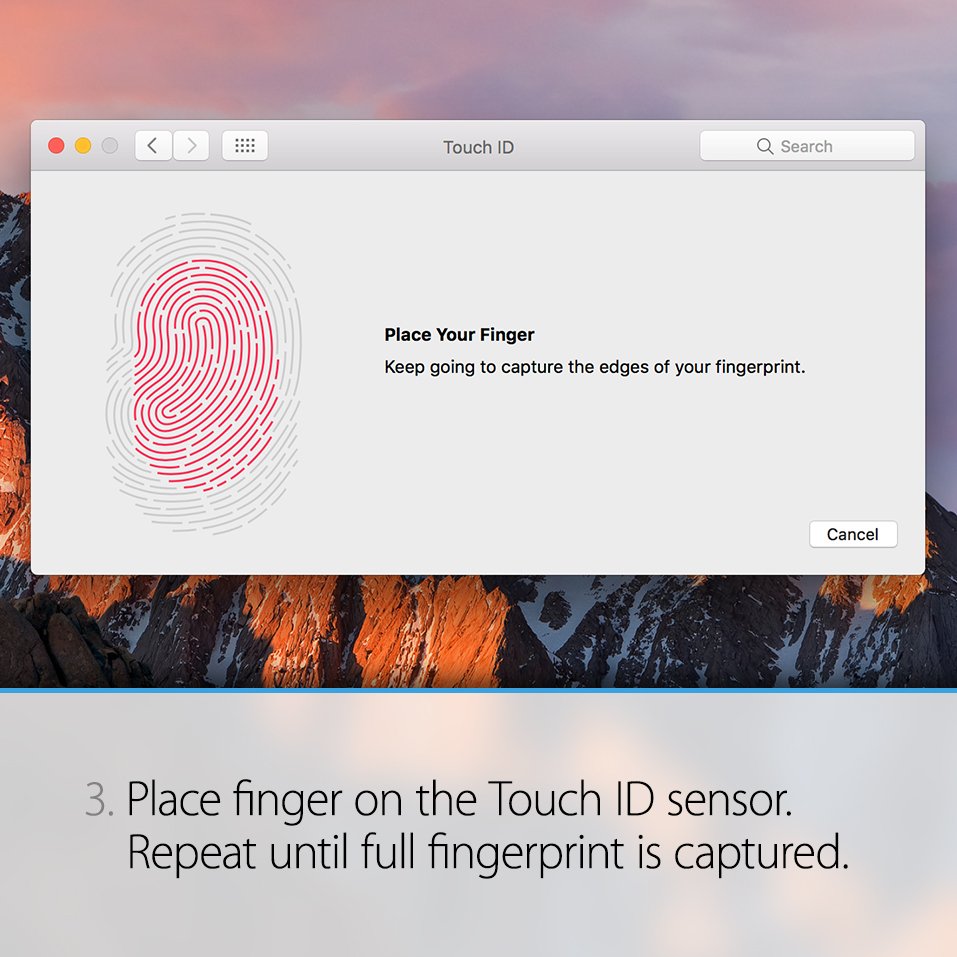
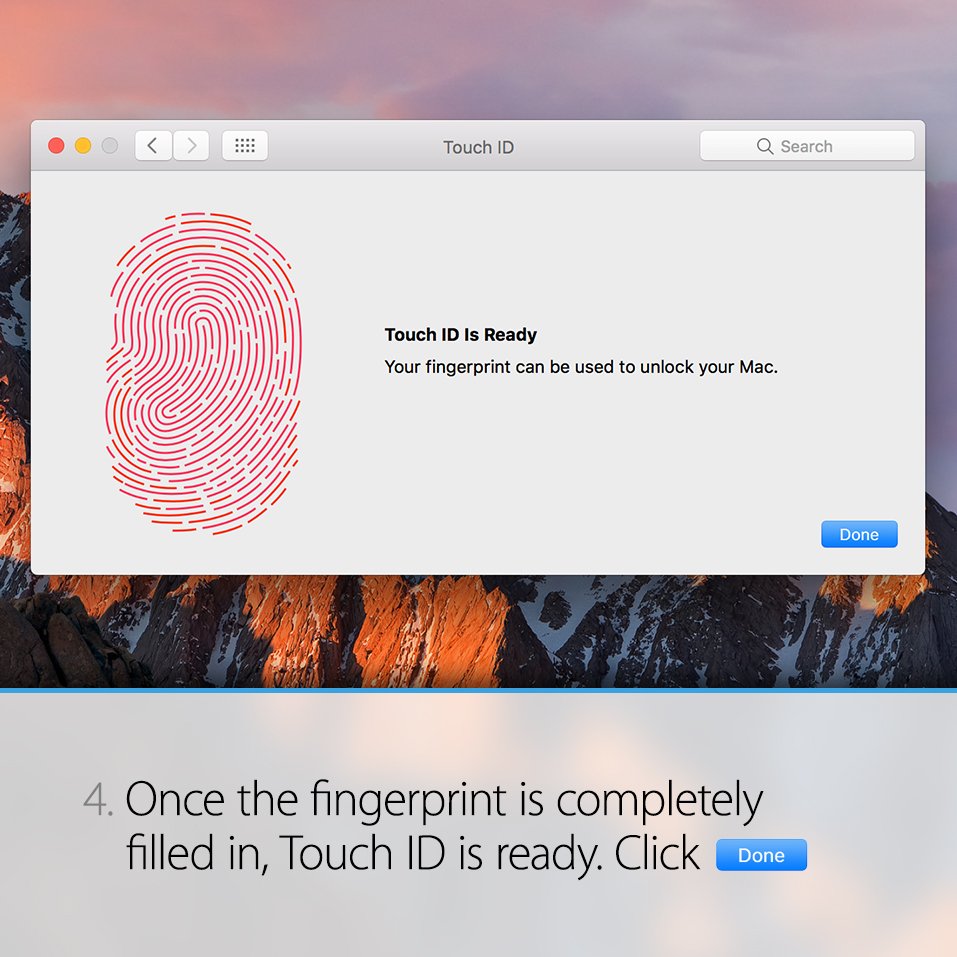
Set up Touch ID for multiple fingerprints to securely and quickly unlock the MacBook Pro with Touch Bar.pic.twitter.com/O0SLP2F15i
-
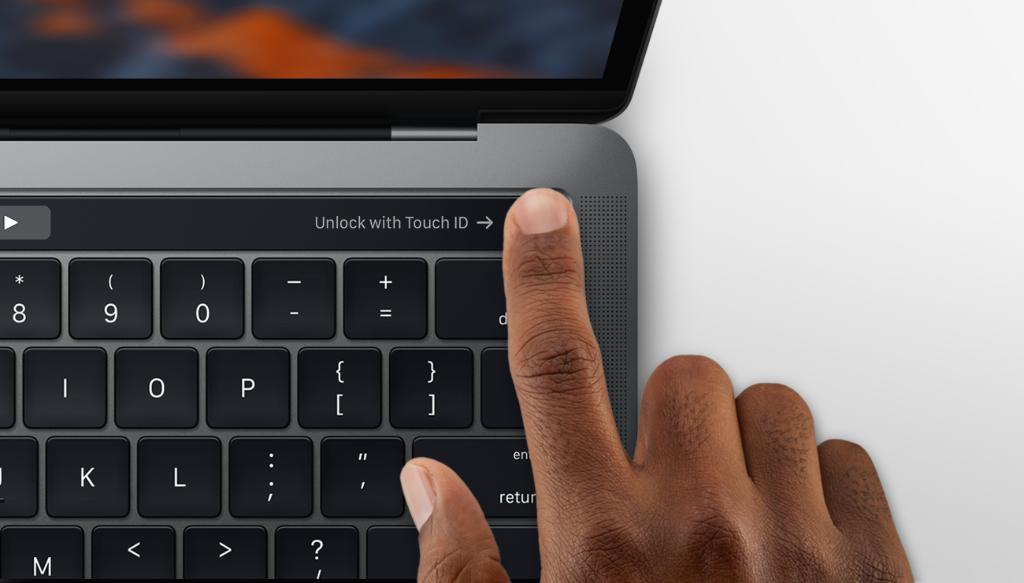
Quickly unlock your MacBook Pro with Touch ID: http://apple.co/2fpVJST pic.twitter.com/R1XCHYsuiM
-
Starting up has never been easier. The 2016 MacBook Pro automatically starts when connected to power.pic.twitter.com/LhnAWviiJD
-
Use Touch Bar with your favorite apps on the 2016 MacBook Pro: http://apple.co/2figm3F pic.twitter.com/l5ruJZZzV2

-
Learn how to transfer all your documents, apps, user accounts, and settings to the 2016 MacBook Pro: http://apple.co/2eNiXT2 pic.twitter.com/bMe38Xan8m

-
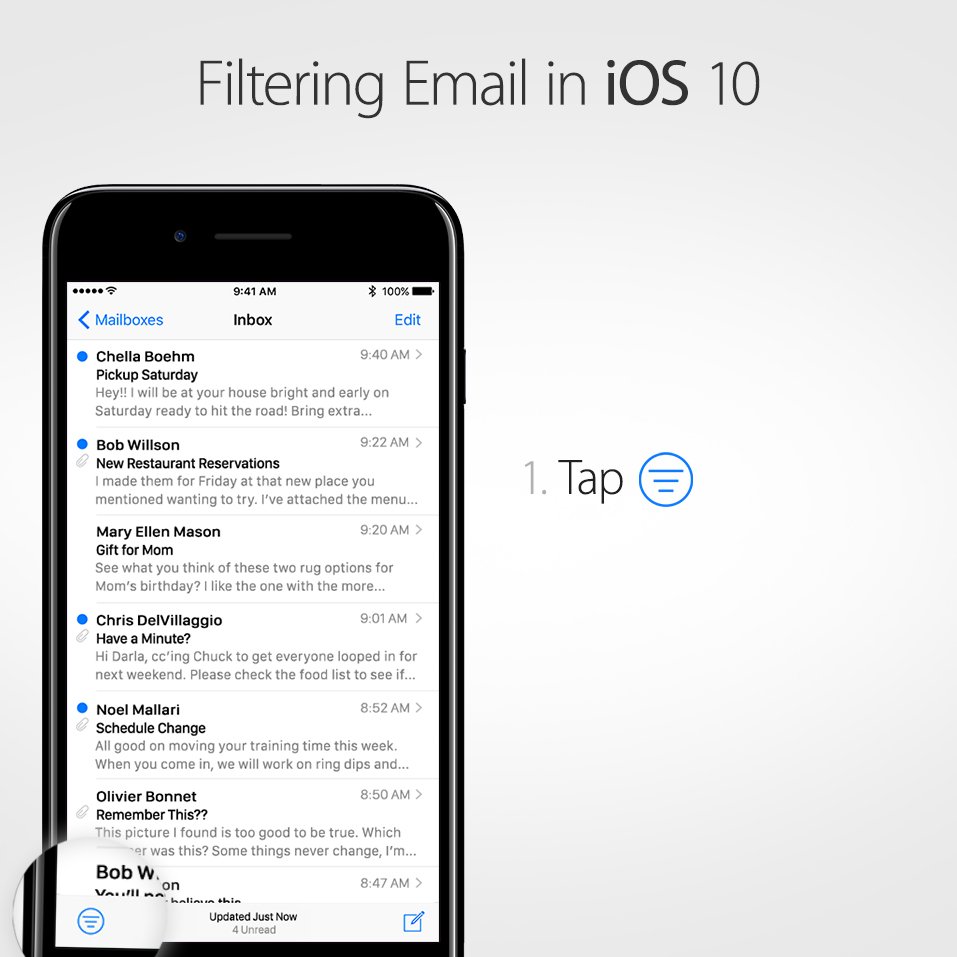
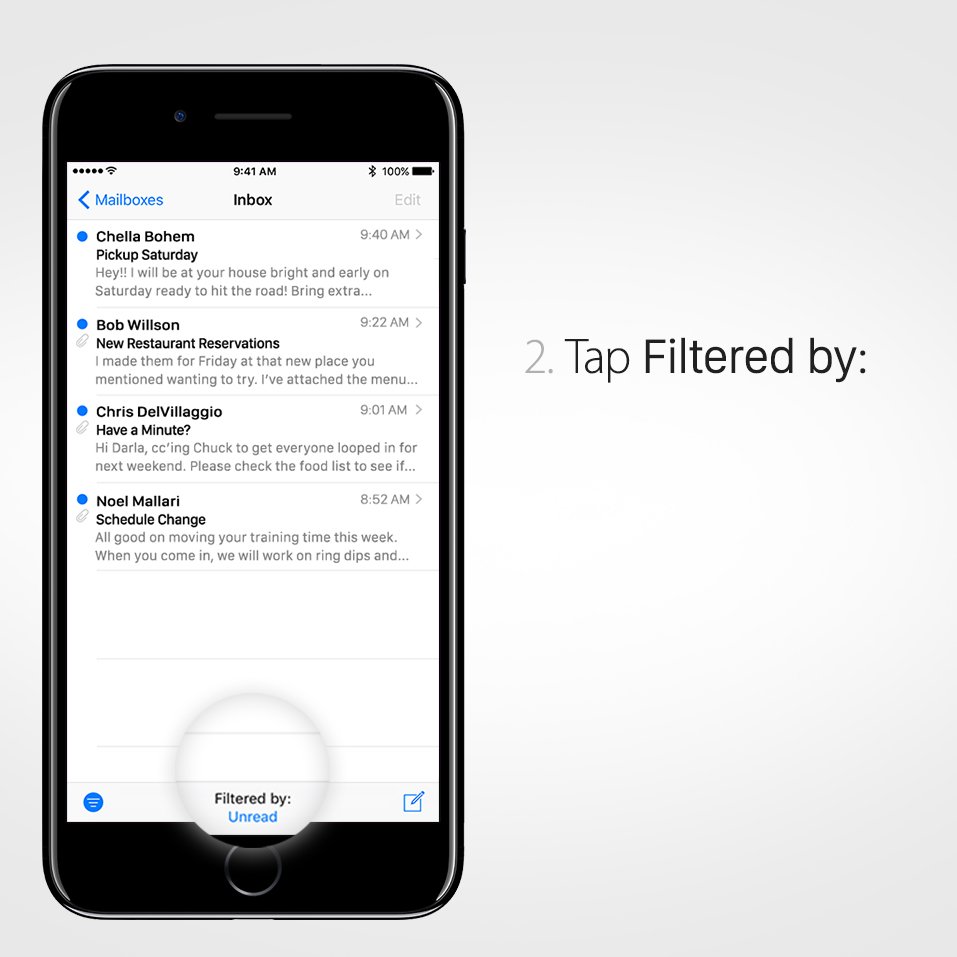
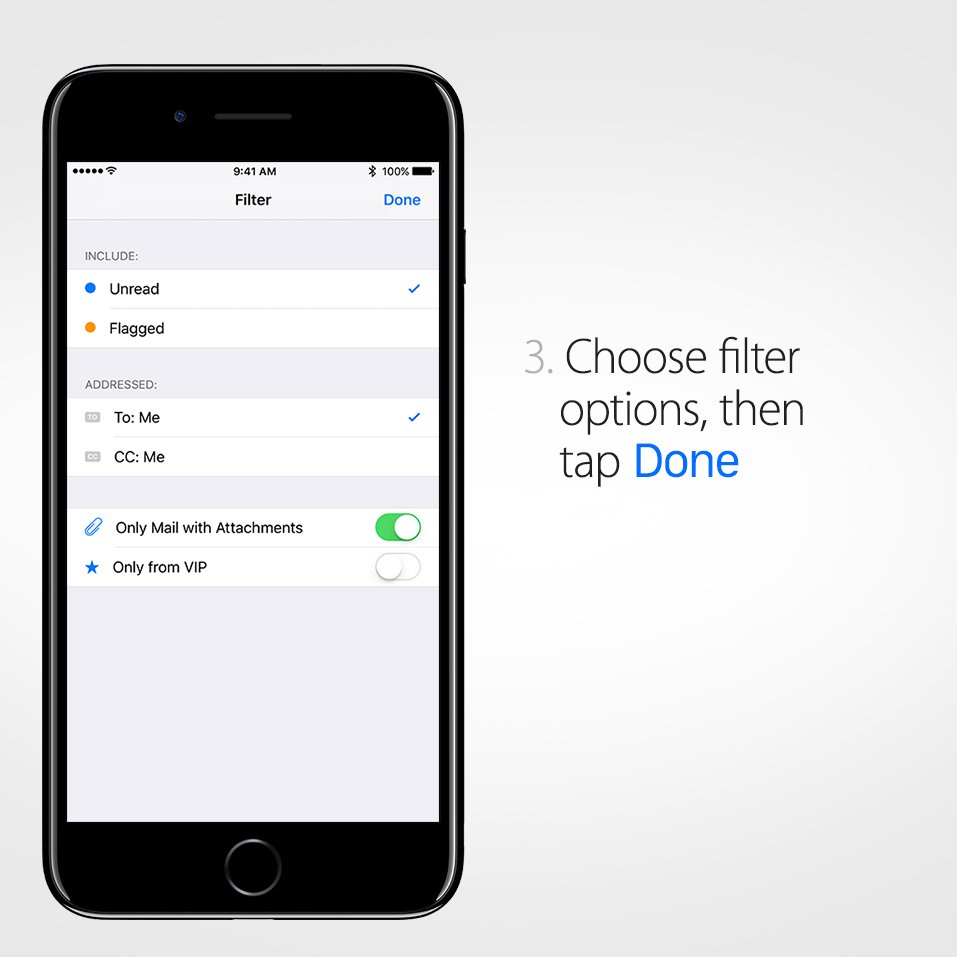
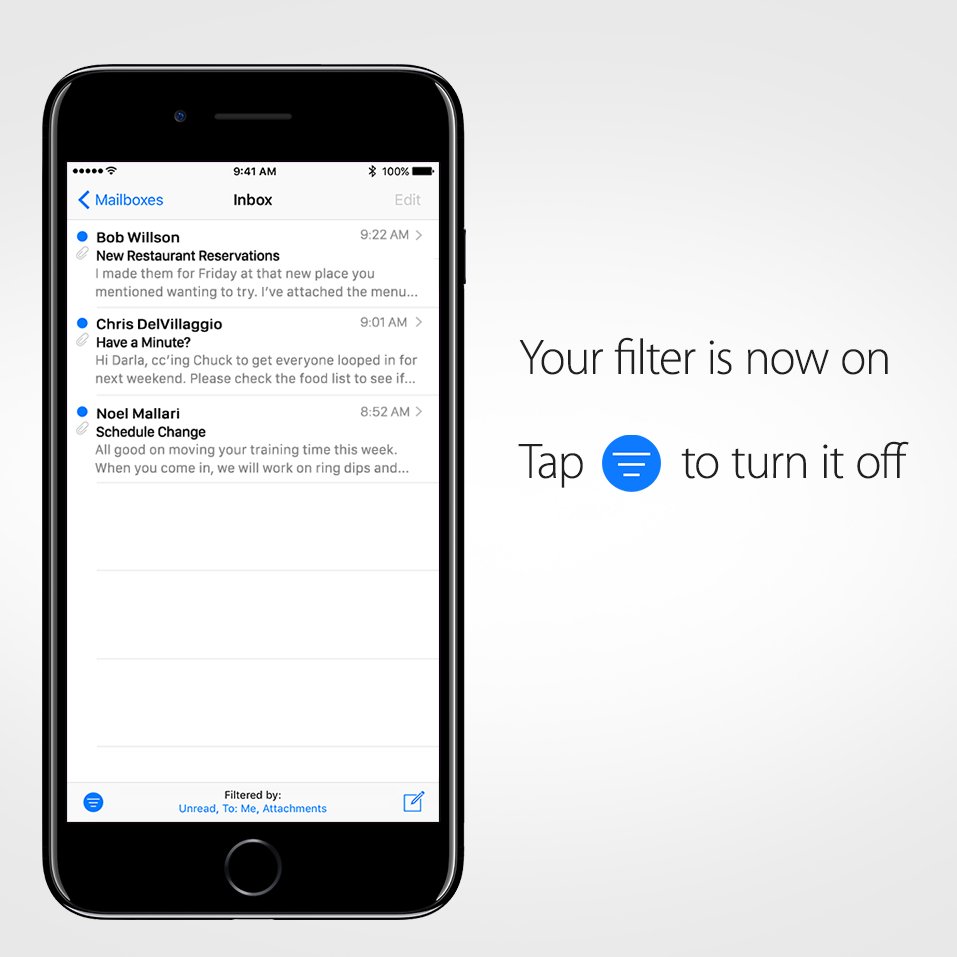
Filter on the fly. Mail filtering at your fingertips makes finding messages a breeze.pic.twitter.com/SJiBpzEIY0
-
Sticker and app collection growing? Here’s how to organize them all in iOS 10.pic.twitter.com/KRC2TCFtZq
-
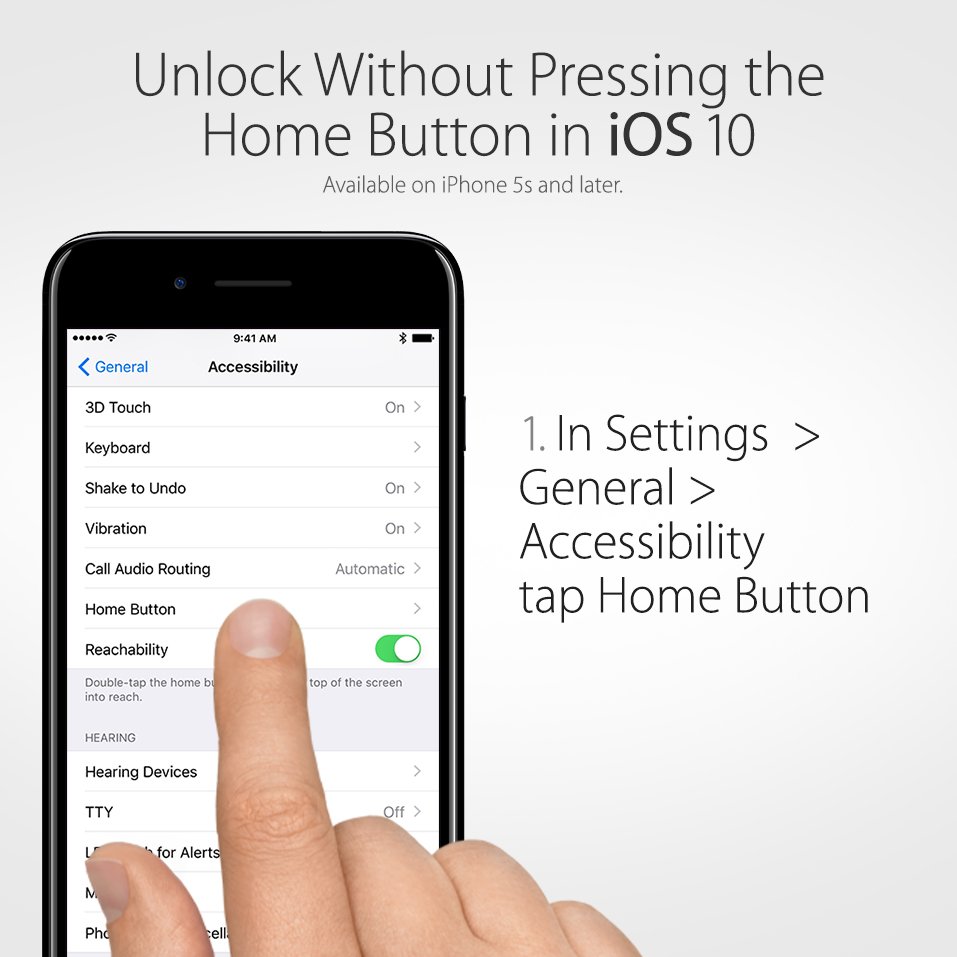
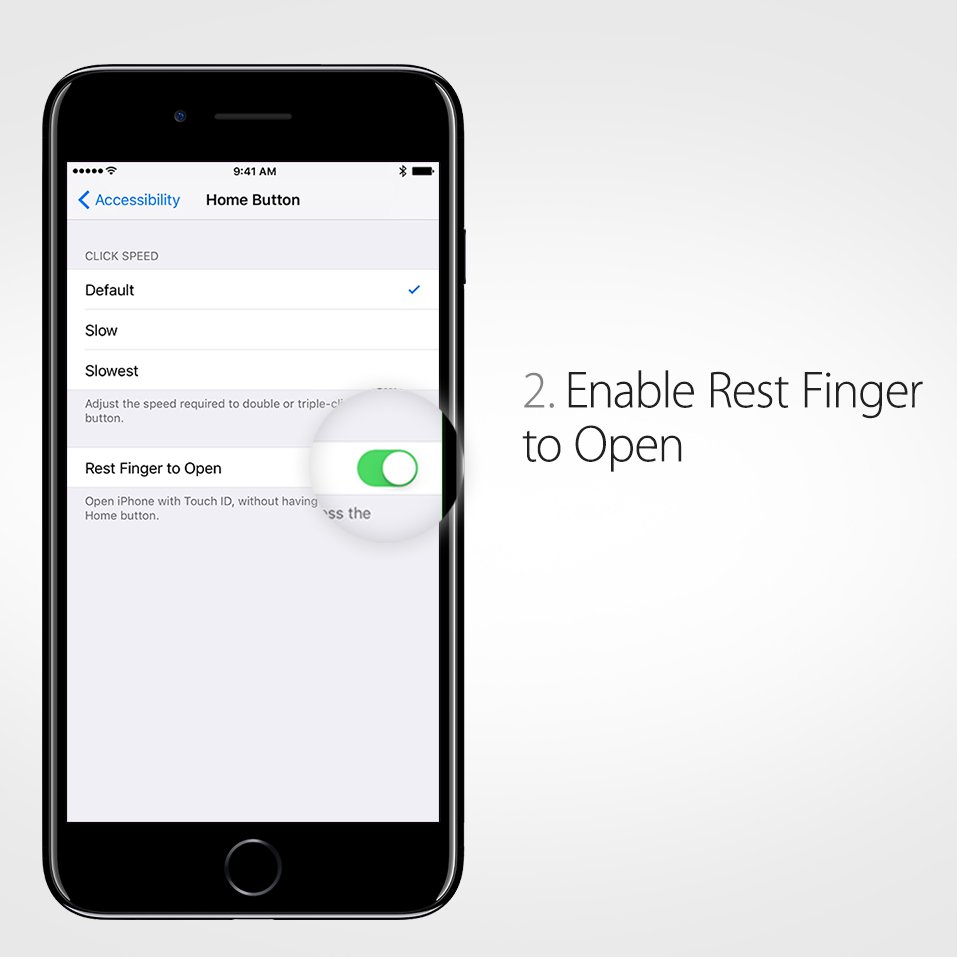
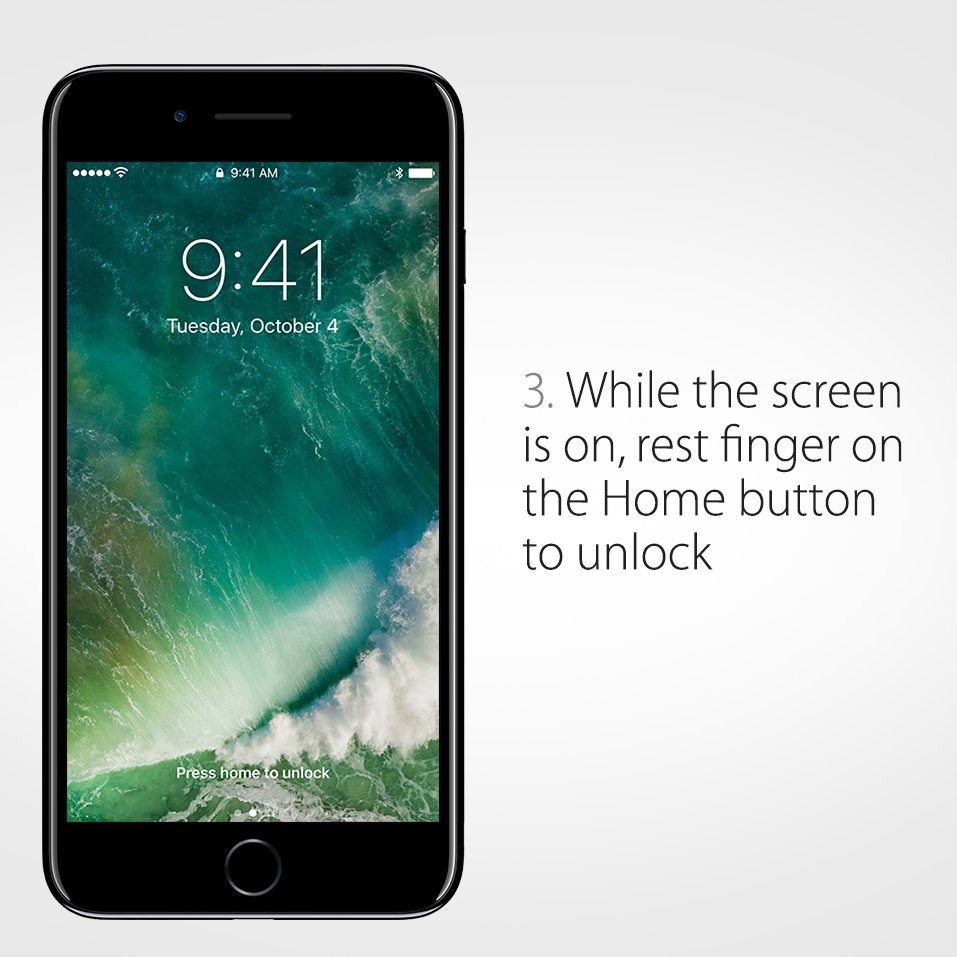
Home is just a touch away. Here’s how to unlock without pressing the Home button in iOS 10.pic.twitter.com/OJJjj23CAd
-
Too many emails? Unsubscribing just got easier in iOS 10.pic.twitter.com/A7zr55nKzf

-
Multi-tasking refined. Respond directly in notifications without leaving what you are doing.pic.twitter.com/eQUsagGNqb
 Apple Support
ಲೋಡಿಂಗ್ ಸಮಯ ಸ್ವಲ್ಪ ತೆಗೆದುಕೊಳ್ಳುತ್ತಿರುವಂತೆನಿಸುತ್ತದೆ.
Twitter ಸಾಮರ್ಥ್ಯ ಅಧಿಕವಾಗಿರಬಹುದು ಅಥವಾ ಈ ಕ್ಷಣದ ತೊಂದರೆಯನ್ನು ಅನುಭವಿಸುತ್ತಿರಬಹುದು. ಮತ್ತೆ ಪ್ರಯತ್ನಿಸಿ ಅಥವಾ ಇನ್ನಷ್ಟು ಮಾಹಿತಿಗೆ Twitter ಸ್ಥಿತಿ ಗೆ ಭೇಟಿ ನೀಡಿ.