Posted by Dave Burke, VP of Engineering
Android Q Beta 5 launches today! Today we're rolling out Beta 5, bringing Android Q Beta very close to the system behaviors you'll see in the final release. Developer APIs were already finalized in the previous update. So, now is the time to test your apps for compatibility and make sure they are ready!
You can get Beta 5 today on Pixel devices by enrolling here. If you're already enrolled and received Beta 4 on your Pixel device, you'll automatically get the update to Beta 5. Partners participating in the Android Q Beta program will also be updating their devices to Beta 5 over the coming weeks.
To get started with Android Q Beta, visit developer.android.com/preview.
The Beta 5 update includes the latest Android Q system images for Pixel and Android jEmulator, along with the final Android Q developer APIs (API level 29), the official API 29 SDK, and updated build tools for Android Studio. These give you everything you need to test your apps on Android Q and build with Android Q features.
As we talked about at Google I/O, we’ve been working closely with device-maker partners to ensure a standardized Android gestural navigation for users and developers. Gestural navigation lets apps use the full screen for content while minimizing the visible system chrome and navigation – which is particularly important on today’s edge-to-edge screens. In Beta 5 we’re continuing to improve and polish based on your feedback and we wanted to provide an update on a few key areas.
We’ve introduced a swipe gesture from either corner to get to the Assistant - you’ll notice indicators in the bottom corners that we’re continuing to tune.
For apps using a navigation drawer, we’ve added a peek behavior when users have grabbed the drawer to indicate that a swipe will bring in the navigation drawer. This works for all versions of DrawerLayout, with DrawerLayout 1.1.0-alpha02 optimized for the best experience.
Custom launchers are another area where we’ve heard feedback and we’re continuing to work on issues, particularly with stability and Recents. Starting in Beta 6, we’ll switch users to 3-button navigation when they are using a custom launcher by default. We’ll address the remaining issues in a post-launch update allowing all users to switch to gestural navigation. Meanwhile, please continue to give us your feedback.
With the consumer release coming soon, it’s highest priority for all Android developers to update your current apps for compatibility as soon as possible.
Here’s how to do it:
We realize that supporting these changes is an investment for you too, and we're working to minimize the impact on your apps and be responsive to your input as we move toward the final release.
Next, when you're ready, dive into Android Q and learn about the new features and APIs that you can use. Here are some of the top features to get started with.
We recommend these for every app:
We recommend these if relevant for your app:
These are just a few of the many new features and APIs in Android Q -- to see them all, visit the Android Q Beta site for developers.
As soon as you're ready, publish your APK updates to Google Play that are compiled against, or optionally targeting, API 29. To make sure that your updated app runs well on Android Q as well as older versions, try using Google Play testing tracks. With tracks you can safely get early feedback from a small group of users -- including Beta 5 users — and then do a staged rollout to production.
It’s easy! Just enroll any supported Pixel device here to get the update over-the-air. If you're already enrolled, you'll receive the update soon and no action is needed on your part. Downloadable system images are also available here. Partners who are participating in the Android Q Beta program will be updating their devices over the coming weeks. See android.com/beta for details.
To get started developing, download the official API 29 SDK and tools into the stable release of Android Studio 3.4, or for the latest Android Q support update to Android Studio 3.5 Beta. Then follow these instructions to configure your environment, and see the release notes for known issues.
There will be one more Beta release before the consumer launch later this quarter. Please continue to share your feedback and requests -- you can use our hotlists for filing platform issues (including privacy and behavior changes), app compatibility issues, and third-party SDK issues.
Also, the Android engineering team will host a Reddit AMA on r/androiddev to answer your technical questions about Android Q later this month. Look out for an announcement on r/androiddev with details in the coming weeks. We look forward to addressing your questions!
Posted by Don Turner, Developer Advocate for Android Media
In Android Q there's a new API which allows applications to capture the audio of other applications. It's called the AudioPlaybackCapture API and it enables some important use cases for easier content sharing and accessibility.
Some examples include:
There may be some situations where a developer wishes to disallow the capture of their app's audio. This article explains how audio capture works for users and how developers can disallow their app's audio from being captured if they need to.
In order to capture the audio of other apps the user must grant the record audio permission to the app doing the capturing.
AUDIO_RECORD permissions dialog
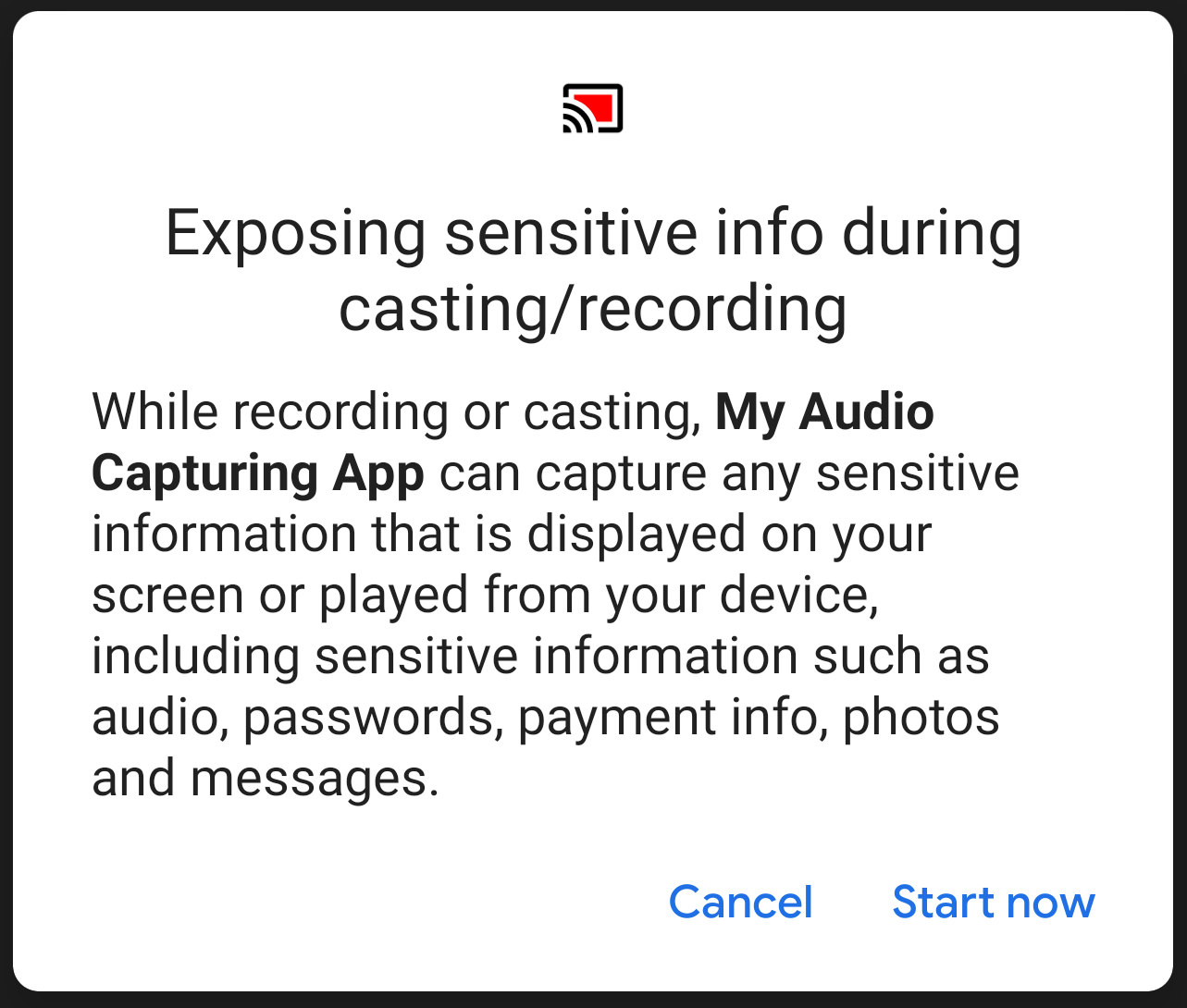
Additionally, before a capture session can be started the capturing app must call MediaProjectionManager.createScreenCaptureIntent(). This will display the following dialog to the user:
MediaProjectionManager.createScreenCaptureIntent()
Screen capture intent dialog
The user must tap "Start now" in order for a capturing session to be started. This will allow both video and audio to be captured.
Cast icon showing red in status bar
During a capture session the cast icon is shown in red in the status bar.
Whether your app's audio can be captured by default depends on your target API. Here's a table which summarizes the default behaviour:
There may be situations where an app wishes to disallow its audio from being captured by other apps. This could be because the audio contains:
An app's audio capturing policy can be set either for all audio or for each individual audio player.
To disallow capture of all audio by third party apps you can do either of the following:
AndroidManifest.xml
<application
...
android:allowAudioPlaybackCapture="false"/>
AudioManager.setAllowedCapturePolicy(ALLOW_CAPTURE_BY_SYSTEM)
To disallow capture for an individual player you can set the capture policy for the audio player when it is built by calling:
AudioAttributes.Builder.setAllowedCapturePolicy(ALLOW_CAPTURE_BY_SYSTEM)
This approach may be useful if your app plays content with differing licenses. For example, both copyrighted and royalty-free content.
By default system apps and components are allowed to capture an app's audio if its usage is MEDIA, GAME and UNKNOWN, as this enables important accessibility use cases, such as live captioning.
In rare cases where a developer wishes to disallow audio capture for system apps as well they can do so in a similar way to the approach for third party apps. Note that this will also disallow capture by third party apps.
This can only be done programmatically by running the following code before any audio is played:
AudioManager.setAllowedCapturePolicy(ALLOW_CAPTURE_BY_NONE)
To disallow capture for an individual player you can set the capture policy for the audio player when it is built:
AudioAttributes.Builder.setAllowedCapturePolicy(ALLOW_CAPTURE_BY_NONE)
If your app is targeting API 28 or below and you would like to enable audio capture add android:allowAudioPlaybackCapture="true" to your app's manifest.xml.
android:allowAudioPlaybackCapture="true"
manifest.xml
If you would like to disallow some or all of your audio from being captured then update your app according to the instructions above.
For more information check out the Audio Playback Capture API documentation.
Posted by Patricia Correa, Director, Developer Marketing
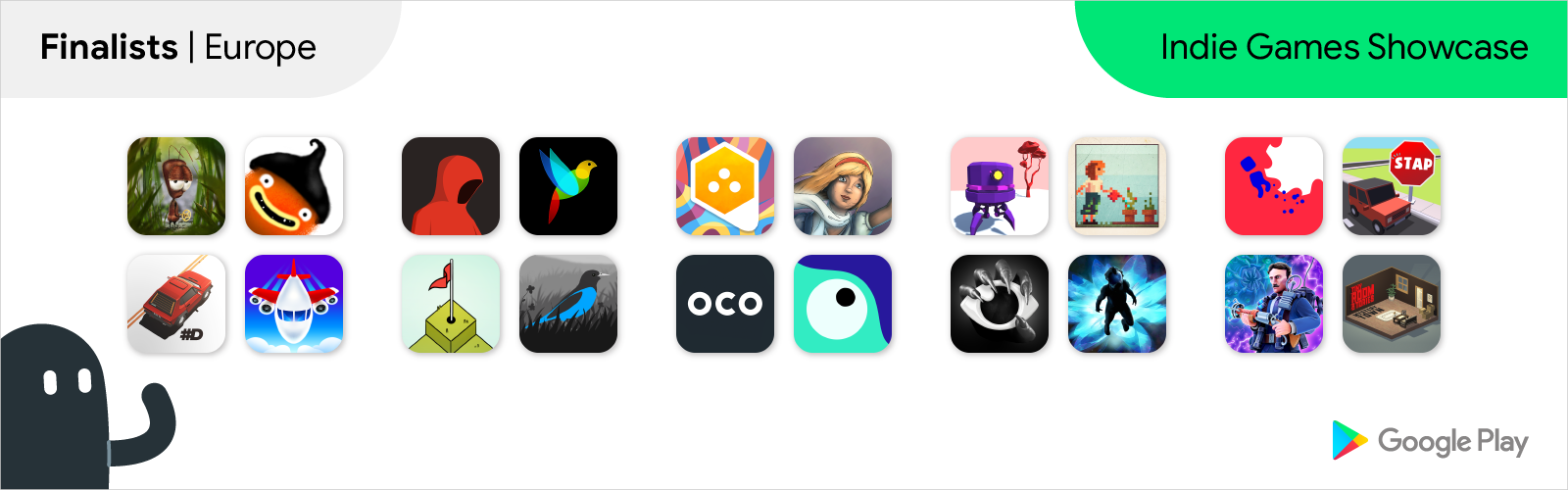
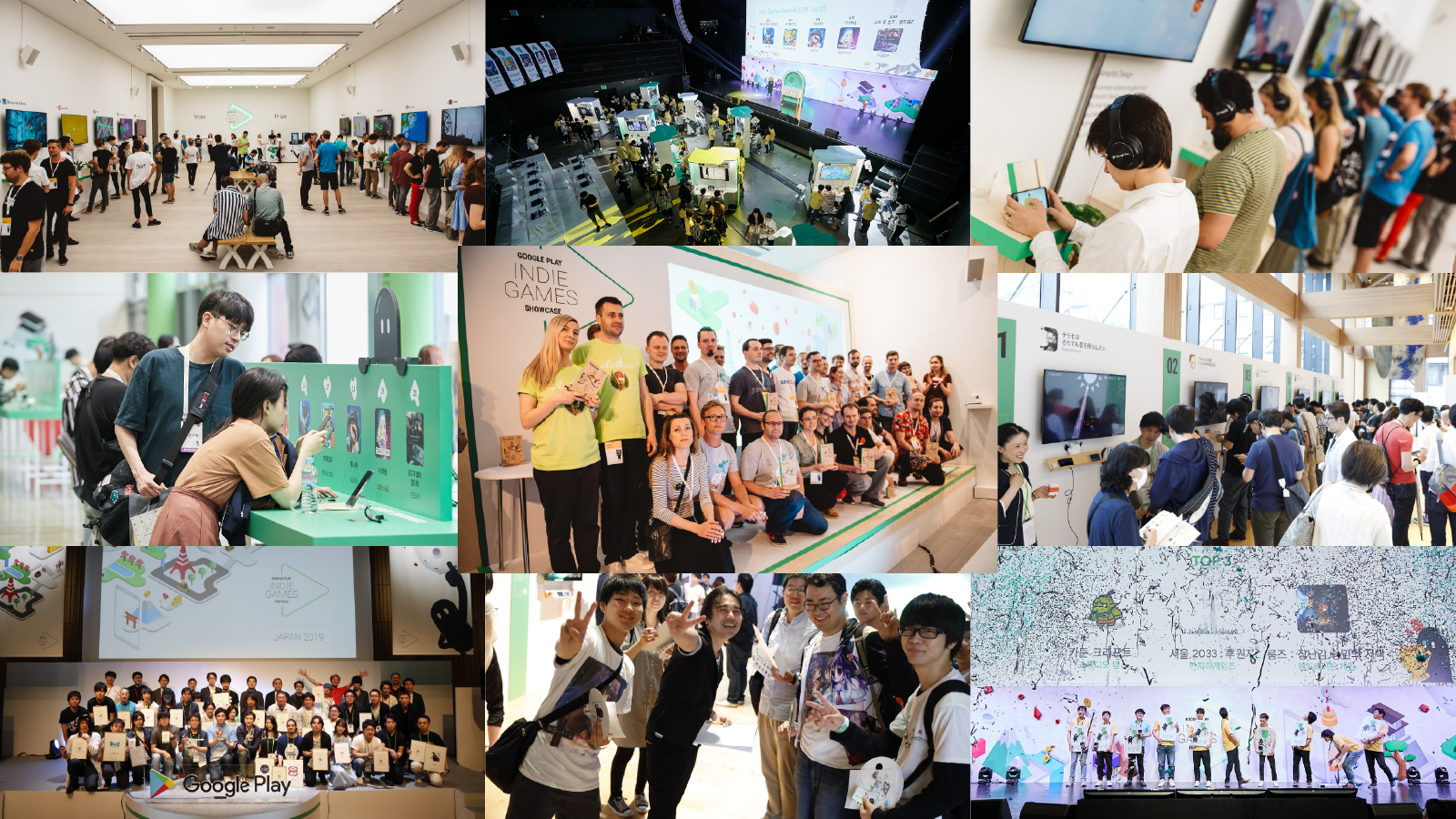
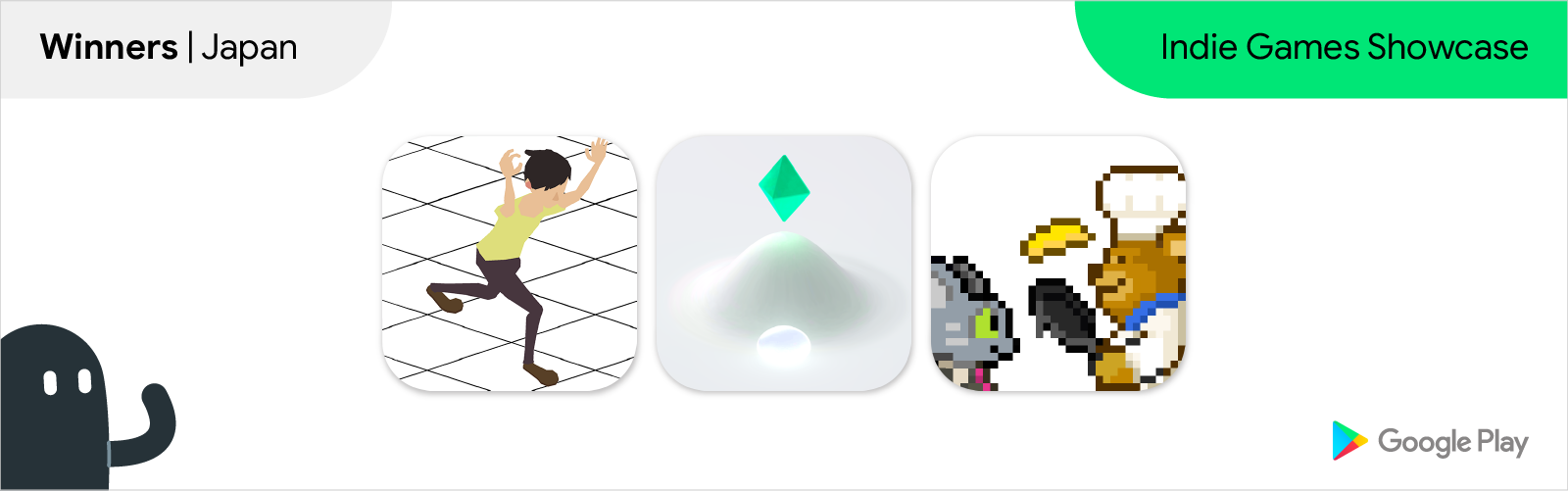
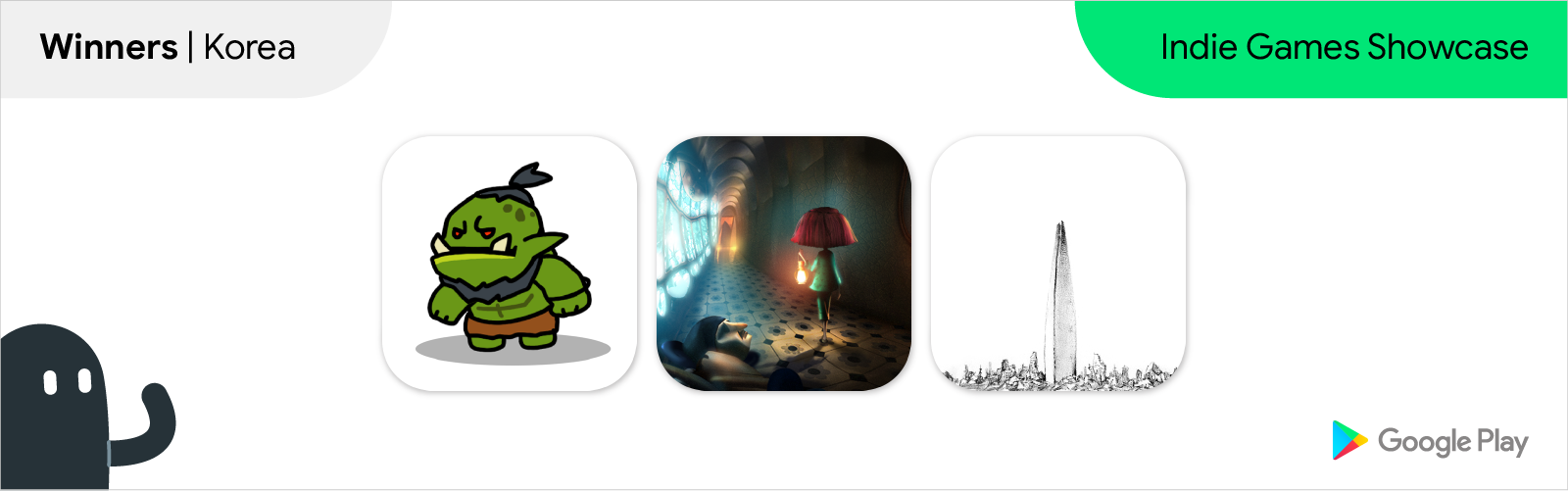
We just wrapped up the Indie Games Showcase in Europe, Japan & South Korea! Back in March we started our search for some of the newest and most creative indie titles from these regions. The search culminated last week with the celebration of indie developers at events in London, Tokyo, and Seoul, and the selection of the winners from our finalists. Developers from 12 countries traveled to the events and showcased their games to the audience of gamers, industry experts, YouTube creators, and journalists.
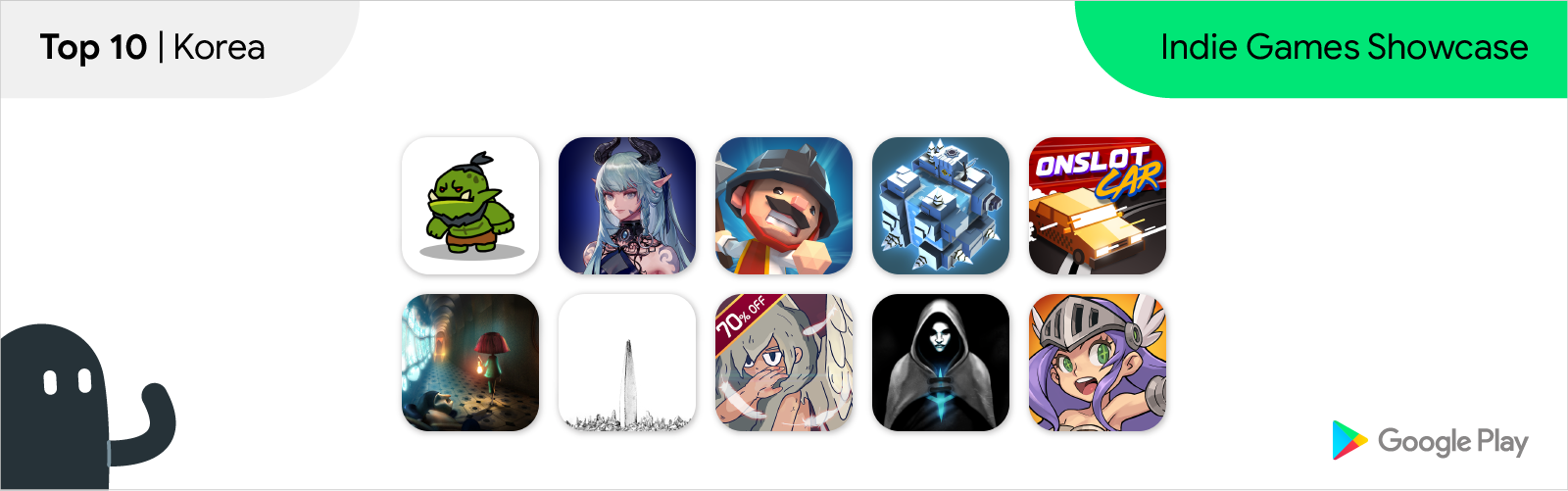
The games were on show to the public, who spent several hours trying out their games and voting for their favourites, alongside the Google Play team. The top 10 finalists were then selected, and went on to pitch their games, and compete for big prizes in front of the jury.
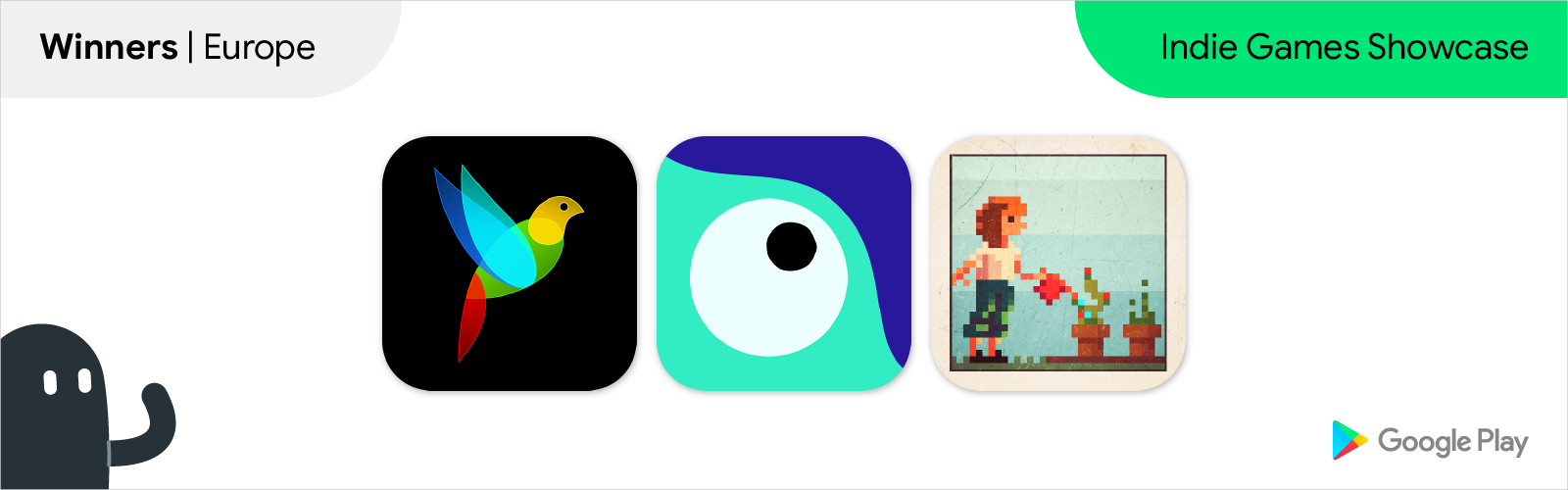
Now, we are happy to announce the winners from each region! They will be returning home with a prize package that includes promotions on the Google Play Store, consultations with Google teams, Google hardware, and more.
We also want to take this opportunity to congratulate all the other finalists and developers who entered the competition this year. We are impressed by your creativity and passion, and hope you will continue to create amazing experiences for players worldwide.
G30 - A Memory Maze by Ivan Kovalov (Russia)
Ordia by Loju (United Kingdom)
Photographs by EightyEight Games (United Kingdom)
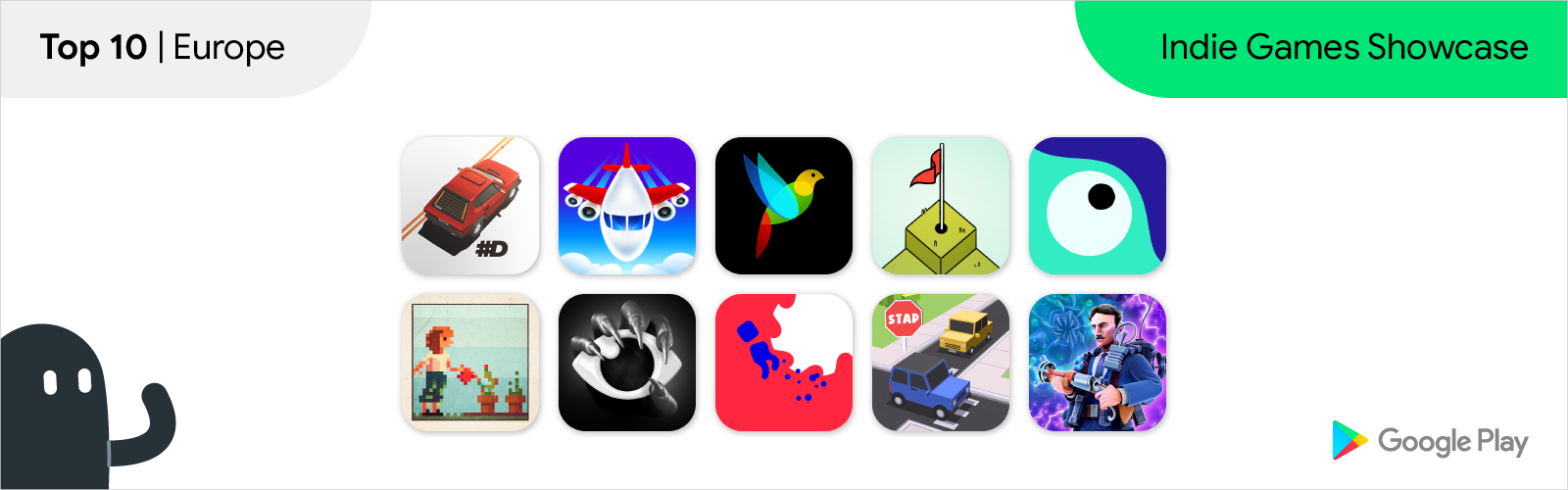
The other finalists as selected by audience and Google Play votes were:
#DRIVE by Pixel Perfect Dude (Poland)
Fly THIS! By Northplay (Denmark)
Golf Peaks by Afterburn (Poland)
Rest in Pieces by Itatake (Sweden)
see/saw by Kamibox (Germany)
STAP by Overhead Game Studio (United Kingdom)
Tesla vs. Lovecraft by 10tons (Finland)
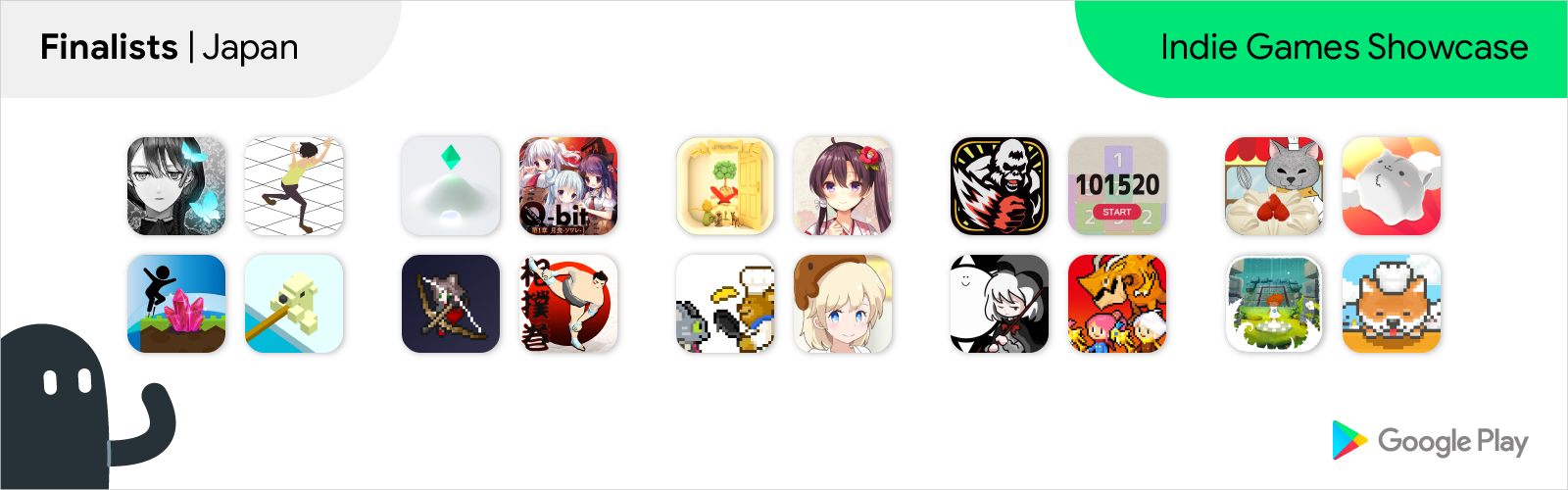
Infection - 感染 - by CanvasSoft
MeltLand by 個人
Bear's Restaurant by 個人
Lunch Time Fish by SoftFunk HULABREAKS
ReversEstory by 個人
Kamiori - カミオリ by TeamOrigami
キグルミキノコ Q-bit -第一章- by 個人
クマムシさん惑星 ミクロの地球最強伝説 by Ars Edutainment
Girl x Sun - Terasene - Tower defence & Novel game by SleepingMuseum
Persephone by Momo-pi
ROOMS: The Toymaker's Mansion by HandMade Game
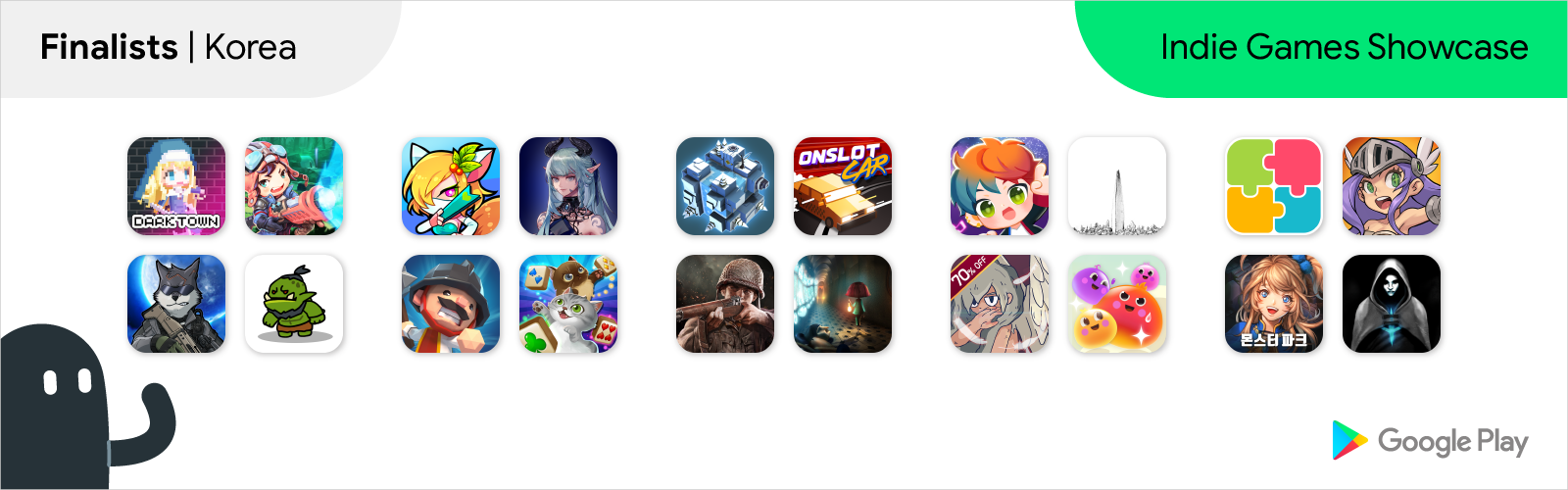
Seoul2033: Backer by Banjiha Games
Cartoon Craft by Studio NAP
Hexonia by Togglegear
Hexagon Dungeon by Bleor Games
7Days - Decide your story by Buff Studio
WhamBam Warriors by DrukHigh
Onslot Car by Wondersquad
Maze Cube by IAMABOY
언노운 나이츠 by teamarex
How useful did you find this blog post?
★ ★ ★ ★ ★
Posted by Oscar Rodriguez, Developer Advocate
When designing and developing an app or game, at some point you may ask yourself if you want to monetize it.
If you choose to do so by selling products via Google Play, you will most likely have a store screen that shows available items for sale, and use the Google Play Billing Library to display dialogs that allow your users to complete their purchase.
While there is a more detailed explanation in the documentation and in the Billing Library TrivialDrive samples, the general flow is as follows:
launchBillingFlow()
onPurchasesUpdated()
consumeAsync()
acknowledgePurchase()
If your app is still using the Google Play Billing AIDL API, it is also possible to perform the same task. Keep in mind that the AIDL API is now deprecated, so we strongly recommend you migrate to the Google Play Billing Library as soon as possible.
If you are using the AIDL API, the flow is very similar:
getBuyIntent()
getBuyIntentExtraParams()
startIntentSenderForResult()
Intent
onActivityResult()
getPurchases()
consumePurchase()
Nevertheless, just implementing the above mentioned flow is not enough to correctly handle all types of purchases. There are two main cases in which purchases will not be correctly handled by this flow.
The first case happens when the purchase flow is interrupted before it finishes. The app may have crashed, the user may have killed the app, or the user’s Internet connection may have been lost. In any case, it is possible for the app not to have delivered the item to the user even though Google Play has already processed the payment. In this case, the item is in limbo, because Google Play will not allow an item to be re-purchased until it is consumed, but the app or game won’t consume the item outside of the flow mentioned above.
The second case happens during alternative purchase flows, such as in-app promotions, the recently announced out-of-app subscription surfaces, promo codes for subscriptions, or other promotions in collaboration with Google. In these cases, a user gets an item directly on the Play Store app, while the target app or game may be paused, not running, or even not installed.
For these cases, the Google Play Billing Library and the Google Play Billing AIDL API offer a mechanism to detect purchases that are not acknowledged or consumed.
When using the Google Play Billing API, do the following:
onResume()
queryPurchases()
For the Google Play Billing AIDL API, do the following:
In either case, when you detect and process an unconsumed item in this manner, users will expect the app or game to communicate about it. We suggest that you display a dialog, message box, or notification that tells the user that they have successfully received their item.
Keep in mind that your app’s onResume() callback will be called when its process is started, as well as when it is brought to the foreground, regardless of which screen the app or game was in before it was paused. For example, a game with a home screen, a store screen, and a game screen might get its onResume() called from any of those screens. For an optimal user experience, we suggest you make it so your app or game handles unacknowledged or unconsumed items regardless of the screen you display when onResume() gets called. Thorough testing of this process in each screen is crucial to deliver a great user experience.
Finally, there is one more case your app must handle: when a user acquires an item from the Play Store app, and both the Play Store app and your app are visible at the same time with multi-window mode.
To support this scenario with the Google Play Billing Library, do the following:
PurchasesUpdatedListener
com.android.vending.billing.
PURCHASES_UPDATED
onPause()
Just as before, you should display a dialog, message box, or notification that tells the user that they have successfully received their item.
If you follow these steps, your app or game will be better prepared to robustly handle purchase flow interruptions and alternative purchase flows.
Posted by Vineet Tanwar, Business Development Manager, Google Play
In April we opened applications for the 2019 class of Indie Games Accelerator, a program to help top mobile game startups from emerging markets achieve their full potential on Google Play. We’re truly awed by the response we have received with over 1,700 applications from developers across 37 countries*. We continue to be impressed by the innovation and creativity of game developers everywhere.
Now, it's time to introduce you to the developers selected for the class of 2019. Here they are:
Congratulations to the selected participants and we look forward to meeting you in Singapore!
Find out more about the program or express your interest in joining the next class of the Indie Games Accelerator.
* The competition is open to developers from the following countries: Bangladesh, Brunei, Cambodia, India, Indonesia, Laos, Malaysia, Myanmar, Nepal, Pakistan, Philippines, Singapore, Sri Lanka, Thailand, Vietnam, Egypt, Jordan, Kenya, Lebanon, Nigeria, South Africa, Tunisia, Turkey, Argentina, Bolivia, Brazil, Chile, Colombia, Costa Rica, Ecuador, Guatemala, Mexico, Panama, Paraguay, Peru, Uruguay and Venezuela
Posted by Patricia Correa, Director, Platforms & Ecosystems Developer Marketing
Back in March we opened submissions for the Indie Games Showcase, an international competition for games studios from Europe*, South Korea, and Japan who are constantly pushing the boundaries of storytelling, visual excellence, and creativity in mobile.
We were once again impressed by the diversity and creativity that the indie community is bringing to mobile, and we’re happy to announce the 20 finalists.
Check out the local websites to learn more about the finalists and the events.
AntVentor by LoopyMood (Ukraine)
CHUCHEL by Amanita Design (Czech Republic)
Fobia by Tapteek (Russia)
Gold Peaks by Afterburn (Poland)
Grayland by 1DER Entertainment (Slovakia)
Hexologic by MythicOwl (Poland)
Lucid Dream Adventure by Dali Games (Poland)
OCO by SPECTRUM48 (United Kingdom)
Peep by Taw (Russia)
Returner Zhero by Fantastic, yes (Denmark)
Tiny Room Stories: Town Mystery by Kiary games (Russia)
ALTER EGO by 株式会社カラメルカラム
Jumpion - Make a two-step jump ! by Comgate
SumoRoll - Road to the Yokozuna by Studio Kingmo
Escape Game: The Little Prince by 株式会社 Jammsworks
ゴリラ!ゴリラ!ゴリラ!by Gang Gorilla Games
タシテケス by 個人
Destination: Dragons! by GAME GABURI
Cute cat's cake shop by 個人
Hamcorollin' by illuCalab.
Food Truck Pup: Cooking Chef by 合同会社ゲームスタート
다크타운 - 온라인 by 초콜릿소프트
Bad 2 Bad: Extinction by Dawinstone
셧더펑 : 슈팅액션 by Take Five Games
Catch Idle by HalftimeStudio
Mahjong - Magic Fantasy by Aquagamez
Road to Valor: World War II by Dreamotion Inc.
Rhythm Star: Music Adventure by Anbsoft
Super Jelly Pop by STARMONSTER
UNLINK Daily Puzzle by Supershock
몬스터파크 온라인 by OVENCODE
We will welcome all finalists at events in London, Seoul, and Tokyo, where they will showcase their games to an audience of players, press and industry experts, for a chance to win the top prizes.
The events are open to the public, so if you would like to meet these games developers, try out their creations, and help choose the winners, sign up on the regional websites.
Congratulations to all finalists!
* The competition is open to developers from the following European countries and Israel: Austria, Belgium, Belarus, Czech Republic, Denmark, Finland, France, Germany, Italy, Netherlands, Norway, Poland, Romania, Russia, Slovakia, Spain, Sweden, Ukraine, and the United Kingdom (including Northern Ireland).
Posted by Kobi Glick, Product Lead, Google Play
Read this in العَرَبِيَّة, Bahasa Indonesia, Deutsch, español (Latinoamérica), le français, português do Brasil, tiếng Việt, русский язы́к, ไทย, Türkçe, 한국어, 中文 (简体), 中文 (繁體), or 日本語.
Over the last 10 years, we’ve worked together to build an incredible ecosystem with more than 2.5 billion active users in over 190 countries. This would not be possible without you and all the fantastic apps and games you’ve built that entertain, help, and educate people around the world.
Every month, you upload more than 750,000 APKs and app bundles to the Play Console. We’ve been amazed by your enthusiasm, and it’s been our privilege to help you grow your business. This year, we want to help you go even further. So today at Google I/O, we're announcing new tools and features to help you develop, release, and grow your apps and games — many of them based on your feedback and suggestions.
Last year we introduced Android's new publishing format, the Android App Bundle, and an entirely new dynamic delivery framework on Google Play. There are now over 80,000 apps and games using app bundles in production, with an average size savings of 20%. As a result of those savings, apps have seen up to 11% install uplift. As the future of app delivery, we’re excited to share these latest enhancements to the Android App Bundle.
Dynamic features are out of beta and available to all developers, including these new delivery options:
During our beta program, many developers implemented interesting use cases with dynamic features. Netflix, for example, now delivers their customer support functionality as a dynamic feature to users who visit the support center. By making functionality available only to users who need it, Netflix reported a 33% reduction in app size. You can learn more in the video below.
We heard you loud and clear: testing bundles is hard. But with the new internal app sharing, you can now share test builds in a matter of seconds. Just upload your app bundle to Google Play and get a download URL to share with your testers. You don’t need to worry about version codes, signing keys, or most other validations that your production releases need to conform to.
In addition to efficiency and modularity, the Android App Bundle also now offers increased security with the launch of app signing key upgrade for new installs. With this feature, you can upgrade the cryptographic strength of your signing key for new installs and their updates on Google Play. Many developers sign their apps with keys generated a long time ago, and this new feature is the only backwards-compatible way to increase their strength.
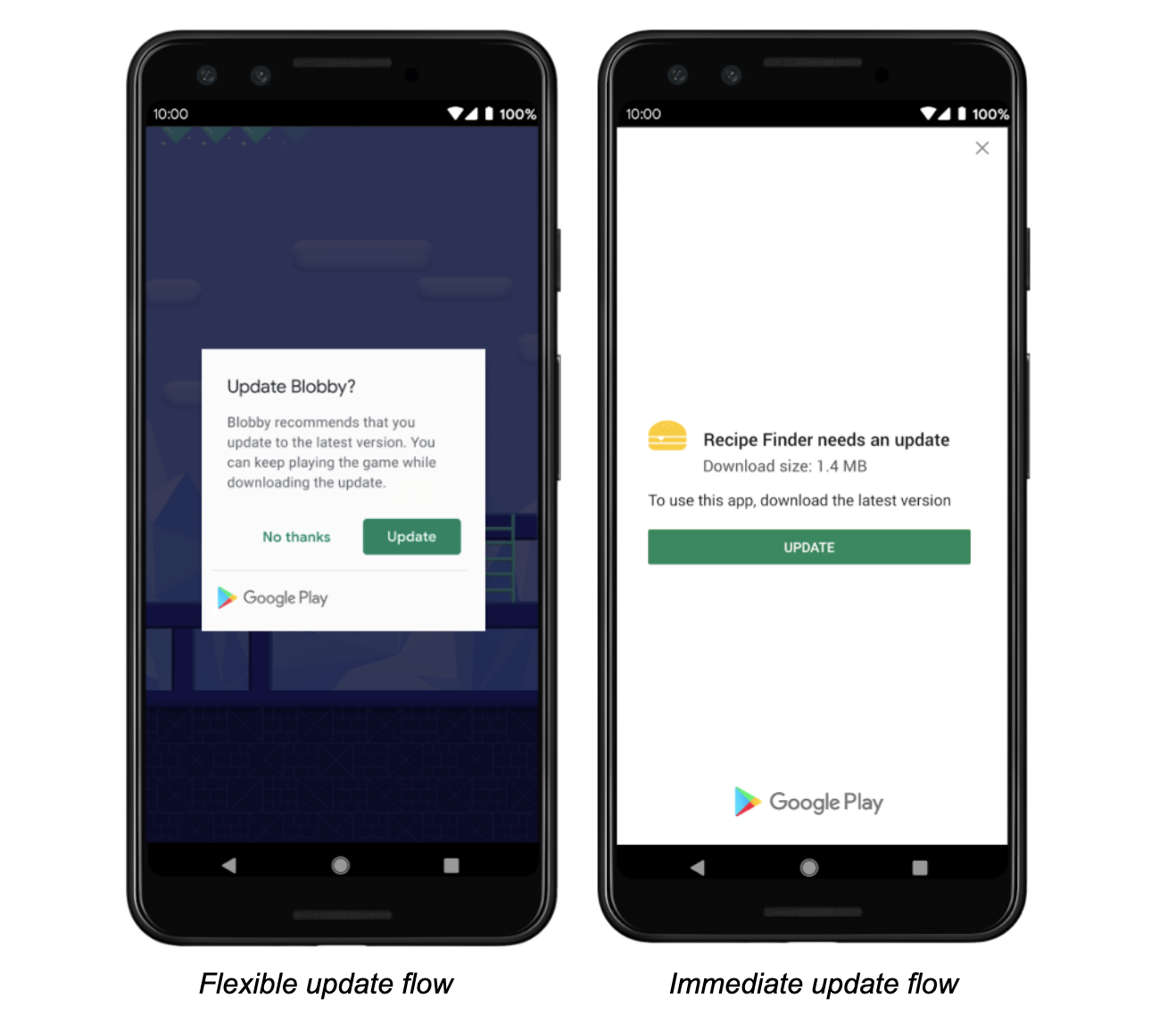
Although auto-updates reach many users, you told us it was still challenging to get some users to update your apps. Now that our new in-app updates API is in general availability, users will be able to update without ever leaving your app. During our early access program, many developers used our API to create a polished upgrade flow, resulting in a median acceptance rate of about 50%.
The API currently supports two flows:
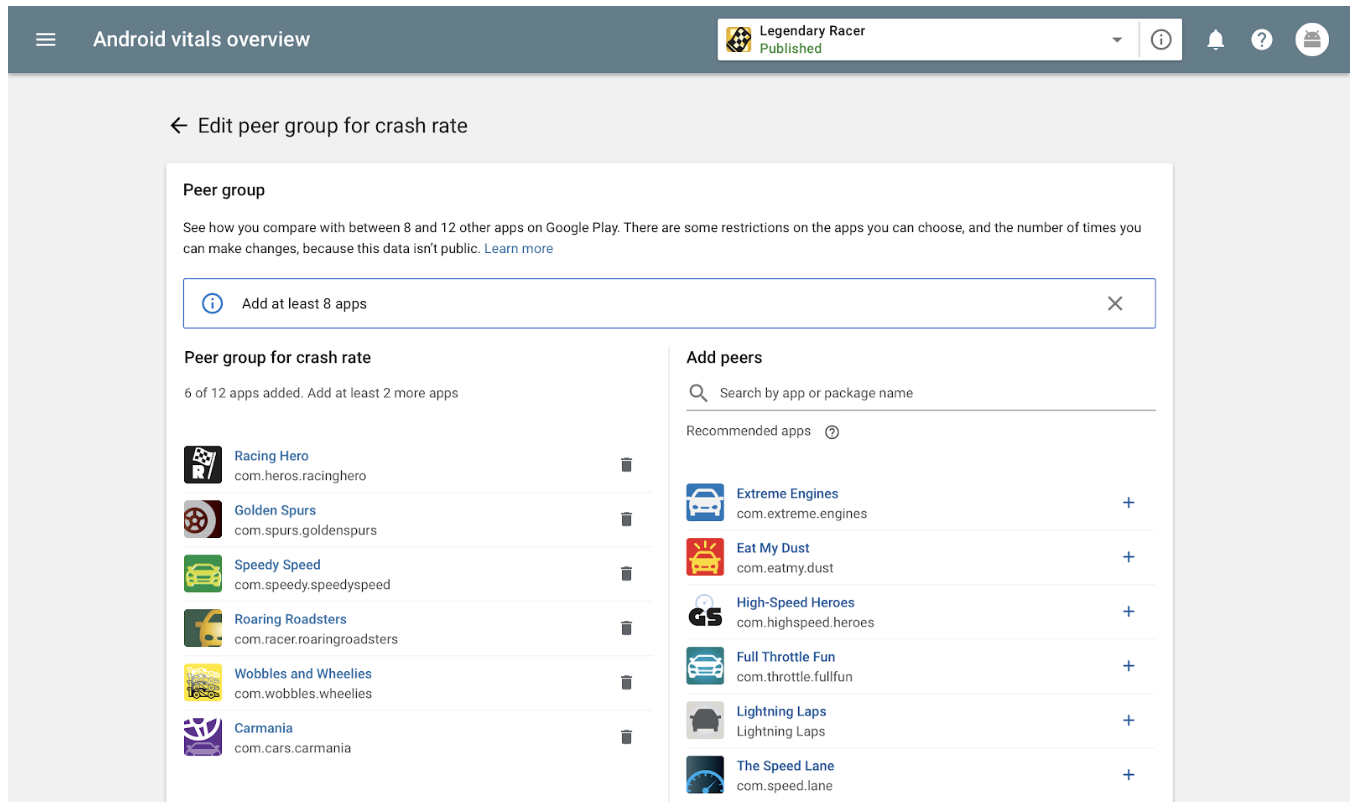
The right data can help you improve your app performance and grow your business. That’s why we’re excited to tell you about new metrics and insights that will help you better measure your app health and analyze your performance.
We’re also making big changes to another key source of performance data: your user reviews. Many of you told us that you want a rating that reflects a more current version of your app, not what it was years ago — and we agree. So instead of a lifetime cumulative value, your Google Play Store rating will be recalculated to give more weight to your most recent ratings. Users won’t see the updated rating in the Google Play Store until August, but you can preview your new rating in the Google Play Console today.
Every day, developers respond to more than 100,000 reviews in the Play Console, and when they do, we’ve seen that users update their rating by +0.7 stars on average. So in addition to the ratings change, we're making it easier to respond to reviews with suggested replies. When you go to respond to a user, you’ll see three suggested replies which have been created automatically based on the content of the review. You can choose to send one as-suggested, customize a suggestion for more personalization, or create your own message from scratch. Suggested replies are available in English now with additional languages coming later.
Your store listing is where users come to learn more about your app or game and decide whether to install. It’s important real estate, so we’re releasing new features that let you optimize your Google Play Store to address different moments in the user lifecycle.
Learn more about these and other Google Play features at Google I/O. Join us live or watch later on the Android Developers YouTube channel.
You can also take your skills and knowledge to the next level with our e-learning courses on Google Play’s Academy for App Success, and sign up for our newsletter to stay up to date with our latest features and updates.
Posted by Anuj Gulati, Developer Marketing Manager and Sami Kizilbash, Developer Relations Program Manager
Last year we announced the Indie Games Accelerator, a special edition of Launchpad Accelerator, to help top indie game developers from emerging markets achieve their full potential on Google Play. Our team of program mentors had an amazing time coaching some of the best gaming talent from India, Pakistan, and Southeast Asia. We’re very encouraged by the positive feedback we received for the program and are excited to bring it back in 2019.
Applications for the class of 2019 are now open, and we’re happy to announce that we are expanding the program to developers from select countries* in Asia, Middle East, Africa, and Latin America.
Successful participants will be invited to attend two gaming bootcamps, all-expenses-paid at the Google Asia-Pacific office in Singapore, where they will receive personalized mentorship from Google teams and industry experts. Additional benefits include Google hardware, invites to exclusive Google and industry events and more.
Find out more about the program and apply to be a part of it.
* The competition is open to developers from the following countries: Bangladesh, Brunei, Cambodia, India, Indonesia, Laos, Malaysia, Myanmar, Nepal, Pakistan, Philippines, Singapore, Sri Lanka, Thailand, Vietnam, Egypt, Jordan, Kenya, Lebanon, Nigeria, South Africa, Tunisia, Turkey, Argentina, Bolivia, Brazil, Chile, Colombia, Costa Rica, Ecuador, Guatemala, Mexico, Panama, Paraguay, Peru, Uruguay and Venezuela.
Posted by Daniel Schramm, Product Manager, Google Play
Since launching on Google Play nearly 7 years ago, subscriptions have proven to be an essential element in creating sustainable mobile app businesses; 89 of the top 100 highest grossing apps on Google Play in the US now provide subscription products. As the market matures, it is becoming increasingly important for subscription developers to optimize both subscriber conversion and retention in order to maintain growth. To help you do that, we're rolling out new insights available directly in the Play Console.
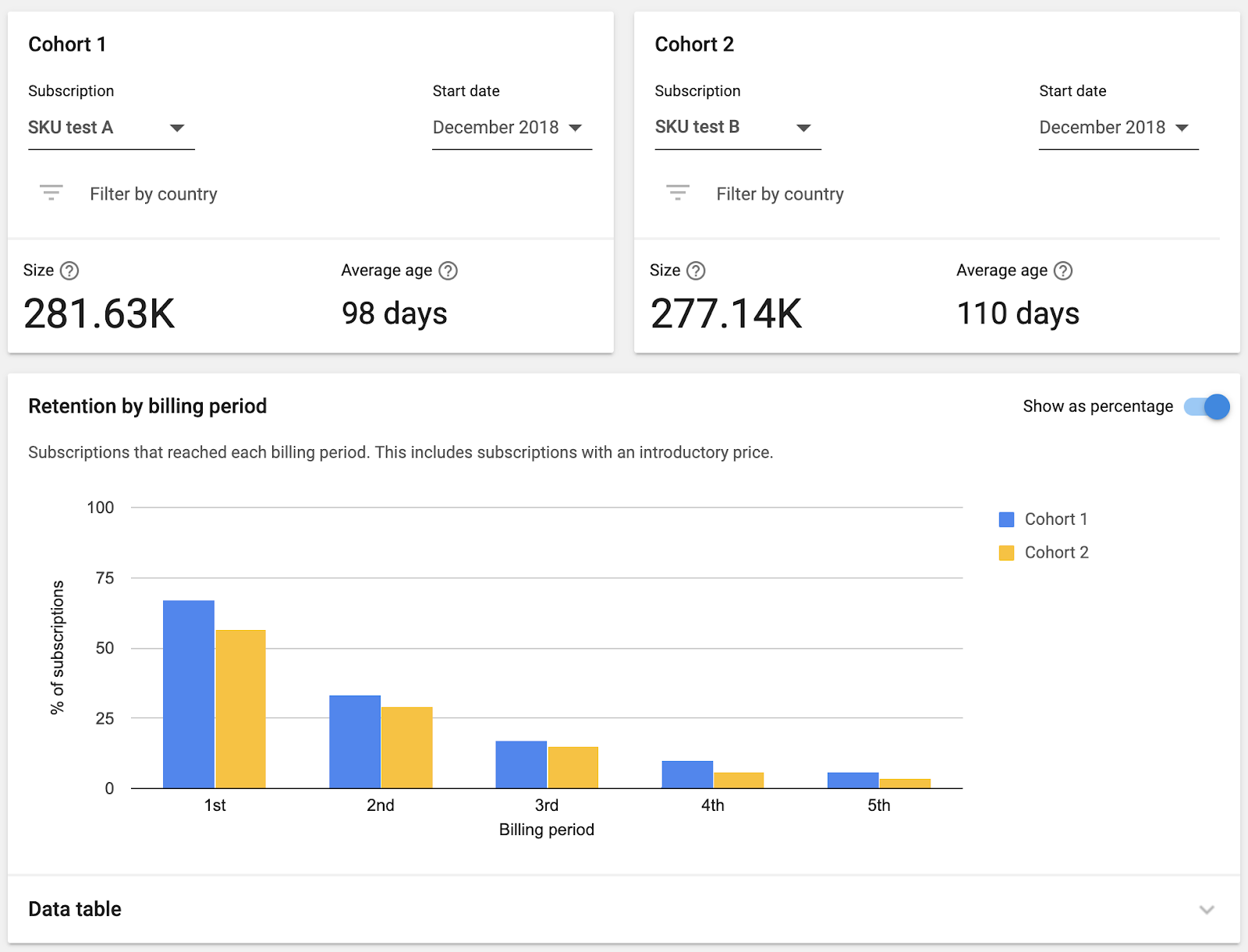
Subscription retention report
Example subscription retention report data in the Play Console. Source: Google Internal Data.
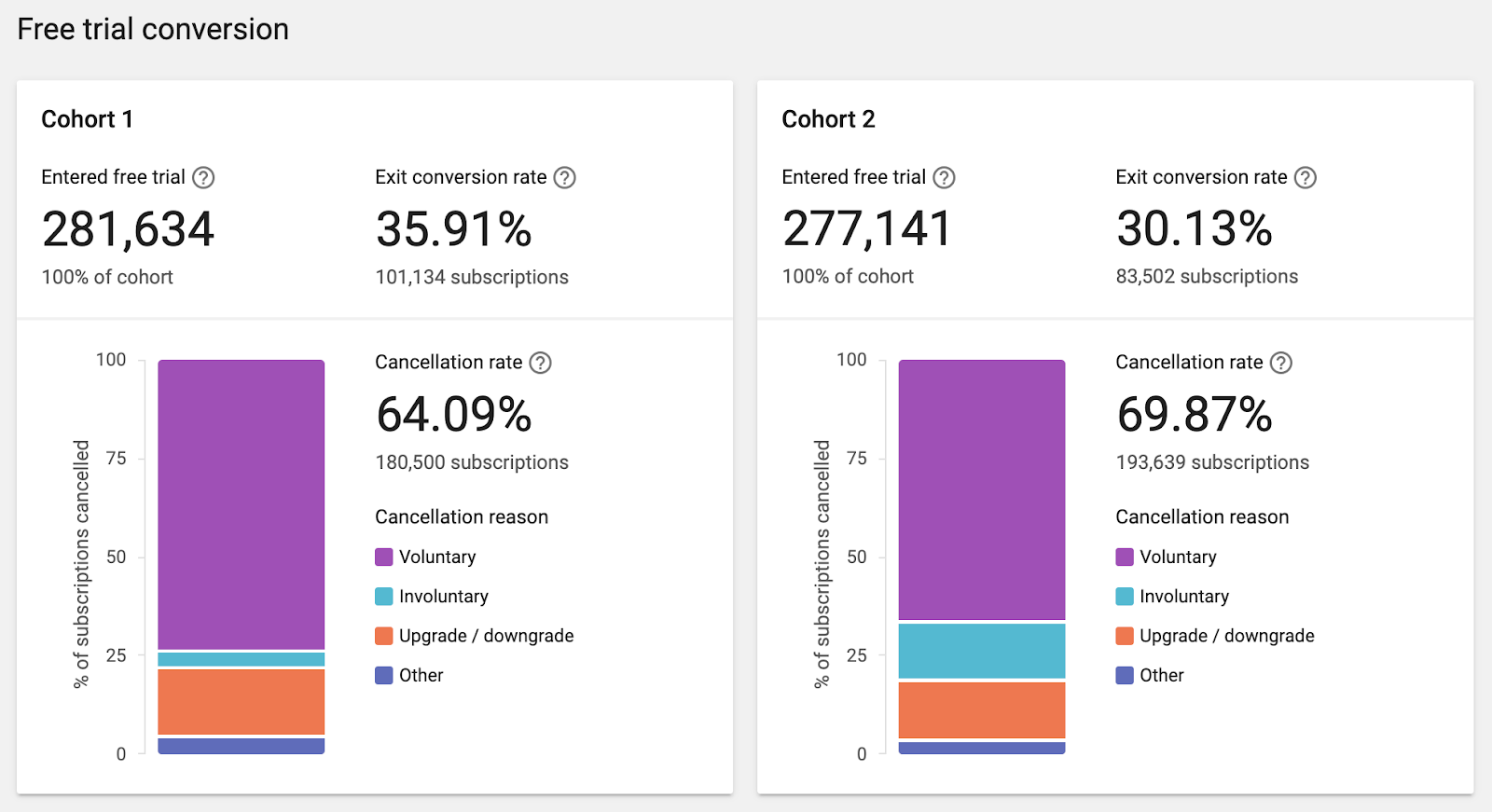
The recently updated subscription retention report shows how well you are retaining subscribers, along with how well subscribers convert from free trial, introductory price, and first to second payment.
You can configure two cohorts based on SKU, country, and subscription start date. This is particularly useful for evaluating the success of A/B tests; for example, to determine if changing the duration of a free trial has an impact on free trial conversion.
Example free trial conversion data in the Play Console. Source: Google Internal Data.
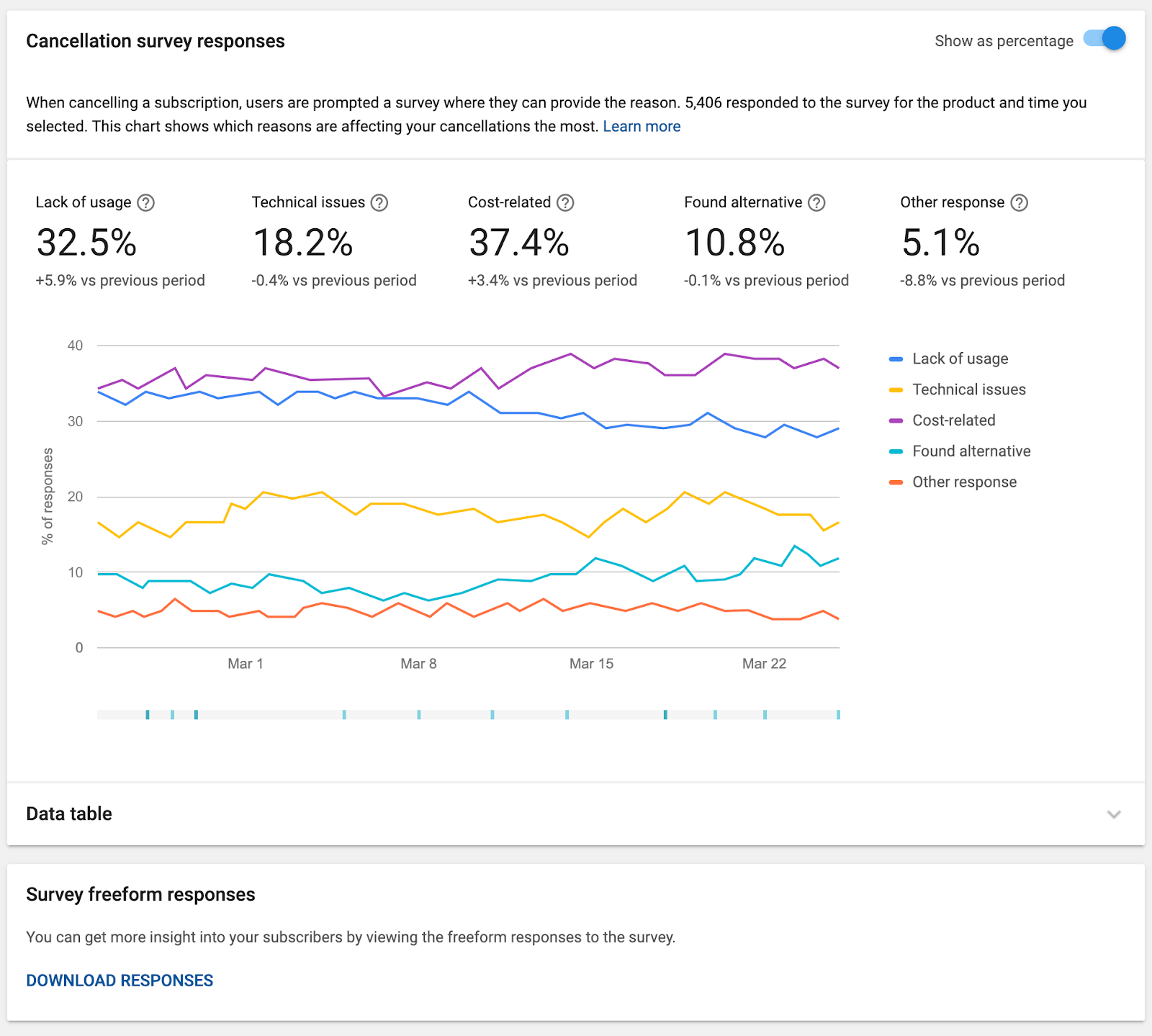
Cancellation survey results
Retaining your existing subscribers is just as important as acquiring new subscribers, so we have updated the subscription cancellations report to give more insight into voluntary and involuntary cancellations.
The launch of the subscriptions center last year introduced a cancellation survey allowing users to give developers feedback as to why they were cancelling, with results available through the Google Play Developer API. To make these results easier to access and monitor, we now surface daily aggregates directly within the Play Console, along with the ability to download written responses in a CSV.
Example cancellation survey responses in the Play Console. Source: Google Internal Data.
Recover more users
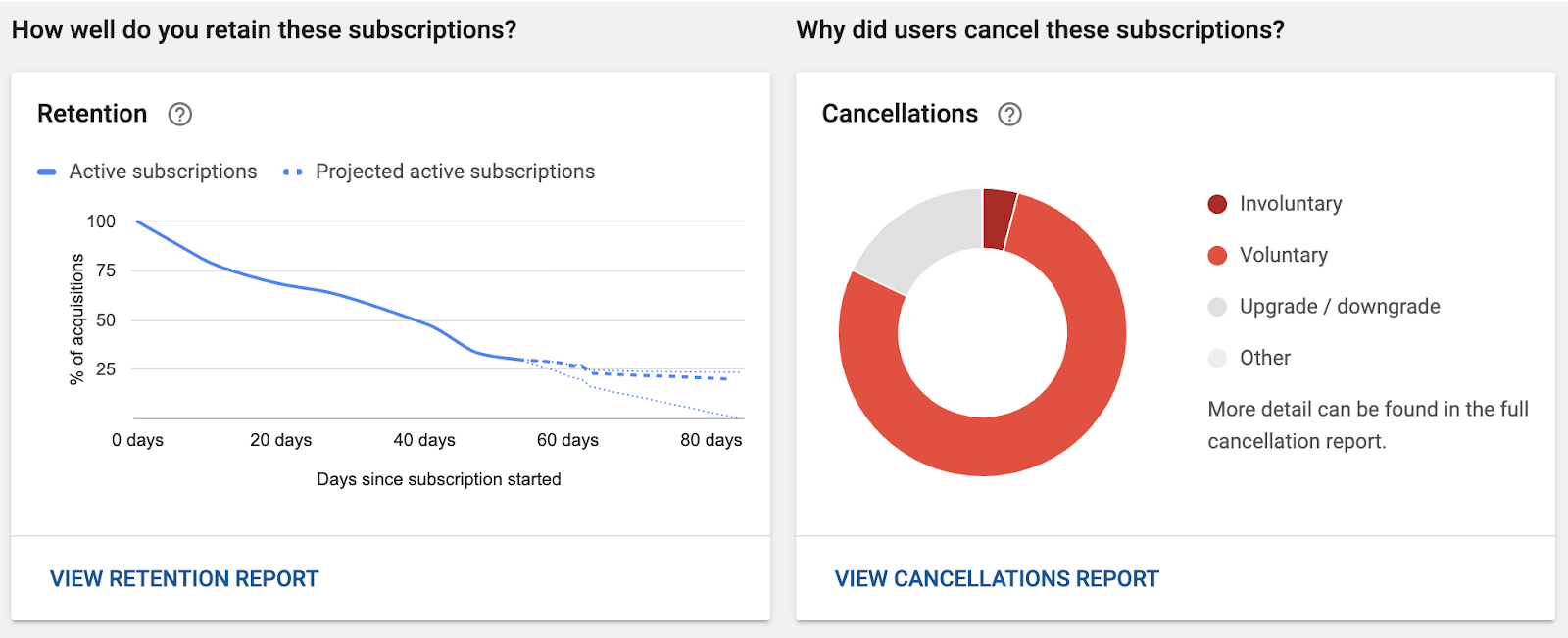
Involuntary cancellations, which occur when a user's form of payment fails, account for over a third of all cancellations. The new recovery performance cards in the cancellation report helps you understand how effectively you are recovering users with grace period and account hold, and the day the subscriptions were recovered to help you evaluate the effectiveness of recovery messaging.
Example account hold performance recovery card in the Play Console. Source: Google Internal Data.
Make sure you've set up grace periods and account hold for your apps! We've seen that developers who use both grace period and account hold see more than a 3x increase in decline recovery rate from 10% to 33%. Discover more information on grace period and account hold.
You can find the subscription retention and cancellation reports linked from the bottom of the Subscriptions page, in the Financial reports section of the Play Console. If you don't have access to financial reporting, ask your developer account owner for permission to view financial data.
We hope this new reporting gives you new insights to optimize your subscription business, and we look forward to sharing more with you at Google I/O in May.