
Create Custom View in android MATRIX EFFECT CANVAS tutorial
Hi all as I stared my development with android I always
wanted to create a Custom view or rather I want a canvas where I can draw
freely. To learn about canvas I decided to create matrix rain effect which I
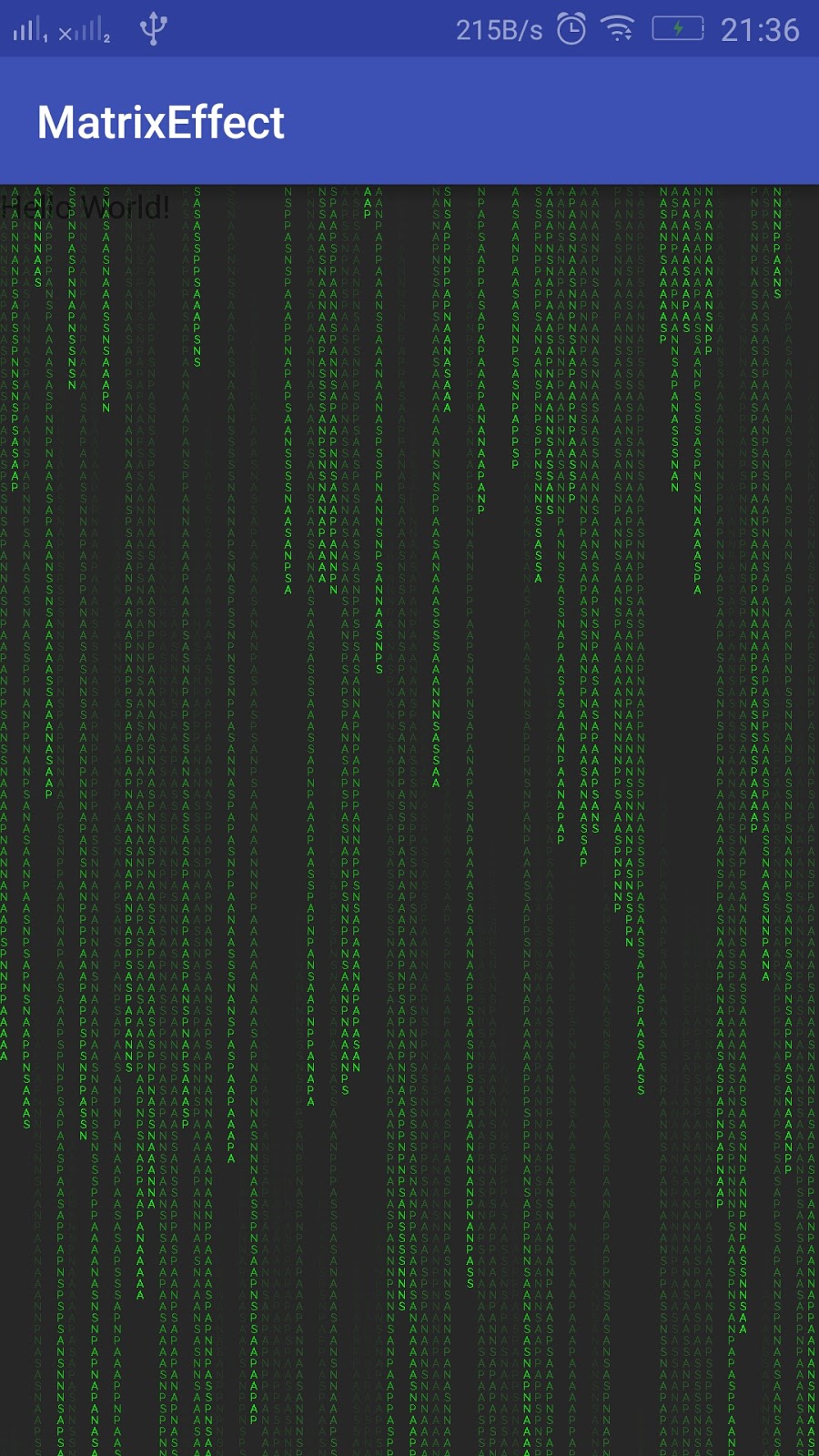
can add to my android layout. Here is the complete tutorial which I have post. Hopping
it will be use full to someone.
Update:
Converted this effect to live wallpaper.
Ref :
http://www.androidlearner.com/2017/01/android-live-wallpaper-tutorial.html
Ref :
Custom View
View
is the class represents the basic building block
for user interface components. Sometime no one want to use the default
widget provided by the android and want some fancy component.
So how to get the custom component build your own. However I
wanted to experiment with canvas. So I decided to create Matrix Rain Effect. Below is the brief description of matrix
effect.
Matrix Rain Effect
Matrix effect is the popular effect in which random
characters fall from top creating a rain effect. “Brief description” isn’t.
Now before going to code the view in canvas.Let me explain how the design of canvas matrix effect will work. Check out the below image
Let me explain how to design the matrix rain effect
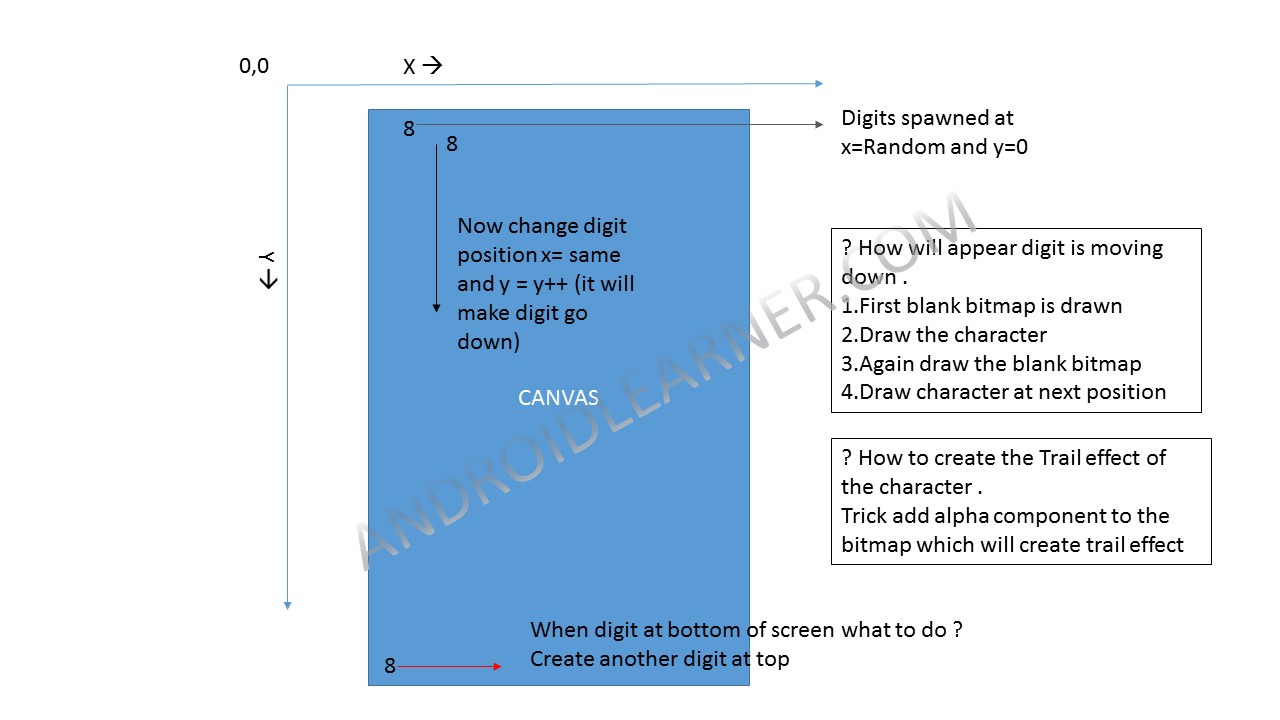
Design of canvas
Setting UP android studio
First let setup the android studio. I won’t be explaining
how to setup android studio here. There are plenty of resources already outside.
1.
So First let create an Empty Activity Project.
2.
Build and Run the application to check if everything
is working fine
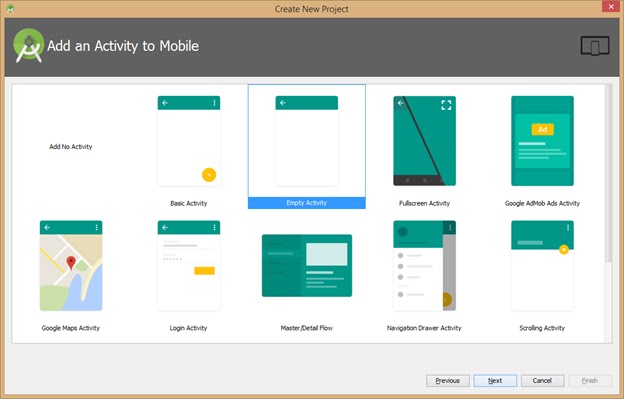
empty Project creation wizard
Now your Empty project might be up and running.
Hope you are now clear how the effect will work.
Now exercise your finger to type the code
1. Create a Matrix Effect class which extends View
public class MatrixEffect extends View {

    public MatrixEffect(Context context, AttributeSet attrs) {
        super(context, attrs);
    }

}
2. Let us set up some initaial variable which are required
int width = 1000000; //default initial width
int height = 100; //default initial height
Canvas canvas =null; //default canvas
Bitmap canvasBitmap; //Bitmap used to create the canvas
int fontSize = 15; //font size of the text which will fall
int columnSize = width/fontSize; //column size ; no of digit required to fill the screen
int parentWidth;
String text = "MATRIXRAIN";  // Text which need to be drawn
char[] textChar = text.toCharArray(); // split the character of the text
int textLength = textChar.length;   //length of the length text
Random rand = new Random(); //random generater

int[]  textPosition; // contain the position which will help to draw the text
3.Now let’s create a function to draw the text on the bitmap which is our canvas
void drawText()
{
    //Set up the paint
    Paint paint = new Paint();
    paint.setStyle(Paint.Style.FILL);
    paint.setColor(Color.GREEN);
    paint.setTextSize(15);


    //loop and paint
    for(int i =0 ;i height && Math.random() > 0.975)
            textPosition[i] = 0;   // change text position to zero when 0 when text is at the bottom

        textPosition[i]++; //increment the position array
    }
}
4.Now to draw these text on the bitmap with alpha component
public void canvasDraw()
{
    //set the paint for the canvas
    Paint paint = new Paint();
    paint.setColor(Color.BLACK);
    paint.setAlpha(5);
    paint.setStyle(Paint.Style.FILL);
    canvas.drawRect(0, 0, width, height, paint);//draw rect to clear the canvas

    drawText(); // draw the canvas

}
To get the trail effect we add alpha the component to bitmap so when one bitmap is drawn over other trail effect will appear
5.Now the main draw function which will make the draw complete draw cycle and make it bitmap visible on the view. We have override the Draw() function of the View class
@Override
protected void onDraw(Canvas canvas) {
    super.onDraw(canvas);

Paint paint = new Paint();
    paint.setColor(Color.BLACK);

    canvas.drawBitmap(canvasBitmap,0,0,paint); //draw the bitmap to canvas

    canvasDraw(); // call the draw command
    //Redraw the canvas
    invalidate();
}
Here the invalidate(); function makes the draw call again and again.
Thus our bitmap is drawn over and over again on the canvas.7.Still the problem will remain how to make the view run at different sizes. To do this solution which worked for me is to override the onSizeChange method of the view.
@Override
protected void onSizeChanged(int w, int h, int oldw, int oldh) {
    width= w;
    height = h;
    super.onSizeChanged(w, h, oldw, oldh);
    //create a Bitmap
    canvasBitmap =  Bitmap.createBitmap(width, height, Bitmap.Config.ARGB_8888);
    canvas = new Canvas(canvasBitmap); //set the canvas
    // init paint with black rectangle
    Paint paint = new Paint();
    paint.setColor(Color.BLACK);
    paint.setAlpha(255); //set the alpha
    paint.setStyle(Paint.Style.FILL);
    canvas.drawRect(0, 0, width, height, paint);

    columnSize = width/fontSize;
    //initalise the textposiotn to zero
    textPosition = new int[columnSize+1]; //add one more drop
    for(int x = 0; x < columnSize; x++)
        textPosition[x] = 1;
}
This method create the canvas of the size of the
screen
9.Now our Custom view is ready lets add it to the layout
a.Open your main activity layout file and add the view
<scrap.app.skd.matrixeffect.MatrixEffect android:layout_width="match_parent"
android:layout_height="match_parent" />
10.Now run the app and see the matrix rain on you handset
Complete Custom View Canvas source
package scrap.app.skd.matrixeffect;

import android.content.Context;
import android.graphics.Bitmap;
import android.graphics.Canvas;
import android.graphics.Color;
import android.graphics.Paint;
import android.util.AttributeSet;
import android.view.View;

import java.util.Random;

/**
 * Created by sapan on 9/8/2016.
 */
public class MatrixEffect extends View {

    int width = 1000000; //default initial width
    int height = 100; //default initial height
    Canvas canvas =null; //default canvas
    Bitmap canvasBitmap; //Bitmap used to create the canvas
    int fontSize = 15; //font size of the text which will fall
    int columnSize = width/fontSize; //column size ; no of digit required to fill the screen
    int parentWidth;
    String text = "MATRIXRAIN";  // Text which need to be drawn
    char[] textChar = text.toCharArray(); // split the character of the text
    int textLength = textChar.length;   //length of the length text
    Random rand = new Random(); //random generater

    int[]  textPosition; // contain the position which will help to draw the text

    public MatrixEffect(Context context, AttributeSet attrs) {
        super(context, attrs);
    }


    void drawText()
    {
        //Set up the paint
        Paint paint = new Paint();
        paint.setStyle(Paint.Style.FILL);
        paint.setColor(Color.GREEN);
        paint.setTextSize(15);


        //loop and paint
        for(int i =0 ;i height && Math.random() > 0.975)
                textPosition[i] = 0;   // change text position to zero when 0 when text is at the bottom

            textPosition[i]++; //increment the position array
        }
    }

    public void canvasDraw()
    {
        //set the paint for the canvas
        Paint paint = new Paint();
        paint.setColor(Color.BLACK);
        paint.setAlpha(5);
        paint.setStyle(Paint.Style.FILL);
        canvas.drawRect(0, 0, width, height, paint);//draw rect to clear the canvas

        drawText(); // draw the canvas

    }

    //function responsonsible for draw calls
    @Override
    protected void onDraw(Canvas canvas) {
        super.onDraw(canvas);

        Paint paint = new Paint();
        paint.setColor(Color.BLACK);

        canvas.drawBitmap(canvasBitmap,0,0,paint); //draw the bitmap to canvas

        canvasDraw(); // call the draw command
        //Redraw the canvas
        invalidate();
    }

    //set the height and width of the canvas according to the screen size
    @Override
    protected void onSizeChanged(int w, int h, int oldw, int oldh) {
        width= w;
        height = h;
        super.onSizeChanged(w, h, oldw, oldh);
        //create a Bitmap
        canvasBitmap =  Bitmap.createBitmap(width, height, Bitmap.Config.ARGB_8888);
        canvas = new Canvas(canvasBitmap); //set the canvas
        // init paint with black rectangle
        Paint paint = new Paint();
        paint.setColor(Color.BLACK);
        paint.setAlpha(255); //set the alpha
        paint.setStyle(Paint.Style.FILL);
        canvas.drawRect(0, 0, width, height, paint);

        columnSize = width/fontSize;
        //initalise the textposiotn to zero
        textPosition = new int[columnSize+1]; //add one more drop
        for(int x = 0; x < columnSize; x++)
            textPosition[x] = 1;
    }

}
I will try to improve the article formatting.Some how I am not to set it.--> Removed syntax highlighter from blog since it was creating problem
