To celebrate the holiday season at Fun Propulsion Labs, we're trading our sushi mats and baking pans for candy canes and snowballs. Please join us for a special holiday-themed version of Pie Noon and Zooshi! Zooshi and Pie Noon are open source, cross-platform games built from a suite of libraries that eager C++ developers can use to build their own projects.
You can download and run Zooshi's Santa mode on Google Play and find the latest open source release on our GitHub page. The holiday version of Pie Noon is available on Google Play as Snowdown in Santa Tracker and on our GitHub page. Happy Holidays!
* Fun Propulsion Labs is a team within Google that's dedicated to advancing gaming on Android and other platforms.
As a developer, writing your app is important. But even more important is getting it into the hands of users. Ideally millions of users. To that end, you can now learn what it takes to design, validate, prototype, monetize, and market app ideas from the ground up and grow them into a scalable business with the new Tech Entrepreneur Nanodegree.
Designed by Google in partnership with Udacity, the Tech Entrepreneur Nanodegree, takes 4-7 months to complete. We have teamed up with most successful thought leaders in this space to provide students with a unique and battle-tested perspective. You’ll meet Geoffrey Moore, author of “Crossing the Chasm”, Pete Koomen, co-founder of Optimizely; Aaron Harris and Kevin Hale, Partners at Y-Combinator; Nir Eyal, author of the book “Hooked: How to build habit forming products” and co-founder of Product Hunt; Steve Chen, Co-Founder of YouTube, rapid prototyping company InVision and many more.
All of the content that make up this nanodegree is available online for free at udacity.com/google. In addition, Udacity provides paid services, including access to coaches, guidance on your project, help staying on track, career counseling, and a certificate when you complete the nanodegree.
The Tech Entrepreneur offering will consist of the following courses:
Product Design: Learn Google’s Design Sprint methodology, Ideation & Validation, UI/UX design and gathering the right metrics.
Prototyping: Experiment with rapid-low and high-fidelity prototyping on mobile and the web using online tools.
Monetization: Learn how to monetize your app and how to set up an effective payment funnel.
App Marketing: Understand your market, analyze competition, position your product, prepare for launch, acquire customers and learn growth hacks.
How to get your startup started: Find out whether you really need venture capital funding, evaluate build vs. buy, and learn simple ways to monitor and maintain your startup business effectively.
Pitch your ideas in front of Venture Capitalists
Upon completion, students will receive a joint certificate from Udacity and Google. The top graduates will also be invited to an exclusive pitch event, where they will have the opportunity to pitch their final product to venture capitalists at Google.
Posted by Chandu Thota, Engineering Director and Matthew Kulick, Product Manager
Just like lighthouses have helped sailors navigate the world for thousands of years, electronic beacons can be used to provide precise location and contextual cues within apps to help you navigate the world. For instance, a beacon can label a bus stop so your phone knows to have your ticket ready, or a museum app can provide background on the exhibit you’re standing in front of. Today, we’re beginning to roll out a new set of features to help developers build apps using this technology. This includes a new open format for Bluetooth low energy (BLE) beacons to communicate with people’s devices, a way for you to add this meaningful data to your apps and to Google services, as well as a way to manage your fleet of beacons efficiently.
Eddystone: an open BLE beacon format
Working closely with partners in the BLE beacon industry, we’ve learned a lot about the needs and the limitations of existing beacon technology. So we set out to build a new class of beacons that addresses real-life use-cases, cross-platform support, and security.
At the core of what it means to be a BLE beacon is the frame format—i.e., a language—that a beacon sends out into the world. Today, we’re expanding the range of use cases for beacon technology by publishing a new and open format for BLE beacons that anyone can use: Eddystone. Eddystone is robust and extensible: It supports multiple frame types for different use cases, and it supports versioning to make introducing new functionality easier. It’s cross-platform, capable of supporting Android, iOS or any platform that supports BLE beacons. And it’s available on GitHub under the open-source Apache v2.0 license, for everyone to use and help improve.
By design, a beacon is meant to be discoverable by any nearby Bluetooth Smart device, via its identifier which is a public signal. At the same time, privacy and security are really important, so we built in a feature called Ephemeral Identifiers (EIDs) which change frequently, and allow only authorized clients to decode them. EIDs will enable you to securely do things like find your luggage once you get off the plane or find your lost keys. We’ll publish the technical specs of this design soon.
Eddystone for developers: Better context for your apps
Eddystone offers two key developer benefits: better semantic context and precise location. To support these, we’re launching two new APIs. The Nearby API for Android and iOS makes it easier for apps to find and communicate with nearby devices and beacons, such as a specific bus stop or a particular art exhibit in a museum, providing better context. And the Proximity Beacon API lets developers associate semantic location (i.e., a place associated with a lat/long) and related data with beacons, stored in the cloud. This API will also be used in existing location APIs, such as the next version of the Places API.
Eddystone for beacon manufacturers: Single hardware for multiple platforms
Eddystone’s extensible frame formats allow hardware manufacturers to support multiple mobile platforms and application scenarios with a single piece of hardware. An existing BLE beacon can be made Eddystone compliant with a simple firmware update. At the core, we built Eddystone as an open and extensible protocol that’s also interoperable, so we’ll also introduce an Eddystone certification process in the near future by closely working with hardware manufacturing partners. We already have a number of partners that have built Eddystone-compliant beacons.
Eddystone for businesses: Secure and manage your beacon fleet with ease
As businesses move from validating their beacon-assisted apps to deploying beacons at scale in places like stadiums and transit stations, hardware installation and maintenance can be challenging: which beacons are working, broken, missing or displaced? So starting today, beacons that implement Eddystone’s telemetry frame (Eddystone-TLM) in combination with the Proximity Beacon API’s diagnostic endpoint can help deployers monitor their beacons’ battery health and displacement—common logistical challenges with low-cost beacon hardware.
Eddystone for Google products: New, improved user experiences
We’re also starting to improve Google’s own products and services with beacons. Google Maps launched beacon-based transit notifications in Portland earlier this year, to help people get faster access to real-time transit schedules for specific stations. And soon, Google Now will also be able to use this contextual information to help prioritize the most relevant cards, like showing you menu items when you’re inside a restaurant.
We want to make beacons useful even when a mobile app is not available; to that end, the Physical Web project will be using Eddystone beacons that broadcast URLs to help people interact with their surroundings.
Beacons are an important way to deliver better experiences for users of your apps, whether you choose to use Eddystone with your own products and services or as part of a broader Google solution like the Places API or Nearby API. The ecosystem of app developers and beacon manufacturers is important in pushing these technologies forward and the best ideas won’t come from just one company, so we encourage you to get some Eddystone-supported beacons today from our partners and begin building!
Update (July 16, 2015 11.30am PST) To clarify, beacons registered with proper place identifiers (as defined in our Places API) will be used in Place Picker. You have to use Proximity Beacon API to map a beacon to a place identifier. See the post on Google's Geo Developer Blog for more details.
Mobile phones have made it easy to communicate with anyone, whether they’re right next to you or on the other side of the world. The great irony, however, is that those interactions can often feel really awkward when you're sitting right next to someone.
Today, it takes several steps -- whether it’s exchanging contact information, scanning a QR code, or pairing via bluetooth -- to get a simple piece of information to someone right next to you. Ideally, you should be able to just turn to them and do so, the same way you do in the real world.
This is why we built Nearby. Nearby provides a proximity API, Nearby Messages, for iOS and Android devices to discover and communicate with each other, as well as with beacons.
Nearby uses a combination of Bluetooth, Wi-Fi, and inaudible sound (using the device’s speaker and microphone) to establish proximity. We’ve incorporated Nearby technology into several products, including Chromecast Guest Mode, Nearby Players in Google Play Games, and Google Tone.
With the latest release of Google Play services 7.8, the Nearby Messages API becomes available to all developers across iOS and Android devices (Gingerbread and higher). Nearby doesn’t use or require a Google Account. The first time an app calls Nearby, users get a permission dialog to grant that app access.
A few of our partners have built creative experiences to show what's possible with Nearby.
Edjing Pro uses Nearby to let DJs publish their tracklist to people around them. The audience can vote on tracks that they like, and their votes are updated in realtime.
Trello uses Nearby to simplify sharing. Share a Trello board to the people around you with a tap of a button.
Pocket Casts uses Nearby to let you find and compare podcasts with people around you. Open the Nearby tab in Pocket Casts to view a list of podcasts that people around you have, as well as podcasts that you have in common with others.
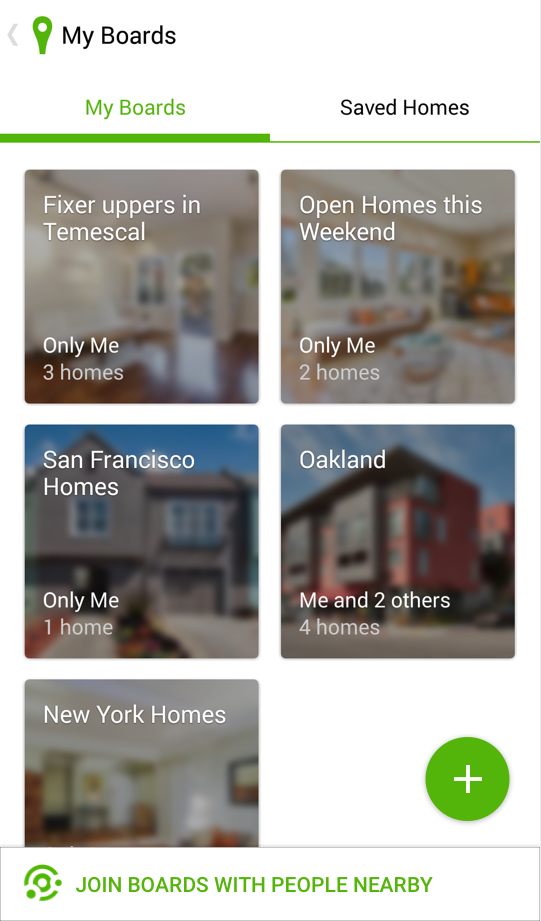
Trulia uses Nearby to simplify the house hunting process. Create a board and use Nearby to make it easy for the people around you to join it.
Posted by Addy Osmani, Staff Developer Platform Engineer
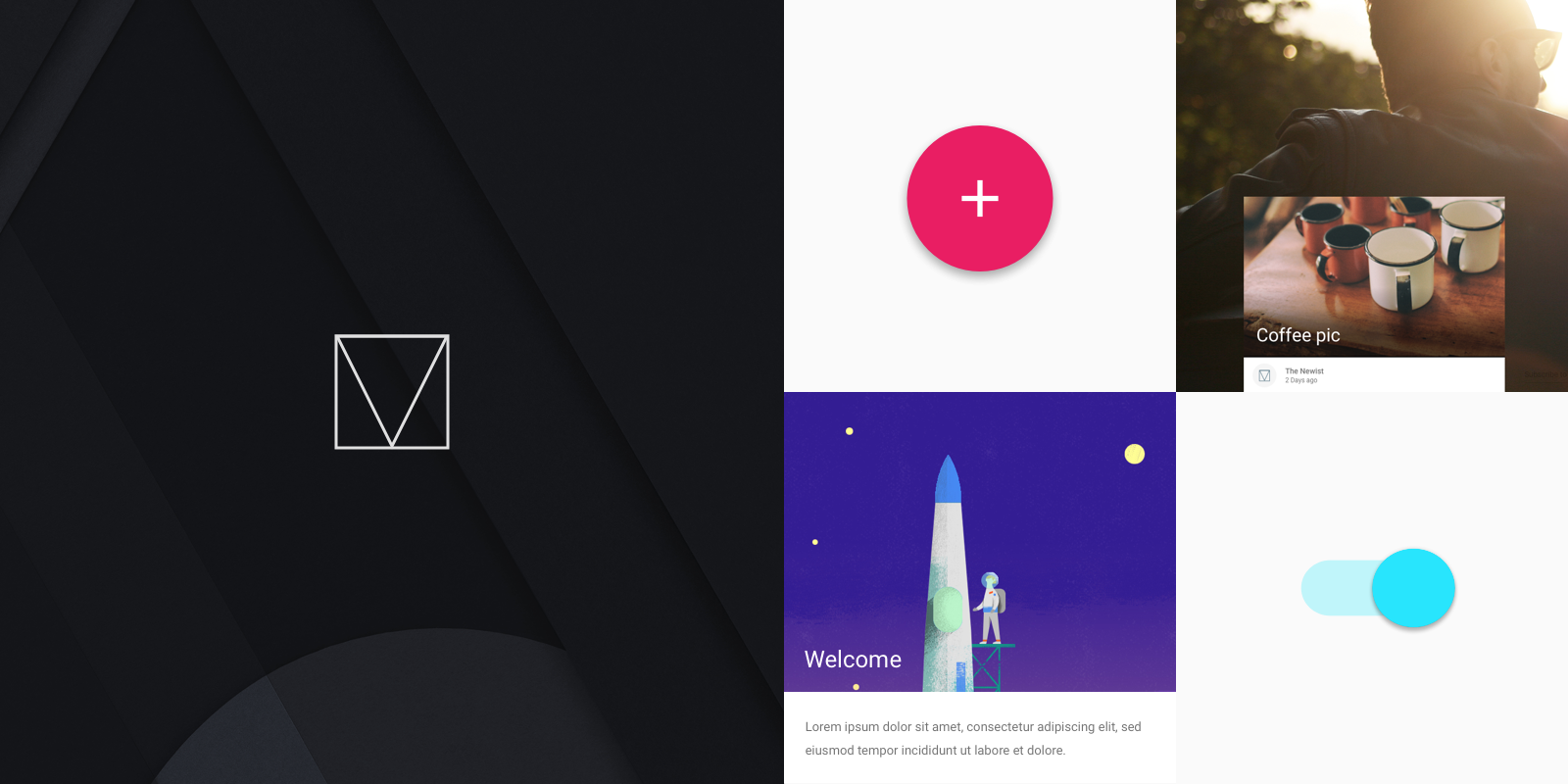
Back in 2014, Google published the material design specification with a goal to provide guidelines for good design and beautiful UI across all device form factors. Today we are releasing our first effort to bring this to websites using vanilla CSS, HTML and JavaScript. We’re calling it Material Design Lite (MDL).
MDL makes it easy to add a material design look and feel to your websites. The “Lite” part of MDL comes from several key design goals: MDL has few dependencies, making it easy to install and use. It is framework-agnostic, meaning MDL can be used with any of the rapidly changing landscape of front-end tool chains. MDL has a low overhead in terms of code size (~27KB gzipped), and a narrow focus—enabling material design styling for websites.
Get started now and give it a spin or try one of our examples on CodePen.
MDL is a complimentary implementation to the Paper elements built with Polymer. The Paper elements are fully encapsulated components that can be used individually or composed together to create a material design-style site, and support more advanced user interaction. That said, MDL can be used alongside the Polymer element counterparts.
Out-of-the-box Templates
MDL optimises for websites heavy on content such as marketing pages, text articles and blogs. We've built responsive templates to show the broadness of sites that can be created using MDL that can be downloaded from our Templates page. We hope these inspire you to build great looking sites.
Blogs:
Text-heavy content sites:
Dashboards:
Standalone articles:
and more.
Technical details and browser support
MDL includes a rich set of components, including material design buttons, text-fields, tooltips, spinners and many more. It also include a responsive grid and breakpoints that adhere to the new material design adaptive UI guidelines.
The MDL sources are written in Sass using BEM. While we hope you'll use our theme customizer or pre-built CSS, you can also download the MDL sources from GitHub and build your own version. The easiest way to use MDL is by referencing our CDN, but you can also download the CSS or import MDL via npm or Bower.
The complete MDL experience works in all modern evergreen browsers (Chrome, Firefox, Opera, Edge) and Safari, but gracefully degrades to CSS-only in browsers like IE9 that don’t pass our Cutting-the-mustard test. Our browser compatibility matrix has the most up to date information on the browsers MDL officially supports.
More questions?
We've been working with the designers evolving material design to build in additional thinking for the web. This includes working on solutions for responsive templates, high-performance typography and missing components like badges. MDL is spec compliant for today and provides guidance on aspects of the spec that are still being evolved. As with the material design spec itself, your feedback and questions will help us evolve MDL, and in turn, how material design works on the web.
We’re sure you have plenty of questions and we have tried to cover some of them in our FAQ. Feel free to hit us up on GitHub or Stack Overflow if you have more. :)
Wrapping up
MDL is built on the core technologies of the web you already know and use every day—CSS, HTML and JS. By adopting MDL into your projects, you gain access to an authoritative and highly curated implementation of material design for the web. We can’t wait to see the beautiful, modern, responsive websites you’re going to build with Material Design Lite.
Posted by Leon Nicholls, Developer Programs Engineer
Remote Display on Google Cast allows your app to display both on your mobile and Cast device at the same time. Processing is a programming language that allows artists and hobbyists to create advanced graphics and interactive exhibitions. By putting these two things together we were able to quickly create stunning visual art and display it on the big screen just by bringing our phone to the party or gallery. This article describes how we added support for the Google Cast Remote Display APIs to Processing for Android and how you can too.
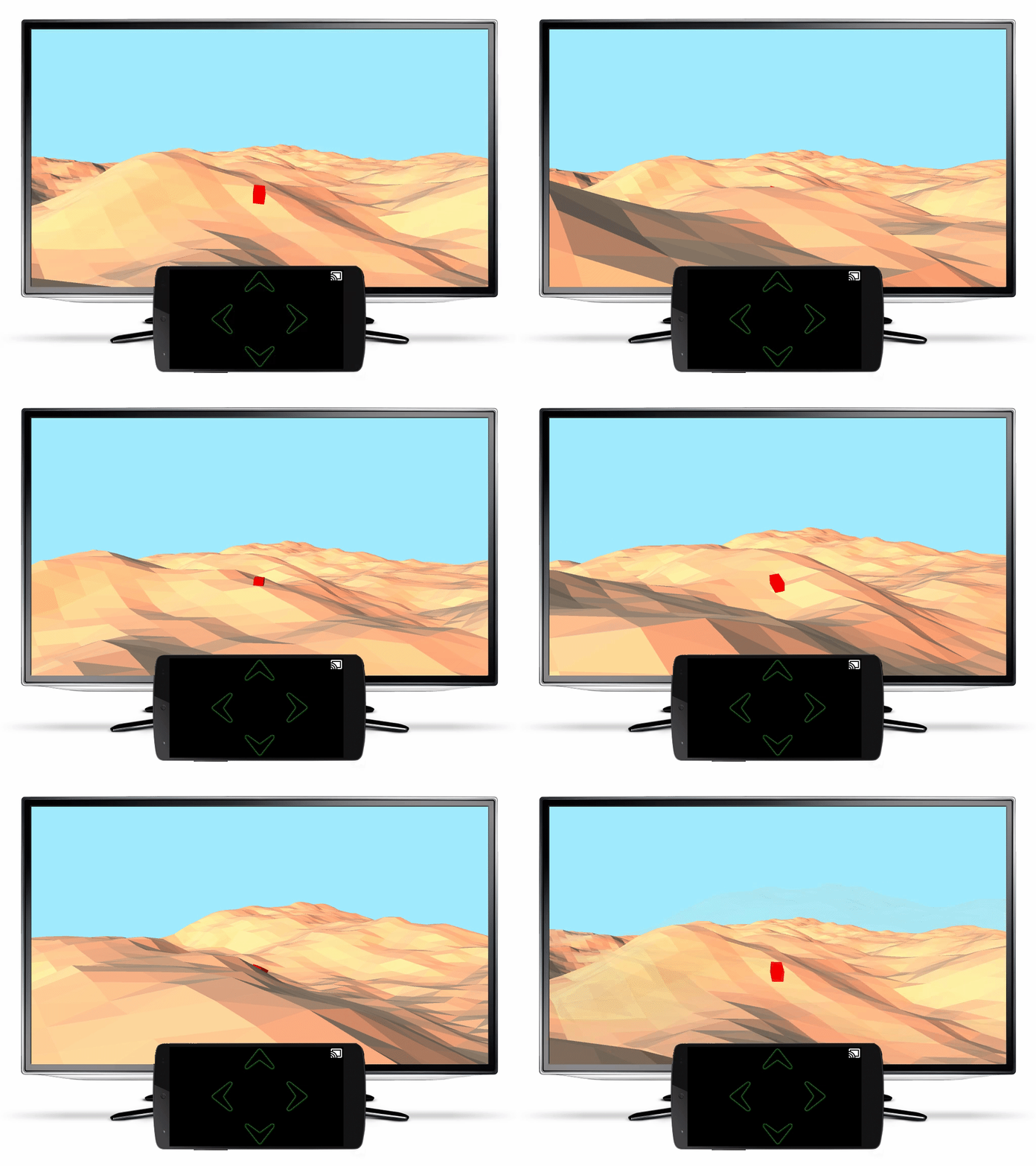
An example app from the popular Processing toxiclibs library on Cast. Download the code and run it on your own Chromecast!
A little background
Processing has its own IDE and has many contributed libraries that hide the technical details of various input, output and rendering technologies. Users of Processing with just basic programming skills can create complicated graphical scenes and visualizations.
To write a program in the Processing IDE you create a “sketch” which involves adding code to life-cycle callbacks that initialize and draw the scene. You can run the sketch as a Java program on your desktop. You can also enable support for Processing for Android and then run the same sketch as an app on your Android mobile device. It also supports touch events and sensor data to interact with the generated apps.
Instead of just viewing the graphics on the small screen of the Android device, we can do better by projecting the graphics on a TV screen. Google Cast Remote Display APIs makes it easy to bring graphically intensive apps to Google Cast receivers by using the GPUs, CPUs and sensors available on the mobile devices you already have.
How we did it
Adding support for Remote Display involved modifying the Processing for Android Mode source code. To compile the Android Mode you first need to compile the source code of the Processing IDE. We started with the source code of the current stable release version 2.2.1 of the Processing IDE and compiled it using its Ant build script (detailed instructions are included along with the code download). We then downloaded the Android SDK and source code for the Android Mode 0232. After some minor changes to its build config to support the latest Android SDK version, we used Ant to build the Android Mode zip file. The zip file was unzipped into the Processing IDE modes directory.
We then used the IDE to open one of the Processing example sketches and exported it as an Android project. In the generated project we replaced the processing-core.jar library with the source code for Android Mode. We also added a Gradle build config to the project and then imported the project into Android Studio.
The main Activity for a Processing app is a descendent of the Android Mode PApplet class. The PApplet class uses a GLSurfaceView for rendering 2D and 3D graphics. We needed to change the code to use that same GLSurfaceView for the Remote Display API.
It is a requirement in the Google Cast Design Checklist for the Cast button to be visible on all screens. We changed PApplet to be an ActionBarActivity so that we can show the Cast button in the action bar. The Cast button was added by using a MediaRouteActionProvider. To only list Google Cast devices that support Remote Display, we used a MediaRouteSelector with an App ID we obtained from the Google Cast SDK Developer Console for a Remote Display Receiver.
Next, we created a class called PresentationService that extends CastRemoteDisplayLocalService. The service allows the app to keep the remote display running even when it goes into the background. The service requires a CastPresentation instance for displaying its content. The CastPresentation instance uses the GLSurfaceView from the PApplet class for its content view. However, setting the CastPresentation content view requires some changes to PApplet so that the GLSurfaceView isn’t initialized in its onCreate, but waits until the service onRemoteDisplaySessionStarted callback is invoked.
For the mobile display, we display an image bitmap and forward the PApplet touch events to the existing surfaceTouchEvent method. When you run the Android app, you can use touch gestures on the display of the mobile device to control the interaction on the TV. Take a look at this video of some of the Processing apps running on a Chromecast.
Most of the new code is contained in the PresentationService and RemoteDisplayHelper classes. Your mobile device needs to have at least Android KitKat and Google Play services version 7.5.71.
You can too
Now you can try the Remote Display APIs in your Processing apps. Instead of changing the generated code every time you export your Android Mode project, we recommend that you use our project as a base and simply copy your generated Android code and libraries to our project. Then simply modify the project build file and update the manifest to start the app with your sketch’s main Activity.
To see a more detailed description on how to use the Remote Display APIs, read our developer documentation. We are eager to see what Processing artists can do with this code in their projects.
Our developer program started in 2005 with a handful of APIs and developer advocates. Fast forward to today: Google offers over 100 APIs, dozens of developer tools, and a raft of developer advocates around the world. Obviously, a lot has changed and the Web has matured significantly. Google has also evolved and matured, and we felt that it was time to step back and rethink how we interact with and support our developer community. We believe we can make it easier to find what you’re looking for, and facilitate connections with others in the Google Developer community. We know we can do better and we want your input so that we can understand your needs — and what drives you — better.
We want to know what inspires you as a developer and how Google can support you. What does being a Google developer mean to you? Tell us what’s important to you and how we can make your experience as a Google developer better. Like any good open source project, the Google developers project needs your contributions. Share your story so we can we better support your success — and we may just pick you to be featured.
You can add a video (it's easy, really!) directly from the page, on your mobile phone, or write to us here. However you share with us, we’re looking forward to hearing what you have to say.
Amy Walgenbach is the Product Marketing lead for the Google+ platform and leads developer marketing for games at Google.






 By Amy Walgenbach, Google Developer Marketing